
 Need help?
Do you have a question about the Pioneer RS-D7RII and is the answer not in the manual?
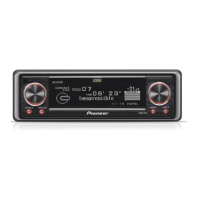
Overview of the main unit's controls and indicators.
Explanation of the remote control's design and operation.
Instructions on how the remote control cover functions.
Guidelines for operating the remote control effectively.
Information and precautions for battery installation.
General product information and regional usage notes.
Steps to take if the product malfunctions.
Procedure for resetting the unit's internal system.
Step-by-step guide for removing the front panel.
Instructions for reattaching the front panel.
How to access and navigate initial settings.
Procedure for adjusting the unit's clock.
Options for customizing screen brightness and appearance.
Configuration of general operational settings.
How to activate or deactivate the menu lock feature.
Initial steps required to play audio.
Procedure for turning off the unit.
Fundamental tuning procedures.
Memorizing and recalling radio stations.
Details on the AF feature for better reception.
How to search for stations by program type.
Using TA for traffic updates.
Displaying text information from radio stations.
Fundamental CD playback controls.
Navigating tracks and playback speed.
Setting tracks or discs to repeat.
Playing tracks in a random order.
Previewing tracks on a CD.
Temporarily stopping playback.
Entering custom titles for discs.
Controls for an external multi-CD changer.
Selecting discs directly.
Playing discs using entered titles.
Fundamental DVD playback controls.
Navigating chapters and playback speed.
Setting chapters, titles, or discs to repeat.
Entering custom titles for DVDs.
Introduction to DAB broadcast reception.
Memorizing and recalling DAB services.
Handling traffic and other announcements.
Searching for DAB stations by program type.
Introduction to TV broadcast reception.
Memorizing and recalling TV channels.
Connecting and using external audio devices.
Automatic muting during phone calls.
Changing button illumination color.
General guidelines for handling CDs.
Troubleshooting common CD player errors.
Wiring diagram for the main power supply.
Detailed wiring diagrams for various components.
Installing the unit using a rubber bush mount.
Procedure for uninstalling the main unit.
Mounting the remote control base.
Mounting with a bracket.
Overall product specifications.
FM radio receiver specifications.
CD playback system specifications.
 General
| MP3 playback | - |
|---|---|
| CD-R playback | Yes |
| Supported radio bands | AM, FM |
| Bluetooth | No |
| Digital audio optical out | 1 |
| Product color | Black |
| Volume control | Rotary |
| Key illumination color | Red |



 To Next Page