EasyManua.ls Logo

Pioneer S-BD707T - User Manual

Pioneer S-BD707T
80 pages
Print Icon
To Next Page IconTo Next Page
Loading...
P/NO: MFL67205117
BCS-717
XV-BD717W
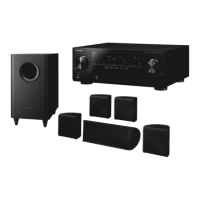
S-BD707T
S-BD707SW
BCS-313
XV-BD717W
S-BD303
Français
Deutsch
Italiano
Nederlands
Español
English
Français
Deutsch
Italiano
Nederlands
Español
English
Blu-ray Disc surround system
Blu-ray Disc receiver
Speaker System
Speaker System
Speaker System (only subwoofer)
Blu-ray Disc surround system
HB916-RD0_BGBRPPK_OM_ENG.indd 1 2011-06-21 �� 4:15:26

Table of Contents

Questions and Answers

Summary

Safety Information

Electric Shock and Opening Precautions

Warnings against opening the unit and risks of electric shock.

Ventilation and Heat Radiation Warnings

Instructions for proper ventilation and avoiding overheating.

Laser Safety

Precautions regarding the Class 1 laser product.

Power Cord Safety

Guidelines for safe usage and maintenance of the power cord.

Battery Safety and Disposal Information

Safe Battery Removal Procedures

Steps for safely removing batteries from the equipment.

Battery Handling Cautions

Warnings regarding battery storage and usage conditions.

Apparatus Water Exposure Warning

Caution against exposing the apparatus to water.

E-Waste Collection and Disposal Guidance

Information on collecting and disposing of old equipment and batteries.

Regulatory and Usage Notices

EU Wireless Product Compliance

Declaration of conformity for wireless products within the EU.

RF Radiation Exposure Statement

Guidelines for safe installation and operation regarding RF exposure.

General Usage and Power Precautions

Cautions regarding household use, power switch, and installation.

Copyright Information

Notes on copyrights and content usage restrictions.

Important Notice for TV Colour System

Color System Compatibility

Explains differences in color systems and compatibility with TVs.

PAL vs. NTSC TV Output

Details on how PAL TVs might display distorted images from NTSC signals.

Multi-System TV Operation

Instructions for multi-system TVs and automatic color system changes.

Recorder Compatibility

Note on potential recording issues even if display is correct.

Introduction

Playable Discs and Symbols

Information on supported disc types and associated symbols used in the manual.

Symbol Display Explanation

Explains the meaning of the "Ø" symbol when displayed on the TV.

Supplied Accessories

Accessories for S-BD707 SW Speaker System

Lists accessories included with the S-BD707SW speaker system.

Accessories for S-BD303 Speaker System

Lists accessories included with the S-BD303 speaker system.

Accessories for S-BD707 T Speaker System

Lists accessories included with the S-BD707T speaker system.

File Compatibility

Movie File Formats

Details on supported file formats, codecs, and subtitles for movie files.

Music File Formats

Details on supported file formats, sampling frequency, and bitrate for music files.

Photo File Formats

Details on supported file formats and recommended sizes for photo files.

AVCHD Video Format

AVCHD Format Overview

Explains AVCHD as a high-definition digital video format.

AVCHD Playback Capabilities

Details on player support for AVCHD discs and x.v.Colour format.

About DLNA

DLNA Certified Player

Explains the player's DLNA certification for media sharing.

Digital Living Network Alliance

Describes DLNA as an organization for easy digital media sharing.

System Requirements and Compatibility

High Definition Playback Requirements

Specifies requirements for HD video playback and network file sharing.

Regional Code Restrictions

Explains how regional codes affect disc playback.

Disc and Connection Compatibility Notes

Information on compatibility issues with BD-ROM discs and connections.

Remote Control Operation

Remote Control Button Functions

Details the functions of various buttons on the remote control.

Remote Control Battery Installation

Instructions for installing the battery in the remote control.

Player Panel Layout

Front Panel Overview

Identifies and describes components on the front panel of the player.

Rear Panel Connections

Identifies and describes the various ports and connectors on the rear panel.

Speaker Assembly and Setup

Speaker Assembly for BCS-717

Instructions for attaching non-skid pads to speaker bases and subwoofer.

Attaching Speaker Stands

Steps for attaching speaker stands to bases using screws.

Speaker Installation and Safety

Securing Front and Surround Speakers

Instructions for securing speakers to the wall using a plastic catch and cord.

Speaker Installation Cautions

Warnings about proper installation, securing, and avoiding hazards.

Speaker Setup for BCS-313

Speaker Pad Attachment

Instructions for attaching non-skid pads to speakers and subwoofer bases.

Speaker Wire Connection

Guidance on connecting speaker wires to the player.

Speaker Connection Cautions

Warnings regarding connecting speakers and potential electrical hazards.

Speaker Mounting and Notes

Center Speaker Wall Mounting

Instructions and precautions for wall mounting the center speaker.

Additional Speaker Installation Notes

Notes on speaker placement, magnetic shielding, and subwoofer placement.

System Speaker Positioning

Optimal Speaker Placement Guide

Illustrates and describes the ideal placement for front, center, and surround speakers.

Subwoofer Placement Recommendations

Provides guidance on optimal subwoofer positioning.

Speaker Placement Cautions

Cautions regarding magnetic parts and avoiding falling speakers.

Connecting to Your TV

HDMI Connection Guide

Instructions for connecting the player to a TV via HDMI cable.

Additional HDMI Information

Notes on HDMI connection procedures, resolution compatibility, and HDCP.

Advanced TV Connectivity

HDMI Audio Output Note

Notes on potential issues with HDMI audio output and connected devices.

ARC Functionality

Explains how to use the Audio Return Channel (ARC) function for audio streaming.

Component Video Connection

Connecting Component Video

Steps to connect component video OUT jacks to TV input jacks.

Video Connection

Connecting Composite Video

Steps to connect the VIDEO OUT jack to the TV's video input jack.

Video Output Resolution Settings

Adjusting Output Resolution

Guide on how to change output resolution via the Setup menu.

Resolution Setting Notes

Notes on troubleshooting resolution issues and factors affecting output.

Antenna Connection

FM Antenna Setup

Instructions for connecting the FM antenna for radio listening.

External Device Connections

AUX Connection Guide

How to connect external analog audio components via AUX input.

PORTABLE IN Connection

How to connect portable audio players via the PORTABLE IN socket.

Digital Audio and HDMI Input Connections

OPTICAL IN Connection

How to connect components with digital optical output.

HDMI IN 1;2 Connection

How to connect components via HDMI IN jacks for audio and video.

Home Network Connectivity

Network Connection Overview

Explains connecting to a local area network for online services.

Wired Network Connection Setup

Instructions for establishing a wired network connection using a LAN cable.

Wired Network Setup

Network Setup Preparation

Steps to prepare for wired network setup, including broadband connection.

Automatic IP Address Allocation

How the player automatically obtains an IP address via DHCP.

Manual IP Address Configuration

Guide for manually setting IP address, subnet mask, gateway, and DNS.

Network Connection Test

How to test and confirm the network connection status.

Wireless Network Setup

Wireless Network Options

Explains using Access Point or wireless router for network connection.

Wireless Network Frequency Bands

Information on available frequency ranges and channels for 5 GHz band.

Network Setup Preparation

Steps to prepare for wireless network setup, including broadband and router settings.

Selecting Wireless Network

Steps to select a wireless network from the scanned list.

Manual and Push Button Configuration

Options for manual network configuration or using Push Button setup.

WEP;WPA Key Entry

How to enter WEP or WPA keys for network security.

Dynamic vs. Static IP Mode

Explanation of choosing between Dynamic and Static IP modes.

Applying Network Settings

Steps to apply network settings and test the connection.

Network Connection Notes and Troubleshooting

Network Connection Troubleshooting

Tips for resolving common network setup problems.

ISP and Router Considerations

Information on ISP limitations, router usage, and DSL/cable modem requirements.

Wireless Interference and Placement

Advice on minimizing wireless interference and optimizing player placement.

USB Device Connectivity

Connecting a USB Device

Instructions for inserting a USB device into the player's port.

Playing Content from USB

Steps to select and play movie, music, or photo files from a USB device.

USB Device Compatibility Notes

Information on supported USB formats, partitions, and potential issues.

System Settings: Display Menu

TV Aspect Ratio Options

Guide to selecting TV aspect ratios like Letter Box, Pan Scan, and Original.

Aspect Ratio and Resolution Note

Important note on aspect ratio selection limitations with higher resolutions.

Resolution Settings

How to set output resolution for HDMI and Component Video.

HDMI Color Setting Options

How to select the output color setting for HDMI OUT jack.

3 D Mode Selection

How to enable or disable 3D playback mode for Blu-ray discs.

System Settings: Language and Audio

[LANGUAGE] Menu Options

How to select menu language, audio track, and subtitle language.

Speaker Setup Procedure

Guide to configuring speaker volume, distance, and test tones for optimal sound.

System Settings: AV Sync, DRC, and Lock

HD AV Sync Adjustment

How to compensate for audio delay relative to video.

DRC (Dynamic Range Control)

How to compress dynamic range for lower volume listening.

LOCK Menu and Password

How to set up parental controls and a security password.

System Settings: Ratings and Network

DVD and Blu-ray Disc Ratings

How to set parental controls for DVD and Blu-ray playback.

Area Code Setting

How to enter the area code for DVD rating standards.

[NETWORK] Menu Overview

Settings for network communication, BD-Live, and online services.

BD-LIVE Connection Options

How to configure internet access for BD-LIVE content.

System Settings: Other Options

[OTHERS] Menu Functions

Settings for ARC, DivX VOD registration, and Auto Power Off.

System Initialization Options

How to reset to factory settings or clear BD-LIVE storage.

Software and Disclaimer Information

Displays software version and network service disclaimer.

Sound Effect Modes

Sound Mode Selection

Guide to selecting various sound modes for different audio sources and speaker types.

Specific Sound Mode Descriptions

Explains modes like Bass Blast, PL II Movie, Clear Voice, Game, and Night.

General Playback Operations

Using the HOME Menu

Navigating the main menu to select content types.

Playing Discs (BD, DVD, ACD)

Steps for inserting discs and starting playback.

Playing Files from Disc;USB

How to play movie, music, and photo files from discs or USB devices.

Blu-ray 3 D Disc Playback

3 D Playback Preparation

Requirements for TV, glasses, and HDMI connection for 3D playback.

3 D Playback Procedure

Steps to enable 3D mode and play Blu-ray 3D discs.

3 D Viewing Cautions

Warnings about potential dizziness or fatigue from prolonged 3D viewing.

Enjoying BD-Live Content

BD-Live Network Requirements

Checking network connection and USB storage for BD-Live features.

BD-Live Connection Setup

Setting the BD-LIVE connection option for accessing online content.

BD-Live Usage Cautions

Precautions regarding USB device removal during content download.

Network File Playback

Playing Files from Network Servers

How to play files from a PC or DLNA server over the home network.

Network User ID and Password Entry

Steps for entering network credentials to access shared folders.

Network File Playback Notes

Notes on file requirements, playback quality, and unsupported features.

Video and Audio Playback Operations

Basic Playback Controls

How to stop, pause, frame-by-frame, scan, and slow down playback.

Skipping Chapters;Tracks;Files

How to navigate between chapters, tracks, or files.

Photo Slide Show Operations

Slide Show Controls

How to start, stop, pause, and skip photos in a slide show.

Disc Menu Navigation

Displaying Disc Menu

How to display the disc menu during playback.

Displaying Pop-up Menu

How to display the BD-ROM pop-up menu.

Resume Playback Function

How Resume Playback Works

Explains how the unit records and resumes playback points.

Resume Playback Notes

Notes on conditions that may clear the resume point or disable the function.

Advanced Playback Features

Repeat Playback Modes

How to repeat tracks, chapters, titles, or specific portions.

Enlarging the Playback Image

How to zoom in and out of the picture during playback.

Marker Search Functionality

Entering and Recalling Markers

How to set, recall, and delete playback markers.

Marker Search Notes

Notes on limitations and conditions for marker functionality.

Using the Search Menu

Searching for Playback Points

How to use the search menu to find specific playback points.

Playback from Marked Scenes

How to start playback from a scene marked in the search menu.

Search Menu Notes

Notes on limitations of the search menu functionality.

Subtitle File Selection

Selecting Subtitle Files

How to select subtitle files in the Movie menu before playing.

Subtitle Selection Notes

Notes on subtitle selection cancellation and availability.

Last Scene Memory

How Last Scene Memory Works

Explains how the unit memorizes the last scene viewed.

Last Scene Memory Limitations

Notes on when the last scene memory function may not work.

Photo Viewing Options

Photo Viewing Menu

Accessing options like Slide Show, Music Select, Rotate, Zoom, Effect, Speed.

Navigating Through Photos

How to view previous/next photos and control slide show.

Music with Photo Slide Show

Selecting Background Music

How to select music to play during a photo slide show.

Music Selection Notes

Notes on folder selection availability for server music.

On-Screen Display Information

Displaying Playback Information

How to show various playback details on screen.

On-Screen Information Categories

Lists types of information displayed: Title, Chapter, Time, Audio, Subtitle, Angle, Aspect Ratio, Picture Mode.

On-Screen Display Notes

Notes on display disappearance and content limitations.

Playback Navigation and Selection

Playing from Selected Time

How to jump to a specific time in a video.

Selecting Subtitle Language

How to choose a subtitle language during playback.

Changing Audio Language;Track

How to select different audio tracks or languages.

Changing Camera Angles

How to switch between different camera angles for scenes.

Playback Display Adjustments

Changing TV Aspect Ratio

How to adjust the TV aspect ratio during playback.

Changing Subtitle Code Page

How to fix subtitle display issues by changing the code page.

Changing Picture Mode Settings

How to select picture modes and adjust user settings.

Audio CD Recording to USB

Recording Process

Steps for recording tracks from an Audio CD to a USB device.

Recording Options and Notes

Explains encoding options, recording times, and required free space.

Copyright Caution for Recording

Warning against unauthorized copying of copyrighted material.

iPod Playback

iPod Connection Preparation

Steps to prepare the unit and iPod for video and photo viewing.

Enjoying iPod Content on TV

How to play music, videos, and photos from an iPod on the TV screen.

iPod IN Mode Operation

Operating iPod via Remote

How to control the iPod using the unit's remote and iPod controls.

iPod IN Mode Controls

Explains button functions for selecting options, playback, and repeat modes.

iPod Compatibility and Notes

Information on compatible iPod models, iPhone/iPod touch usage, and software version compatibility.

Radio Operations

Listening to the Radio

How to tune in and adjust volume for FM radio stations.

Presetting Radio Stations

How to store up to 50 FM radio stations.

Managing Saved Radio Stations

How to delete individual or all saved radio stations.

Improving FM Reception

Tips for improving FM reception, like switching to mono.

Radio Data System (RDS) Information

How to view station information like PS, PTY, RT, and CT.

Using Online Content Services

Accessing Online Services

How to check network connection and access online services via the menu.

Online Service Information Notes

Notes on service changes, wireless interference, and privacy policy.

Troubleshooting Guide

General Troubleshooting Issues

Lists common problems like power, playback, remote control, and unit operation issues.

Network Connectivity Issues

Addresses problems with BD-LIVE, streaming services, shared folders, and access points.

Picture Display Problems

Troubleshoots issues like no picture, picture noise, and incorrect 3D views.

Sound Output Issues

Troubleshoots problems with no sound or distorted sound output.

Product Updates and Servicing

Information on checking the Pioneer website for updates or servicing.

Remote Control TV Functions

Controlling Your TV with Remote

How to use the remote control's TV control buttons.

Setting Up TV Manufacturer Codes

Instructions for programming the remote to control a TV.

Area Code List

Area Code Reference

A list of countries and their corresponding area codes.

Language Code List

Language Code Reference

A list of languages and their corresponding codes for settings.

Trademarks and Licensing Information

Disc Format Trademarks

Trademarks related to Blu-ray Disc, DVD, and HDMI.

Audio and Digital Technology Trademarks

Trademarks for Dolby, DTS, DLNA, and Wi-Fi.

Video Technology Trademarks

Trademarks for x.v.Colour, x.v.Color, and AVCHD.

Video Output Resolution Details

Resolution Tables (Non-Copy Protected)

Tables showing video output resolutions for different media types.

Resolution Tables (Copy Protected)

Tables showing video output resolutions for copy-protected media.

HDMI OUT Connection Notes

Notes on manual resolution selection and automatic reverting.

COMPONENT VIDEO OUT Connection

Information on upscaling prevention for analog output.

VIDEO OUT Connection Resolution

States that VIDEO OUT is always 576i resolution.

Product Specifications

General Specifications

Power, dimensions, weight, operating environment details.

Inputs;Outputs Specifications

Details on video, audio, and other input/output port specifications.

Tuner and Amplifier Specifications

FM tuning range and power output specifications.

System and Speaker Specifications

System Specifications

Details on laser, signal system, frequency response, and network interfaces.

BCS-717 Speaker Specifications

Dimensions and weight for S-BD707T and S-BD707SW speakers.

BCS-313 Speaker Specifications

S-BD303 Speaker Dimensions

Dimensions and weight for S-BD303 front/surround and center speakers.

S-BD303 Subwoofer Specifications

Dimensions and weight for the S-BD303 subwoofer.

Maintenance and Disc Handling

Handling the Unit (Shipping;Cleaning)

Instructions for safely shipping and cleaning the player unit.

Maintaining Unit Performance

Notes on keeping the unit clean for optimal performance.

Handling Discs Safely

Guidelines for touching, storing, and cleaning discs.

Important Information on Network Services

Service Provider Responsibility

States that content and services are sole responsibility of providers.

Service Availability and Changes

Notes that service availability and content may change without notice.

Customer Service Disclaimer

Pioneer is not liable for customer service related to content providers.

Software License Information

GPL Executables and LGPL Libraries

Lists GPL and LGPL software components used in the product.

gSOAP Public License

Information regarding the gSOAP Public License.

Product Software Components

Lists various software components and their copyright holders.

GNU General Public License

Details the terms and conditions of the GNU GPL.

Declaration of Conformity (R&TTE Directive)

Manufacturer and EU Representative Details

Identifies Pioneer Corporation and Pioneer Europe NV.

Compliance Declarations (Multilingual)

Statements of compliance in various European languages.

Compliance Declarations (Continued)

Statements of compliance in additional languages.

Company Information and Contact

Pioneer Contact Information

Lists contact addresses for Pioneer Corporation and its regional subsidiaries.

Copyright and Publishing Details

States copyright year and publisher information.

Summary

Safety Information

Electric Shock and Opening Precautions

Warnings against opening the unit and risks of electric shock.

Ventilation and Heat Radiation Warnings

Instructions for proper ventilation and avoiding overheating.

Laser Safety

Precautions regarding the Class 1 laser product.

Power Cord Safety

Guidelines for safe usage and maintenance of the power cord.

Battery Safety and Disposal Information

Safe Battery Removal Procedures

Steps for safely removing batteries from the equipment.

Battery Handling Cautions

Warnings regarding battery storage and usage conditions.

Apparatus Water Exposure Warning

Caution against exposing the apparatus to water.

E-Waste Collection and Disposal Guidance

Information on collecting and disposing of old equipment and batteries.

Regulatory and Usage Notices

EU Wireless Product Compliance

Declaration of conformity for wireless products within the EU.

RF Radiation Exposure Statement

Guidelines for safe installation and operation regarding RF exposure.

General Usage and Power Precautions

Cautions regarding household use, power switch, and installation.

Copyright Information

Notes on copyrights and content usage restrictions.

Important Notice for TV Colour System

Color System Compatibility

Explains differences in color systems and compatibility with TVs.

PAL vs. NTSC TV Output

Details on how PAL TVs might display distorted images from NTSC signals.

Multi-System TV Operation

Instructions for multi-system TVs and automatic color system changes.

Recorder Compatibility

Note on potential recording issues even if display is correct.

Introduction

Playable Discs and Symbols

Information on supported disc types and associated symbols used in the manual.

Symbol Display Explanation

Explains the meaning of the "Ø" symbol when displayed on the TV.

Supplied Accessories

Accessories for S-BD707 SW Speaker System

Lists accessories included with the S-BD707SW speaker system.

Accessories for S-BD303 Speaker System

Lists accessories included with the S-BD303 speaker system.

Accessories for S-BD707 T Speaker System

Lists accessories included with the S-BD707T speaker system.

File Compatibility

Movie File Formats

Details on supported file formats, codecs, and subtitles for movie files.

Music File Formats

Details on supported file formats, sampling frequency, and bitrate for music files.

Photo File Formats

Details on supported file formats and recommended sizes for photo files.

AVCHD Video Format

AVCHD Format Overview

Explains AVCHD as a high-definition digital video format.

AVCHD Playback Capabilities

Details on player support for AVCHD discs and x.v.Colour format.

About DLNA

DLNA Certified Player

Explains the player's DLNA certification for media sharing.

Digital Living Network Alliance

Describes DLNA as an organization for easy digital media sharing.

System Requirements and Compatibility

High Definition Playback Requirements

Specifies requirements for HD video playback and network file sharing.

Regional Code Restrictions

Explains how regional codes affect disc playback.

Disc and Connection Compatibility Notes

Information on compatibility issues with BD-ROM discs and connections.

Remote Control Operation

Remote Control Button Functions

Details the functions of various buttons on the remote control.

Remote Control Battery Installation

Instructions for installing the battery in the remote control.

Player Panel Layout

Front Panel Overview

Identifies and describes components on the front panel of the player.

Rear Panel Connections

Identifies and describes the various ports and connectors on the rear panel.

Speaker Assembly and Setup

Speaker Assembly for BCS-717

Instructions for attaching non-skid pads to speaker bases and subwoofer.

Attaching Speaker Stands

Steps for attaching speaker stands to bases using screws.

Speaker Installation and Safety

Securing Front and Surround Speakers

Instructions for securing speakers to the wall using a plastic catch and cord.

Speaker Installation Cautions

Warnings about proper installation, securing, and avoiding hazards.

Speaker Setup for BCS-313

Speaker Pad Attachment

Instructions for attaching non-skid pads to speakers and subwoofer bases.

Speaker Wire Connection

Guidance on connecting speaker wires to the player.

Speaker Connection Cautions

Warnings regarding connecting speakers and potential electrical hazards.

Speaker Mounting and Notes

Center Speaker Wall Mounting

Instructions and precautions for wall mounting the center speaker.

Additional Speaker Installation Notes

Notes on speaker placement, magnetic shielding, and subwoofer placement.

System Speaker Positioning

Optimal Speaker Placement Guide

Illustrates and describes the ideal placement for front, center, and surround speakers.

Subwoofer Placement Recommendations

Provides guidance on optimal subwoofer positioning.

Speaker Placement Cautions

Cautions regarding magnetic parts and avoiding falling speakers.

Connecting to Your TV

HDMI Connection Guide

Instructions for connecting the player to a TV via HDMI cable.

Additional HDMI Information

Notes on HDMI connection procedures, resolution compatibility, and HDCP.

Advanced TV Connectivity

HDMI Audio Output Note

Notes on potential issues with HDMI audio output and connected devices.

ARC Functionality

Explains how to use the Audio Return Channel (ARC) function for audio streaming.

Component Video Connection

Connecting Component Video

Steps to connect component video OUT jacks to TV input jacks.

Video Connection

Connecting Composite Video

Steps to connect the VIDEO OUT jack to the TV's video input jack.

Video Output Resolution Settings

Adjusting Output Resolution

Guide on how to change output resolution via the Setup menu.

Resolution Setting Notes

Notes on troubleshooting resolution issues and factors affecting output.

Antenna Connection

FM Antenna Setup

Instructions for connecting the FM antenna for radio listening.

External Device Connections

AUX Connection Guide

How to connect external analog audio components via AUX input.

PORTABLE IN Connection

How to connect portable audio players via the PORTABLE IN socket.

Digital Audio and HDMI Input Connections

OPTICAL IN Connection

How to connect components with digital optical output.

HDMI IN 1;2 Connection

How to connect components via HDMI IN jacks for audio and video.

Home Network Connectivity

Network Connection Overview

Explains connecting to a local area network for online services.

Wired Network Connection Setup

Instructions for establishing a wired network connection using a LAN cable.

Wired Network Setup

Network Setup Preparation

Steps to prepare for wired network setup, including broadband connection.

Automatic IP Address Allocation

How the player automatically obtains an IP address via DHCP.

Manual IP Address Configuration

Guide for manually setting IP address, subnet mask, gateway, and DNS.

Network Connection Test

How to test and confirm the network connection status.

Wireless Network Setup

Wireless Network Options

Explains using Access Point or wireless router for network connection.

Wireless Network Frequency Bands

Information on available frequency ranges and channels for 5 GHz band.

Network Setup Preparation

Steps to prepare for wireless network setup, including broadband and router settings.

Selecting Wireless Network

Steps to select a wireless network from the scanned list.

Manual and Push Button Configuration

Options for manual network configuration or using Push Button setup.

WEP;WPA Key Entry

How to enter WEP or WPA keys for network security.

Dynamic vs. Static IP Mode

Explanation of choosing between Dynamic and Static IP modes.

Applying Network Settings

Steps to apply network settings and test the connection.

Network Connection Notes and Troubleshooting

Network Connection Troubleshooting

Tips for resolving common network setup problems.

ISP and Router Considerations

Information on ISP limitations, router usage, and DSL/cable modem requirements.

Wireless Interference and Placement

Advice on minimizing wireless interference and optimizing player placement.

USB Device Connectivity

Connecting a USB Device

Instructions for inserting a USB device into the player's port.

Playing Content from USB

Steps to select and play movie, music, or photo files from a USB device.

USB Device Compatibility Notes

Information on supported USB formats, partitions, and potential issues.

System Settings: Display Menu

TV Aspect Ratio Options

Guide to selecting TV aspect ratios like Letter Box, Pan Scan, and Original.

Aspect Ratio and Resolution Note

Important note on aspect ratio selection limitations with higher resolutions.

Resolution Settings

How to set output resolution for HDMI and Component Video.

HDMI Color Setting Options

How to select the output color setting for HDMI OUT jack.

3 D Mode Selection

How to enable or disable 3D playback mode for Blu-ray discs.

System Settings: Language and Audio

[LANGUAGE] Menu Options

How to select menu language, audio track, and subtitle language.

Speaker Setup Procedure

Guide to configuring speaker volume, distance, and test tones for optimal sound.

System Settings: AV Sync, DRC, and Lock

HD AV Sync Adjustment

How to compensate for audio delay relative to video.

DRC (Dynamic Range Control)

How to compress dynamic range for lower volume listening.

LOCK Menu and Password

How to set up parental controls and a security password.

System Settings: Ratings and Network

DVD and Blu-ray Disc Ratings

How to set parental controls for DVD and Blu-ray playback.

Area Code Setting

How to enter the area code for DVD rating standards.

[NETWORK] Menu Overview

Settings for network communication, BD-Live, and online services.

BD-LIVE Connection Options

How to configure internet access for BD-LIVE content.

System Settings: Other Options

[OTHERS] Menu Functions

Settings for ARC, DivX VOD registration, and Auto Power Off.

System Initialization Options

How to reset to factory settings or clear BD-LIVE storage.

Software and Disclaimer Information

Displays software version and network service disclaimer.

Sound Effect Modes

Sound Mode Selection

Guide to selecting various sound modes for different audio sources and speaker types.

Specific Sound Mode Descriptions

Explains modes like Bass Blast, PL II Movie, Clear Voice, Game, and Night.

General Playback Operations

Using the HOME Menu

Navigating the main menu to select content types.

Playing Discs (BD, DVD, ACD)

Steps for inserting discs and starting playback.

Playing Files from Disc;USB

How to play movie, music, and photo files from discs or USB devices.

Blu-ray 3 D Disc Playback

3 D Playback Preparation

Requirements for TV, glasses, and HDMI connection for 3D playback.

3 D Playback Procedure

Steps to enable 3D mode and play Blu-ray 3D discs.

3 D Viewing Cautions

Warnings about potential dizziness or fatigue from prolonged 3D viewing.

Enjoying BD-Live Content

BD-Live Network Requirements

Checking network connection and USB storage for BD-Live features.

BD-Live Connection Setup

Setting the BD-LIVE connection option for accessing online content.

BD-Live Usage Cautions

Precautions regarding USB device removal during content download.

Network File Playback

Playing Files from Network Servers

How to play files from a PC or DLNA server over the home network.

Network User ID and Password Entry

Steps for entering network credentials to access shared folders.

Network File Playback Notes

Notes on file requirements, playback quality, and unsupported features.

Video and Audio Playback Operations

Basic Playback Controls

How to stop, pause, frame-by-frame, scan, and slow down playback.

Skipping Chapters;Tracks;Files

How to navigate between chapters, tracks, or files.

Photo Slide Show Operations

Slide Show Controls

How to start, stop, pause, and skip photos in a slide show.

Disc Menu Navigation

Displaying Disc Menu

How to display the disc menu during playback.

Displaying Pop-up Menu

How to display the BD-ROM pop-up menu.

Resume Playback Function

How Resume Playback Works

Explains how the unit records and resumes playback points.

Resume Playback Notes

Notes on conditions that may clear the resume point or disable the function.

Advanced Playback Features

Repeat Playback Modes

How to repeat tracks, chapters, titles, or specific portions.

Enlarging the Playback Image

How to zoom in and out of the picture during playback.

Marker Search Functionality

Entering and Recalling Markers

How to set, recall, and delete playback markers.

Marker Search Notes

Notes on limitations and conditions for marker functionality.

Using the Search Menu

Searching for Playback Points

How to use the search menu to find specific playback points.

Playback from Marked Scenes

How to start playback from a scene marked in the search menu.

Search Menu Notes

Notes on limitations of the search menu functionality.

Subtitle File Selection

Selecting Subtitle Files

How to select subtitle files in the Movie menu before playing.

Subtitle Selection Notes

Notes on subtitle selection cancellation and availability.

Last Scene Memory

How Last Scene Memory Works

Explains how the unit memorizes the last scene viewed.

Last Scene Memory Limitations

Notes on when the last scene memory function may not work.

Photo Viewing Options

Photo Viewing Menu

Accessing options like Slide Show, Music Select, Rotate, Zoom, Effect, Speed.

Navigating Through Photos

How to view previous/next photos and control slide show.

Music with Photo Slide Show

Selecting Background Music

How to select music to play during a photo slide show.

Music Selection Notes

Notes on folder selection availability for server music.

On-Screen Display Information

Displaying Playback Information

How to show various playback details on screen.

On-Screen Information Categories

Lists types of information displayed: Title, Chapter, Time, Audio, Subtitle, Angle, Aspect Ratio, Picture Mode.

On-Screen Display Notes

Notes on display disappearance and content limitations.

Playback Navigation and Selection

Playing from Selected Time

How to jump to a specific time in a video.

Selecting Subtitle Language

How to choose a subtitle language during playback.

Changing Audio Language;Track

How to select different audio tracks or languages.

Changing Camera Angles

How to switch between different camera angles for scenes.

Playback Display Adjustments

Changing TV Aspect Ratio

How to adjust the TV aspect ratio during playback.

Changing Subtitle Code Page

How to fix subtitle display issues by changing the code page.

Changing Picture Mode Settings

How to select picture modes and adjust user settings.

Audio CD Recording to USB

Recording Process

Steps for recording tracks from an Audio CD to a USB device.

Recording Options and Notes

Explains encoding options, recording times, and required free space.

Copyright Caution for Recording

Warning against unauthorized copying of copyrighted material.

iPod Playback

iPod Connection Preparation

Steps to prepare the unit and iPod for video and photo viewing.

Enjoying iPod Content on TV

How to play music, videos, and photos from an iPod on the TV screen.

iPod IN Mode Operation

Operating iPod via Remote

How to control the iPod using the unit's remote and iPod controls.

iPod IN Mode Controls

Explains button functions for selecting options, playback, and repeat modes.

iPod Compatibility and Notes

Information on compatible iPod models, iPhone/iPod touch usage, and software version compatibility.

Radio Operations

Listening to the Radio

How to tune in and adjust volume for FM radio stations.

Presetting Radio Stations

How to store up to 50 FM radio stations.

Managing Saved Radio Stations

How to delete individual or all saved radio stations.

Improving FM Reception

Tips for improving FM reception, like switching to mono.

Radio Data System (RDS) Information

How to view station information like PS, PTY, RT, and CT.

Using Online Content Services

Accessing Online Services

How to check network connection and access online services via the menu.

Online Service Information Notes

Notes on service changes, wireless interference, and privacy policy.

Troubleshooting Guide

General Troubleshooting Issues

Lists common problems like power, playback, remote control, and unit operation issues.

Network Connectivity Issues

Addresses problems with BD-LIVE, streaming services, shared folders, and access points.

Picture Display Problems

Troubleshoots issues like no picture, picture noise, and incorrect 3D views.

Sound Output Issues

Troubleshoots problems with no sound or distorted sound output.

Product Updates and Servicing

Information on checking the Pioneer website for updates or servicing.

Remote Control TV Functions

Controlling Your TV with Remote

How to use the remote control's TV control buttons.

Setting Up TV Manufacturer Codes

Instructions for programming the remote to control a TV.

Area Code List

Area Code Reference

A list of countries and their corresponding area codes.

Language Code List

Language Code Reference

A list of languages and their corresponding codes for settings.

Trademarks and Licensing Information

Disc Format Trademarks

Trademarks related to Blu-ray Disc, DVD, and HDMI.

Audio and Digital Technology Trademarks

Trademarks for Dolby, DTS, DLNA, and Wi-Fi.

Video Technology Trademarks

Trademarks for x.v.Colour, x.v.Color, and AVCHD.

Video Output Resolution Details

Resolution Tables (Non-Copy Protected)

Tables showing video output resolutions for different media types.

Resolution Tables (Copy Protected)

Tables showing video output resolutions for copy-protected media.

HDMI OUT Connection Notes

Notes on manual resolution selection and automatic reverting.

COMPONENT VIDEO OUT Connection

Information on upscaling prevention for analog output.

VIDEO OUT Connection Resolution

States that VIDEO OUT is always 576i resolution.

Product Specifications

General Specifications

Power, dimensions, weight, operating environment details.

Inputs;Outputs Specifications

Details on video, audio, and other input/output port specifications.

Tuner and Amplifier Specifications

FM tuning range and power output specifications.

System and Speaker Specifications

System Specifications

Details on laser, signal system, frequency response, and network interfaces.

BCS-717 Speaker Specifications

Dimensions and weight for S-BD707T and S-BD707SW speakers.

BCS-313 Speaker Specifications

S-BD303 Speaker Dimensions

Dimensions and weight for S-BD303 front/surround and center speakers.

S-BD303 Subwoofer Specifications

Dimensions and weight for the S-BD303 subwoofer.

Maintenance and Disc Handling

Handling the Unit (Shipping;Cleaning)

Instructions for safely shipping and cleaning the player unit.

Maintaining Unit Performance

Notes on keeping the unit clean for optimal performance.

Handling Discs Safely

Guidelines for touching, storing, and cleaning discs.

Important Information on Network Services

Service Provider Responsibility

States that content and services are sole responsibility of providers.

Service Availability and Changes

Notes that service availability and content may change without notice.

Customer Service Disclaimer

Pioneer is not liable for customer service related to content providers.

Software License Information

GPL Executables and LGPL Libraries

Lists GPL and LGPL software components used in the product.

gSOAP Public License

Information regarding the gSOAP Public License.

Product Software Components

Lists various software components and their copyright holders.

GNU General Public License

Details the terms and conditions of the GNU GPL.

Declaration of Conformity (R&TTE Directive)

Manufacturer and EU Representative Details

Identifies Pioneer Corporation and Pioneer Europe NV.

Compliance Declarations (Multilingual)

Statements of compliance in various European languages.

Compliance Declarations (Continued)

Statements of compliance in additional languages.

Company Information and Contact

Pioneer Contact Information

Lists contact addresses for Pioneer Corporation and its regional subsidiaries.

Copyright and Publishing Details

States copyright year and publisher information.

Pioneer S-BD707T Specifications

General IconGeneral
BrandPioneer
ModelS-BD707T
CategoryHome Theater System
LanguageEnglish

Related product manuals