EasyManua.ls Logo

Pioneer S-W80S - Service Manual

Pioneer S-W80S
15 pages
Print Icon
To Next Page IconTo Next Page
Loading...
ORDER NO.
PIONEER CORPORATION 4-1, Meguro 1-chome, Meguro-ku, Tokyo 153-8654, Japan
PIONEER ELECTRONICS SERVICE, INC. P.O. Box 1760, Long Beach, CA 90801-1760, U.S.A.
PIONEER EUROPE NV Haven 1087, Keetberglaan 1, 9120 Melsele, Belgium
PIONEER ELECTRONICS ASIACENTRE PTE. LTD. 253 Alexandra Road, #04-01, Singapore 159936
PIONEER CORPORATION 2000
c
S-W80S
RRV2407
1. SAFETY INFORMATION
......................................
2
2. EXPLODED VIEWS AND PARTS LIST
................
3
3. SCHEMATIC DIAGRAM
.......................................
6
4. PCB CONNECTION DIAGRAM
............................
8
5. PCB PARTS LIST
...............................................
12
6. ADJUSTMENT
....................................................
12
CONTENTS
7. GENERAL INFORMATION
................................
13
7.1 DISASSEMBLY/ASSEMBLY
.......................
13
8. PANEL FACILITIES AND SPECIFICATIONS
....
14
T – ZZV NOV. 2000 Printed in Japan
POWERED SPEAKER SYSTEM
Type
Model
Power Requirement Remarks
S-W80S
MLXCN AC220-230V
THIS MANUAL IS APPLICABLE TO THE FOLLOWING MODEL(S) AND TYPE(S).
STANDBY/
POWER ON
POWER

Other manuals for Pioneer S-W80S

Questions and Answers

Summary

Safety Information

Safety Precautions

Precautionary checks for customer and technician protection.

Product Safety Notice

Importance of using specified replacement parts for safety.

Exploded Views and Parts List

Packing

Lists parts related to the product's packaging and shipping.

Exterior

Exploded view of the exterior components of the speaker system.

Schematic Diagram

PCB Connection Diagram

Input Assy

PCB connection diagram for the Input Assy.

Head Assy and LED Assy

PCB connection diagrams for Head Assy and LED Assy.

POA Assy

PCB connection diagram for the POA Assy.

POS Assy and PWS Assy

PCB connection diagrams for POS Assy and PWS Assy.

PCB Parts List

Adjustment

General Information

Disassembly

Instructions for disassembling the amplifier and subwoofer.

Panel Facilities and Specifications

Specifications

Summary

Safety Information

Safety Precautions

Precautionary checks for customer and technician protection.

Product Safety Notice

Importance of using specified replacement parts for safety.

Exploded Views and Parts List

Packing

Lists parts related to the product's packaging and shipping.

Exterior

Exploded view of the exterior components of the speaker system.

Schematic Diagram

PCB Connection Diagram

Input Assy

PCB connection diagram for the Input Assy.

Head Assy and LED Assy

PCB connection diagrams for Head Assy and LED Assy.

POA Assy

PCB connection diagram for the POA Assy.

POS Assy and PWS Assy

PCB connection diagrams for POS Assy and PWS Assy.

PCB Parts List

Adjustment

General Information

Disassembly

Instructions for disassembling the amplifier and subwoofer.

Panel Facilities and Specifications

Specifications

Overview

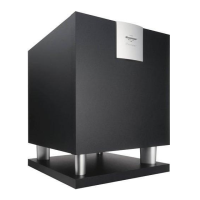
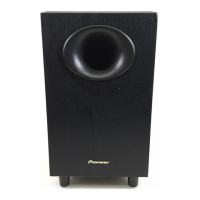
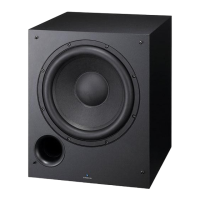
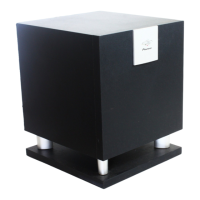
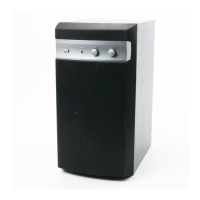
This document outlines the service and operational aspects of the Pioneer S-W80S Powered Speaker System, a floor-type, bass-reflex subwoofer with a magnetically shielded 16cm cone speaker. The manual is intended for qualified service technicians, emphasizing safety precautions and proper repair procedures to ensure the continued protection of the customer and service technician.

Function Description

The Pioneer S-W80S is a powered speaker system designed to enhance audio setups by providing dedicated low-frequency output. It integrates a power amplifier to drive its speaker, allowing for independent volume control of the bass level. The system can be connected to other audio equipment via line-level inputs/outputs or speaker-level inputs/outputs, offering flexibility in integration with various stereo amplifiers and home theater systems. A key feature is its ability to automatically switch to standby mode when no signal is detected for a period, conserving power, and then reactivating upon signal reception.

Usage Features

The S-W80S offers several user-adjustable features to optimize its performance within an audio environment:

  • Power Indicator (STANDBY/POWER ON): A front-panel LED indicates the operational status. Green signifies power on, while red indicates standby mode. This visual cue helps users understand the device's current state.
  • Phase Switch (PHASE 0°/-180°): This switch allows users to adjust the output phase of the subwoofer. When depressed (180°), the output phase reverses relative to the input signal. When raised (0°), it remains in phase with the input. This feature is crucial for achieving seamless integration with other speakers in a system, preventing phase cancellations that can lead to weak or muddy bass. Users are advised to experiment with both settings to find the most natural sound.
  • Turnover Knob (TURNOVER): Located on the rear panel, this knob sets the upper frequency limit for the subwoofer's playback. It allows users to define the crossover point, ensuring that the subwoofer handles only the low frequencies while the main speakers handle the mid and high frequencies. Recommended settings are provided based on the diameter of the main left/right speakers (e.g., 50Hz for 20cm speakers, 100Hz for 10-25cm speakers, and 200Hz for 12cm or smaller speakers).
  • Level Knob (LEVEL): This control adjusts the subwoofer's volume independently. Users can fine-tune the bass output to match the overall system volume and personal preference without affecting the bass level set on the stereo amplifier. It is recommended to turn this knob slowly from the MIN position.
  • Line Level Output Terminal (LINE LEVEL OUTPUT): This terminal allows the S-W80S to pass through the audio signal to other equipment, facilitating daisy-chaining or integration into more complex audio setups.
  • Line Level Input Terminal (LINE LEVEL INPUT): Designed for connection to a stereo amplifier's SUBWOOFER PRE-OUT terminal, this input uses a specially provided RCA plug cord to receive a dedicated low-frequency signal.
  • Speaker Level Output Terminals (SPEAKER LEVEL OUTPUT): When the S-W80S receives its input signal from a stereo amplifier's speaker output terminals, these terminals are used to connect the left and right main speakers, allowing the subwoofer to act as a crossover point for the main speakers.
  • Speaker Level Input Terminals (SPEAKER LEVEL INPUT): These terminals are used to connect the S-W80S to the speaker output terminals of a stereo amplifier, utilizing specially provided speaker cords. This allows the subwoofer to process the full-range signal and extract the low frequencies.

Maintenance Features

The manual provides detailed instructions for disassembly and reassembly, which are essential for servicing the device. These procedures include:

  • Removing the Amplifier Assy: The amplifier assembly is secured by four external screws. To detach it, the subwoofer must be pulled down towards the left side, and then the screws unfastened. Further steps involve standing the speaker upright, unfastening rear panel screws, and carefully pulling the amplifier assembly back to disconnect connecting cords for the PWS Assy and LED Assy, and speaker cords.
  • Removing the Subwoofer: The speaker element itself is attached to the backboard with four external screws and washers. Proper reassembly requires ensuring the speaker's terminal faces downward and that washers are used with the screws.
  • Removing the Front Panel: The front panel is press-fitted to the baffle. It can be detached by carefully prying it open from the lower side using a flat blade screwdriver.
  • Binding Process: During reassembly, it is crucial to make the binding process for the speaker cord, power SW cord, and LED cord using vinyl tape or a binder. This ensures proper cable management and prevents interference or damage.

The manual also includes a comprehensive PCB parts list and schematic diagrams for the INPUT, HEAD, POA, LED, PWS, and POS ASSYs, which are vital for technicians to identify components and troubleshoot issues. Safety information, including leakage current checks and product safety notices, underscores the importance of qualified service and the use of identical replacement parts, especially for safety-critical components marked with a triangle.

Pioneer S-W80S Specifications

General IconGeneral
TypePowered Subwoofer
Power Output80W
Driver Size8 inches
EnclosureBass Reflex
InputsLine Level, Speaker Level
Phase SwitchYes
Crossover Frequency50 Hz - 200 Hz

Related product manuals