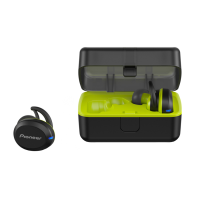
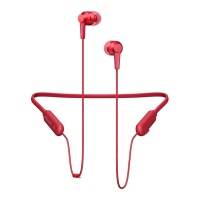
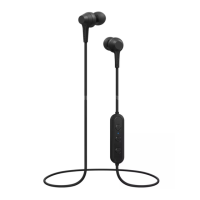
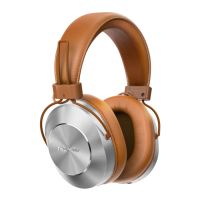
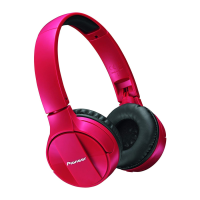
The Pioneer SE-E6BT are wireless stereo headphones designed for both music enjoyment and hands-free communication. They connect to devices via Bluetooth® Standard Protocol Ver. 4.2, utilizing Power Class 2 for a maximum transmission distance of approximately 10 meters in line of sight. The headphones operate on the 2.4 GHz frequency spectrum (2.4000 GHz to 2.4835 GHz) and use FHSS modulation.
Function Description:
These headphones allow for wireless music enjoyment from Bluetooth devices such as smartphones, other cell phones, and digital music players. They also support hands-free communication, enabling users to take calls even when their Bluetooth-enabled phone is in a bag or briefcase. The headphones support A2DP (high-quality musical contents transmission profile), HFP (hands-free communication/cell-phone operation profile), and AVRCP (AV components remote control profile).
Important Technical Specifications:
- Transmission Format: Bluetooth Standard Protocol Ver. 4.2
- Output: Bluetooth Standard Protocol Power Class 2
- Maximum Transmission Distance: Approx. 10 m line of sight (actual usable distance may vary)
- Frequency Used: 2.4 GHz (2.4000 GHz to 2.4835 GHz)
- Modulation: FHSS
- Supported Bluetooth Profiles: A2DP, AVRCP, HFP
- Supported CODEC: SBC, AAC
- Contents Protection: SCMS-T
- Battery Life (Continuous Use): Max. 6 hours (including music-play time)
- Recharging Time: Approx. 1.5 hours
- Power: DC 3.7 V internally rechargeable lithium-ion battery
- Weight: 19 g
- Headphone Type: Fully-enclosed dynamic headphones
- Driver Units: ø8 mm
- Headphone Frequency Response: 10 Hz to 20,000 Hz
- Microphone Type: Electret condenser type
- Microphone Directionality: Omni-directional microphone
- Microphone Frequency Response: 50 Hz to 10,000 Hz
Usage Features:
The headphones feature a control unit with several buttons: a (+) button, a Power button, and a (–) button, along with a Micro-USB port, an LED indicator, and a microphone.
Pairing:
Before use, the headphones must be paired with a Bluetooth device.
- With the unit off, hold down the Power button until the LED indicator flashes alternately blue and red, indicating pairing mode. Release the button once this pattern is confirmed. If pairing is not completed within 10 minutes, the power will automatically turn off.
- Turn on the Bluetooth function on the device to be paired and search for "SE-E6BT". Place the Bluetooth device within one meter of the headphones.
- Confirm successful pairing by selecting "SE-E6BT" on the Bluetooth device's display. The LED lamp will flash blue slowly (about once every 3 seconds) when pairing is complete. A quick blue flash (about once per second) indicates incomplete pairing. The factory-set PIN code is "0000" if requested.
After pairing, the headphones should automatically connect to the Bluetooth device, or manual connection may be required depending on the device. To disconnect, hold the Power button until the LED lamp turns off and the device powers down.
The headphones can store pairing information for up to 8 Bluetooth devices. Pairing a ninth device will overwrite the information for the first paired device.
Multipoint Functionality:
The earphones support connecting to two Bluetooth devices simultaneously.
- Connect to the first Bluetooth device.
- Disconnect from the first Bluetooth device.
- Turn off the earphones.
- Hold the power button until the unit enters pairing mode.
- Connect to the second Bluetooth device.
- Reconnect to the first Bluetooth device (using its stored memory).
Enjoying Music:
To listen to music, the Bluetooth device must support the A2DP audio profile.
- With the headphones off, press and hold the Power button for about three seconds. The headphones will power on, and the LED indicator will flash blue.
- Activate the Bluetooth function on the connected device. Once pairing is complete, the headphones will automatically connect.
When the connected Bluetooth device supports AVRCP, the following controls are available:
- ( + ) button: Press once to increase volume; press and hold to advance to the next track/chapter.
- ( – ) button: Press once to decrease volume; press and hold to return to the beginning of the track/chapter.
- Power button: Press once for Play/Pause.
A beep sound indicates maximum or minimum volume levels. Sound volume can also be adjusted on the Bluetooth device.
Vocal Communication (Hands-free):
For vocal communication, the Bluetooth device must support the HFP profile.
- With the headphones off, press and hold the Power button for about three seconds. The headphones will power on, and the LED indicator will flash blue.
- Activate the Bluetooth function on the device to be connected. Once pairing is complete, the headphones will automatically connect.
When the connected Bluetooth device supports AVRCP, the following controls are available:
- ( + ) button: Press once to increase volume.
- ( – ) button: Press once to decrease volume.
- Power button:
- Press once when receiving a message: Enables conversation. Press once again to end conversation.
- Press and hold when receiving a message: Refuses communication.
- Press twice: Performs redialing.
These controls also apply when a call is received while listening to music.
Voice Assistant Function (Google App / Siri):
The headphones support voice assistant functions for both Google App (Android) and Siri (iPhone/Apple devices).
- Google App:
- Set [Assist & voice input] to the Google app in your Android smartphone settings.
- Connect the earphones to the paired Bluetooth device.
- While the paired Bluetooth device is in standby or playing music, press and hold the Power button until a beep sounds. Releasing the button will start the Google app. Voice input is possible via the microphones.
- Siri:
- Enable Siri in your iPhone/Apple device settings ([Settings] - [Siri & Search]).
- Connect the earphones to the paired Bluetooth device.
- While the paired Bluetooth device is in standby or playing music, press and hold the Power button until a beep sounds. Releasing the button will start Siri. Voice input is possible via the microphones. Sound from the paired Bluetooth device will only be heard from the left side when using Siri.
If the Power button is continuously pressed after the beep, the power will turn off.
LED Indicator Status:
- Not connected to a Bluetooth device: LED flashes blue once every second.
- Pairing mode: LED alternately flashes blue and red.
- Connected to a Bluetooth device: LED flashes blue once every three seconds.
- During recharging: LED lights red.
Maintenance Features:
Replacing the Earphone Tip:
- Installation: Turn the earphone's skirt inside out, then firmly press the mounting surface onto the nozzle. Return the skirt to its original shape.
- Removal: Hold the earphone body securely and twist off the earphone tip.
Adjusting the Earphones:
- Place the earphone body in the ear canal while adjusting the ear hook over the ear.
- Adjust the hook's front-back direction according to your outer ear size for the most stable position.
Adjusting the Cord Adjuster:
Pass the cord through the accessory cord adjuster to adjust the cord length.
Charging the Batteries:
The unit's battery must be recharged before use using the accessory micro-USB cable.
- Connect the micro-USB cable to the headphones' micro-USB port and the USB plug to a computer's USB port.
- The LED indicator will light red when charging begins and turn off when fully charged (approx. 1.5 hours).
- If charging with the unit on, it will automatically turn off and cannot be used during charging.
- A full charge provides about 6 hours of continuous usable time.
- When the battery is low, a beeping sound will be heard every minute, and the LED indicator will flash red. Recharge the battery immediately.
- Battery recharging and usable times may vary with ambient temperature and frequency of use.
- Avoid placing metal objects near charging contacts to prevent electrical shorts or abnormal heating.
- Charge batteries within a temperature range of 5 to 35 degrees Celsius.
- Do not overcharge batteries.
- Batteries may warm slightly during charging, which is normal.
- Ensure proper orientation of micro-USB cable plugs.
- Avoid tightly twisting or bundling micro-USB cables.
- For extended storage, avoid hot/humid locations and charge for approximately one hour before storing to prevent battery degradation.
Troubleshooting:
The manual provides a comprehensive troubleshooting guide for common issues such as power failure, charging problems, pairing/connection difficulties, no sound, distorted sound, short communication distance, and voice assistant function issues. Remedies typically involve checking power status, connections, Bluetooth function activation, profile settings (A2DP/HFP), volume levels, and ensuring no interference from other 2.4 GHz devices.

 Need help?
 General

 To Next Page