18
2.Pressing the button “ ” or“ ” can select the movement
of four louvers.Each time you push the button,the wire
controller select in a sequence that goes from:(the icon
means the four louvers move at the same time.)
9. Operation
3. And then use Swing button to adjust the Up-Down airow
direction of the selected louver.
-0
-1
-2
-3
-4
-0
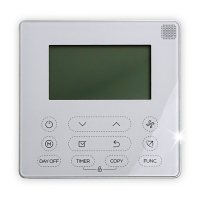
Press the FUNC. button to set the turbo or Ifeel
function.
The select function icon will ash then press the
Conrm button to conrm the setting.


 To Next Page
 Loading...