29
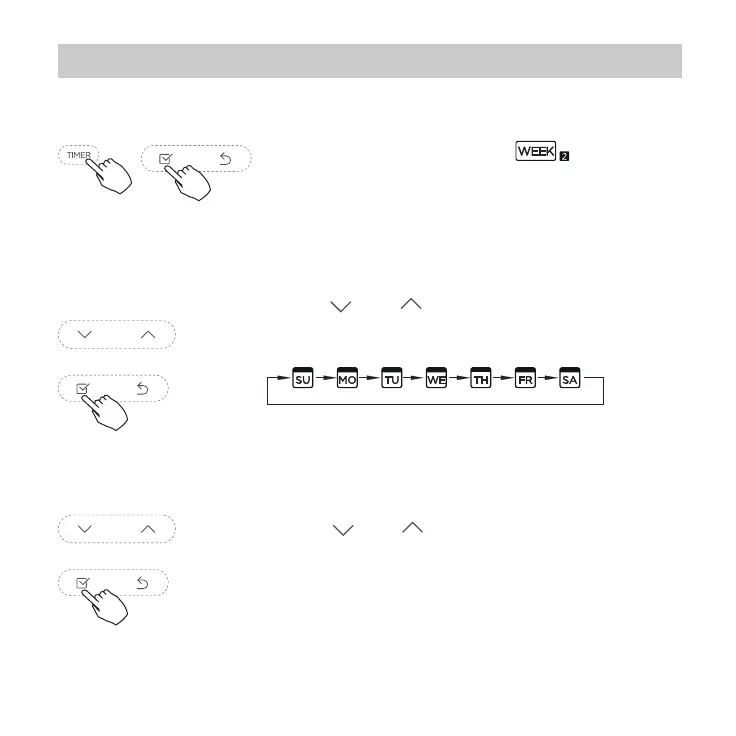
Press “ ” or “ ” to select the setting
time. The setting time, mode, temperature
and fan speed appear on the LCD. Press
CONFIRM to enter the setting time process.
Press “ ” or “ ” to select the day of the
week and then press CONFIRM.
12. Weekly Timer 2
Weekly timer setting
1
Press Timer to select the and press
Conrm.
2
Day of the week setting
ON timer setting of timer setting 1
3


 To Next Page
 Loading...