EasyManua.ls Logo

Pioneer VREC-170RS - User Manual

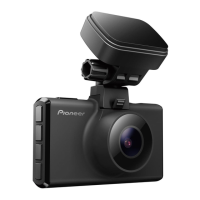
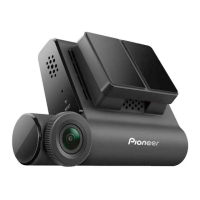
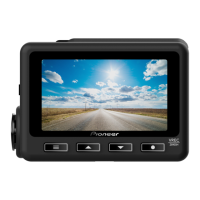
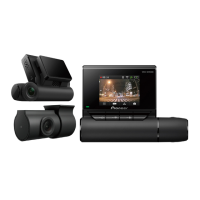
Pioneer VREC-170RS
259 pages
Print Icon
To Next Page IconTo Next Page
Loading...
English
Owner’s Manual
VREC-170RS
DASH CAMERA

Table of Contents

Questions and Answers

  • L
    lopeztroyAug 8, 2025
    Why is my Pioneer Dash Camera not recording video files after an accident?
    • W
      William CollinsAug 8, 2025
      If your Pioneer Dash Camera isn't recording video files after an accident, the sensitivity of impact detection may not be appropriate. You should adjust the sensitivity of the sensors for impact detection.
  • P
    Patrick KimAug 14, 2025
    How to fix slow button response on Pioneer Dash Cameras?
    • T
      Taylor JacksonAug 14, 2025
      If the button response on your Pioneer Dash Camera is slow, the SD card may be worn out. Try formatting the SD card. If that doesn't work, try using a new SD card.
  • N
    nfowlerAug 18, 2025
    What to do if my Pioneer Dash Camera prompts me to format the SD card frequently?
    • T
      Thomas PalmerAug 18, 2025
      If your Pioneer Dash Camera frequently prompts you to format the SD card, it could mean the SD card is worn out. Try using a new SD card.
  • H
    Heather IngramAug 23, 2025
    Why is there no sound when I play a video file from my Pioneer VREC-170RS Dash Cameras?
    • J
      Jacqueline DavidAug 23, 2025
      If there is no sound when you play a video file from your Pioneer Dash Camera, the sound recording setting may be OFF. Check the sound recording setting again.
  • T
    Timothy RiveraAug 28, 2025
    What to do if my Pioneer Dash Camera makes parking mode files when I get in and out of the vehicle?
    • B
      Brandon PerkinsAug 28, 2025
      If your Pioneer Dash Camera is creating parking mode files when you get in and out of the vehicle, it means that the vibration and movement are being detected. Adjust the sensitivity of the sensors to use for detection.
  • M
    michael91Sep 2, 2025
    How to fix an error during the display and operation of Pioneer VREC-170RS Dash Cameras?
    • C
      Craig BlairSep 2, 2025
      If an error occurs during the display and operation of your Pioneer Dash Camera, it could be due to a malfunctioning microcomputer. Press the reset button.

Summary

Precaution

Safety Precautions

Important Safeguards

Details essential safety measures to prevent harm and damage during product installation and use.

Important Safety Information

Covers critical warnings about liquid contact, electrical shock, smoke, and product modification.

Installation Precautions

Precautions Before Connecting the System

Highlights steps to take before connecting the system, including installation firmness and wiring.

Preventing Damage

Advises on preventing product damage, particularly concerning fuse replacement and cable routing.

Precautions Before Installation

Outlines critical considerations for selecting installation locations to avoid injury or interference.

Usage Precautions

Handling Precautions

Covers general handling advice, temperature limits, privacy, and power supply considerations.

microSD Card Handling and Compatibility

Card Handling and Formatting

Details proper microSD card handling, insertion, ejection, and formatting procedures.

Before Installing the Product

Installation

Install this Product

Installation Procedures

Function Buttons Overview

Inserting and Ejecting microSD Card

Backing Up Recorded Files

Using This Product

Recording Features

Video Recording

Explains automatic recording start, file saving, overwriting, and circumstances that stop recording.

Event Recording

Describes automatic event recording triggered by impacts and manual event recording.

Security Mode Operation

Playing Recorded Files

Accessing Recorded Files

Guides on how to initiate playback of recorded video files using the playback button.

Advanced Driver Assistance Systems (ADAS)

Speed Limit Alert

Product Settings

Recording Settings Configuration

System Settings Configuration

Exclusive App Usage

Troubleshooting Guide

Pioneer VREC-170RS Specifications

General IconGeneral
Frame Rate30 fps
GPSYes
Wi-FiNo
G-SensorYes
Parking ModeYes
Loop RecordingYes
Night VisionYes
Video ResolutionFull HD (1920 x 1080p)
StorageMicroSD card (up to 128GB)
Power SupplyCar charger
BatteryCapacitor

Related product manuals