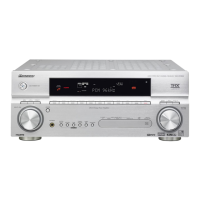
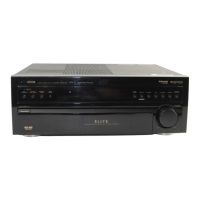
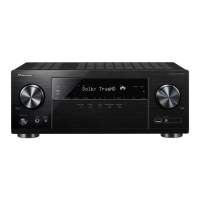
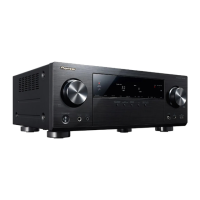
This document describes the operation and features of the Pioneer VSX-405, VSX-305, and VSX-295 Audio/Video Stereo Receivers. These receivers are designed to provide a comprehensive audio and video experience, offering various modes for sound enhancement, flexible connectivity, and user-friendly controls.
Function Description
The Pioneer VSX-405, VSX-305, and VSX-295 are audio/video stereo receivers that serve as the central hub for a home entertainment system. They are capable of processing and amplifying audio signals from various sources and routing video signals to a monitor. Key functions include:
- Audio Amplification: The receivers amplify audio signals to power multiple speaker systems, including front, center, and rear speakers (depending on the model).
- Input Selection: Users can select from various audio and video input sources such as turntables (PHONO), CD players (CD), VCRs/cassette decks (VCR/TAPE 1, TAPE 2 MONITOR), LD/DVD players (LD/DVD), and radio broadcasts (TUNER).
- Tuner Functionality: Built-in FM/AM tuners allow for reception of radio broadcasts, with features like auto tuning, manual tuning, and preset station memory.
- Surround Sound Processing: The VSX-405 and VSX-305 models feature advanced surround sound capabilities, including STUDIO, SIMULATED SURROUND, DOLBY 3CH LOGIC, and DOLBY PRO LOGIC SURROUND. These modes enhance the audio experience by creating immersive sound fields. The VSX-295 model does not include these surround effect features.
- Video Switching: The receivers can switch video signals from connected components (VCR, LD/DVD) to a TV monitor, simplifying the management of video sources.
- Recording Capabilities: Users can record audio from various sources to a cassette deck or video to a VCR, with options for monitoring the recording process.
- Remote Control Operation: All models come with a remote control unit that allows for convenient operation of the receiver and other compatible Pioneer components, including cassette decks, CD players, tuners, VCRs, LD players, and TVs.
Usage Features
The Pioneer receivers are designed with a range of features to enhance user experience:
- Front Panel Controls: The front panel provides direct access to essential functions such as power, input selection, volume control (MASTER VOLUME), tone controls (BASS, TREBLE, BALANCE), speaker selection (SPEAKERS A,B), and tuner controls (TUNING, FM/AM, MEMORY, CLASS, MPX MODE).
- Display Section: An informative display shows the selected input, tuning frequency, active surround mode, and other relevant status indicators (S.BASS, SFC, DOLBY PRO LOGIC, TAPE 2, CLASS, MEMORY, STEREO/MONO, TUNED).
- Speaker Configuration: The VSX-405 and VSX-305 models support multi-speaker setups, including front, center, and rear speakers, allowing for a true surround sound experience. The VSX-295 is a stereo-only model.
- Surround Effect Modes (VSX-405, VSX-305):
- STUDIO: Creates a recording studio listening effect, with source sound from front speakers and reverberation from rear speakers.
- SIMULATED SURROUND: Generates reverberated and reflected sound similar to a concert hall, with adjustable DELAY TIME settings (15 ms, 20 ms, 30 ms) for different music types.
- DOLBY 3CH LOGIC: Combines rear speaker signals with front speaker signals for a more expansive sound field from the front three channels (L, R, Center).
- DOLBY PRO LOGIC SURROUND: Ideal for movies and music with Dolby Surround encoding, it detects and emphasizes dominant signals while canceling crosstalk, creating a natural and expansive sound field.
- Center Mode Choices (VSX-405, VSX-305): When using a center speaker with DOLBY PRO LOGIC SURROUND, users can select:
- NORMAL: Routes low-range frequencies to front L/R speakers, suitable for smaller center speakers.
- WIDE: Routes the full frequency range to the center speaker, suitable for larger center speakers.
- PHANTOM: Divides the center speaker signal equally between the left and right front speakers, useful if no physical center speaker is present.
- Delay Time Adjustment (VSX-405, VSX-305): Allows fine-tuning of the delay between 15 ms and 30 ms for surround modes, with a standard setting of 20 ms.
- Preset Tuning: Up to 30 AM and FM stations can be memorized across three classes (10 stations per class), allowing quick access to favorite broadcasts. The receiver retains preset data even if unplugged for several days.
- Last Station Memory: The receiver remembers the last station tuned before power-off and automatically tunes to it upon power-on.
- FM Simulcast TV Programs: Enables listening to stereo TV sound transmitted from an FM radio station while watching the video on a TV.
- AC Outlet: Provides a switched AC outlet (100 W MAX) to power other components, turning them on and off with the receiver's power switch.
- Control Out Jacks: Allows the remote control unit to operate other compatible Pioneer components bearing the "SR" mark.
- Return Function: A dedicated button (VSX-295 front panel, VSX-405/VSX-305 remote) resets the receiver to initial settings, selecting the TUNER and setting the volume to a default level. This is useful for troubleshooting or when no sound is output.
- Muting Function: Temporarily reduces sound output, with a MUTING indicator on the display.
- Super Bass Function: Boosts low frequencies for enhanced bass (VSX-405/VSX-305 remote, VSX-295 front panel).
Maintenance Features
Proper care and maintenance ensure the longevity and optimal performance of the receiver:
- Cleaning: The exterior should be cleaned with a polishing cloth or a soft dry cloth. For very dirty surfaces, a soft cloth dipped in a neutral cleanser diluted with water, wrung out well, and then wiped dry is recommended. Avoid furniture wax, benzine, insecticides, or other volatile liquids, as they can corrode the cabinet.
- Power Cord Care: Always handle the power cord by the plug. Avoid pulling the cord, touching it with wet hands, placing heavy objects on it, or pinching it. Regularly check the power cord for damage and replace it if necessary to prevent fire or electric shock.
- Battery Replacement: When the remote control's operating range decreases, it indicates that the batteries are running low and need to be replaced. Always insert new batteries correctly, matching positive and negative polarities, and avoid mixing new and used batteries or different types of batteries.
- Antenna Installation:
- FM Antenna: Stretch the accessory FM antenna to its full length and affix it to a wall for optimal reception.
- AM Loop Antenna: Place the AM loop antenna away from the receiver and metallic objects, and avoid placing it near other electronic devices that generate radio frequencies. Adjust its direction to improve reception. For weak signals, an outdoor AM antenna or ground wire connection is recommended.
- Ventilation: Ensure the receiver is situated in a location that allows for proper ventilation. Avoid placing it on soft surfaces (bed, sofa, rug) or in enclosed spaces (bookcase, cabinet) that could block ventilation openings.
- Heat Sources: Keep the receiver away from heat sources such as radiators, heat registers, stoves, or other heat-producing appliances to prevent overheating.
- Moisture Protection: Do not use the appliance near water (bathtub, washbowl, kitchen sink, laundry tub, wet basement, swimming pool) to prevent electric shock.
- Service: In case of damage (damaged power cord, liquid spillage, exposure to rain, abnormal operation, physical damage), refer servicing to a Pioneer authorized service center or qualified service personnel. Do not attempt to service the appliance beyond what is described in the operating instructions.
- Static Electricity: If static electricity affects the unit, unplug the power cord from the AC wall outlet, then plug it back in. Using the remote control unit is recommended in environments with pronounced static electricity.
- Troubleshooting: The manual provides a troubleshooting guide to help users identify and resolve common issues related to power, sound output, remote control, and reception.
- Power Plug (Canadian Model): For Canadian models, the polarized plug should not be used with an extension cord, receptacle, or other outlet unless the blades can be fully fully inserted to prevent blade exposure.
- Voltage Selection (Multi-voltage models): For multi-voltage models, ensure the voltage selector switches on the rear panel are correctly set for the local mains voltage before plugging in the power cord. Use a medium-size screwdriver to adjust the switches.

 Need help?
 General

 To Next Page