Need help?
Do you have a question about the Pioneer X-SMC1-S and is the answer not in the manual?
Lists the accessories included with the Pioneer X-SMC1 unit.
Instructions for inserting batteries into the remote control.
Guidelines for operating the unit using the remote control effectively.
How to connect the unit to a TV using a video cable for output.
Instructions for connecting the unit to a TV using an HDMI cable for digital output.
Details on establishing a video connection between the unit and a television.
Steps to connect the unit to an AV receiver or amplifier for audio output.
Lists the types of audio signals supported by the unit's HDMI OUT terminal.
Guide on connecting the FM antenna for radio reception.
Instructions for connecting an optional Bluetooth adapter for wireless audio.
How to connect USB storage devices for playback.
Instructions for connecting the unit to a power source.
Identifies and explains the buttons and functions of the remote control.
Details on remote control buttons like navigation, playback, and setup.
Explains additional remote control functions like sound and input selection.
Covers timer, volume, playback modes, and display control buttons on the remote.
Identifies and describes the components and indicators on the unit's front panel.
Identifies and describes the controls and features on the unit's top panel.
Lists iPod and iPhone models compatible with the unit.
Step-by-step guide for physically connecting an iPod or iPhone to the unit.
Instructions on how to control and play content from a connected iPod/iPhone.
How to display iPod/iPhone video content on a television screen.
Guide on inserting discs and initiating playback of CD or DVD content.
Shows typical displays on the unit's front panel during disc playback operations.
How to create and play custom sequences of tracks or chapters from discs.
How to stream music wirelessly from Bluetooth-enabled devices to the unit.
How the unit's remote control can manage Bluetooth audio playback.
Instructions for physically connecting the optional Bluetooth adapter.
How to set or change the PIN code for Bluetooth pairing.
The process of establishing a wireless connection between devices and the unit.
Steps to play music from a connected Bluetooth device using the unit's controls.
Information about the AIR JAM application for collaborative playlist creation.
How to access and play music or media files from a connected USB storage device.
Creating custom playback sequences for files stored on USB devices.
Instructions for connecting the FM antenna to ensure optimal radio reception.
Steps to tune into and listen to FM radio stations.
How to store favorite stations and recall them using presets.
Guide to connecting external audio devices using the AUX IN port.
Configuration options for basic unit setup and display.
How to enable or disable the unit's clock display.
How to choose between 12-hour and 24-hour time formats.
Setting a maximum volume level to prevent excessively loud playback.
How to set or change the unit's PIN code for security or pairing.
Adjustments for audio and video playback of discs and USB content.
Options to adjust equalizer, DRC, and dialog levels for audio playback.
Settings to fine-tune picture sharpness, brightness, contrast, hue, and chroma.
Advanced settings for detailed unit configuration.
Selecting audio signal output formats for the HDMI terminal.
Adjusting TV screen aspect ratio and HDMI resolution/color for video output.
Changing audio, subtitle, and menu languages for DVD-Video playback.
Options to control on-screen messages and angle indicators.
Settings for parental lock and DivX VOD registration.
How to restore HDMI resolution settings to their factory defaults.
Enhances compressed audio quality by restoring lost data.
Creates an immersive surround sound experience.
Controls for adjusting the low and high frequency tones of the audio.
Procedures to reset all user-configured settings back to factory defaults.
Instructions for setting the current time displayed on the unit.
How to configure the timer to turn the unit on and play a selected source.
How the wake-up timer functions and plays selected content automatically.
How to set the unit to automatically turn off after a specified period.
Lists the formats of discs that can be played on the unit.
Lists disc formats that are not compatible with the unit.
Explains DVD region coding and compatibility for this player.
General information on supported file types for playback.
Details on DivX video file format compatibility and requirements.
Information on using external subtitle files with video playback.
Specifications for JPEG image file compatibility.
General information on supported audio file formats.
Notes on copy protection, DualDiscs, and specially shaped discs.
Specific requirements for WMA audio file playback.
Specific requirements for MP3 audio file playback.
Addresses common operational issues and their solutions.
A table detailing common issues, checks, and remedies for unit malfunction.
Solutions for problems encountered during disc/USB playback and device recognition.
Specific troubleshooting steps for picture and sound disturbances during playback.
Solutions for issues related to USB storage device recognition and file playback.
Solutions for problems with HDMI, iPod/iPhone, and USB connections.
Troubleshooting steps for video and audio output problems via HDMI.
Solutions for problems operating or connecting an iPod or iPhone.
Reference tables for language and country/area codes used in settings.
How to set the TV system (NTSC/PAL) for optimal video output.
Guidelines for safe and optimal placement and operation of the unit.
Recommendations for choosing a stable and suitable location for the unit.
Places and conditions to avoid for unit operation and longevity.
Information on how condensation can affect operation and how to resolve it.
Instructions on how to clean the unit safely and effectively.
Best practices for storing, handling, and cleaning discs.
Notes on compatibility issues with non-standard disc shapes or formats.
Information regarding the use of accessories with iPod and iPhone.
Technical details on the unit's audio output and speaker system.
Specifications for power consumption, dimensions, and AC adapter.
A list of all accessories provided with the product.
 General
| Karaoke | No |
|---|---|
| Impedance | 8 Ω |
| Speaker type | - |
| Frequency range | 60 - 20000 Hz |
| RMS rated power | 40 W |
| Number of speakers | 2 |
| DC-in jack | Yes |
| Composite video out | 1 |
| Headphone connectivity | 3.5 mm |
| USB 2.0 ports quantity | USB 2.0 ports have a data transmission speed of 480 Mbps, and are backwards compatible with USB 1.1 ports. You can connect all kinds of peripheral devices to them. |
| Apple docking compatibility | iPhone, iPod |
| Supported radio bands | FM |
| Preset stations quantity | 9 |
| Volume control | Digital |
| Power source | AC |
| Input voltage | 220 - 240 V |
| Input frequency | 50 - 60 Hz |
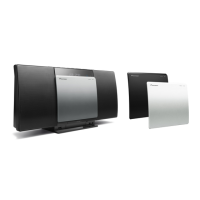
| Product color | Black, Silver |
 Weight and Dimensions
| Depth | 155.6 mm |
|---|---|
| Width | 520.4 mm |
| Height | 218.3 mm |
| Weight | 2060 g |


 To Next Page