- 3 -
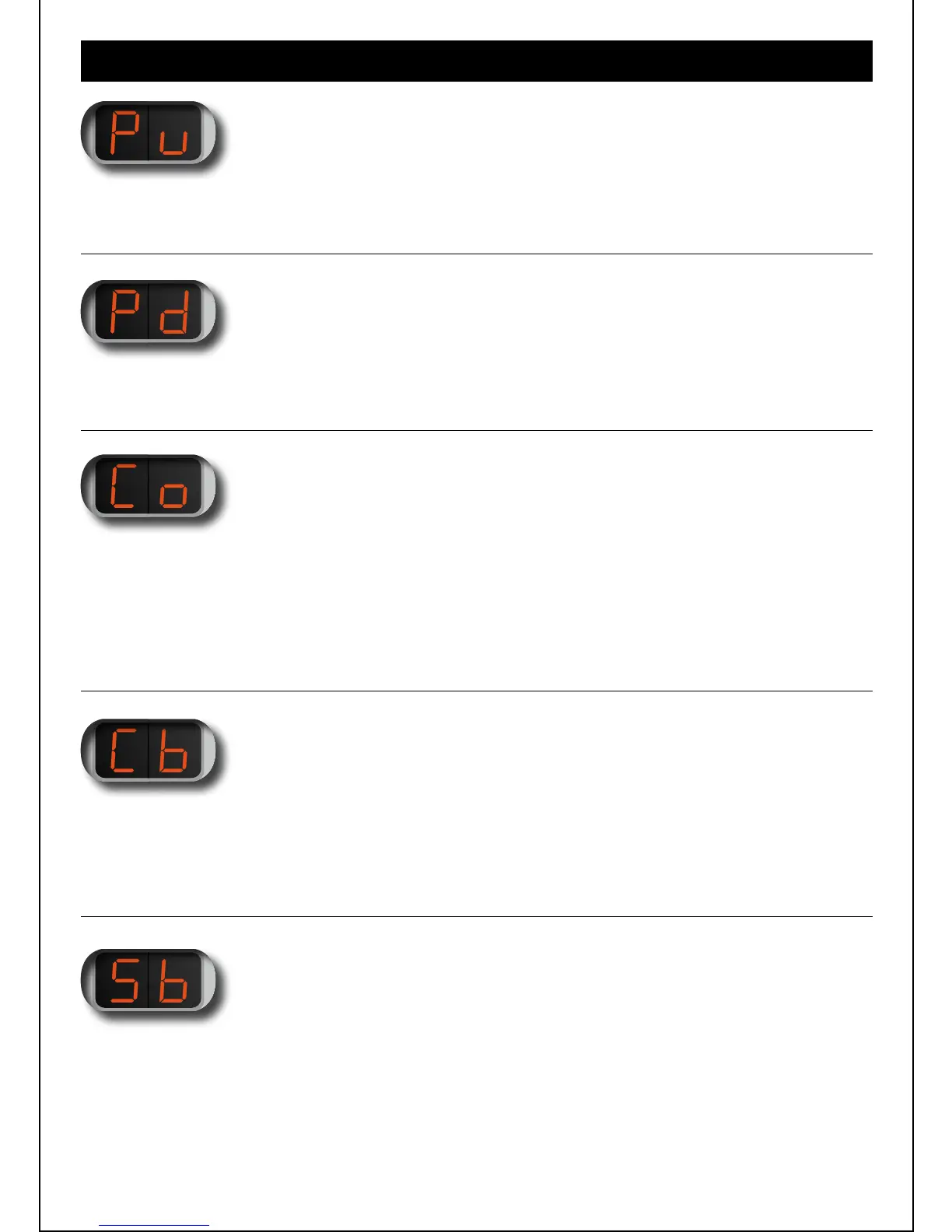
Increase the power in 0.5 watts increments.
Half watt increments are marked by a dot (.) in the display.
Decrease the power in 0.5 watts increments.
Half watt increments are marked by a dot (.) in the display.
Displays the resistance value (DC resistance) of the atomizer.
Pressing the button repeatedly will change the AC or DC value (DC is displayed first).
There are two digits visible on the display (eg „2.0“).
The PIPELINE PRO measures the resistance values from 0.1 ohms to 9.9 ohms.
If „Co“ was previously selected then the „Cb“ displays the battery voltage under light
load (the power left in the battery). When you access „Cb“ after vaping, the display will
show the battery voltage under load of the atomizer used.
1 MENU ITEM „Pu “:
POWER UP
2 MENU ITEM „Pd“:
POWER DOWN
3 MENU ITEM „Co“:
CHECK OHMS
4 MENU ITEM „Cb“:
CHECK BATTERY
Setting the cut-off voltage of the battery.
Here you can specify minimum voltage at which the PIPELINE PRO is to shut down the
battery (to protect from over draining). Most mod’s switch off between 3.3V and 3.5V.
IMR batteries can be easily discharged to 2.7V. If the cut off setting is too low this will
reduce the life of your battery.
5 MENU ITEM „Sb“:
SET BATTERY


 To Next Page