en Setting the signal
22
M Setting the signal
Setting the signal
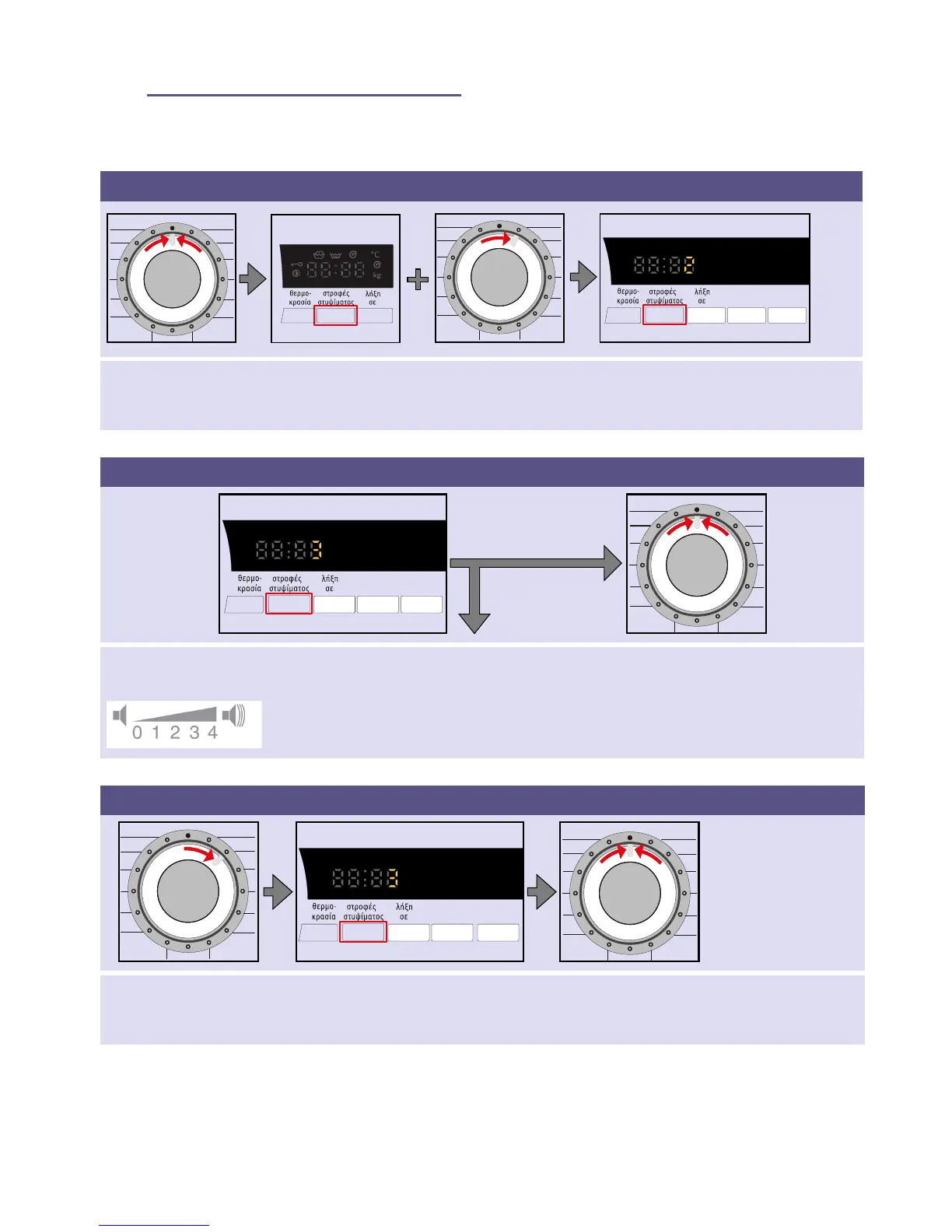
1. Activate the setting mode for the signal volume
Set to stop. Press and hold the στροφών στυψίματος
(spin speed) button + turn one position to
the right.
Press and hold the button for approx.
five seconds until the display elements
light up. Setting mode is activated.
2. Set the volume for the button signals (depending on the model)
Press the button repeatedly until the desired
volume is reached.
Go to point
3 or
Set to stop to exit the setting mode for the
signal volume.
3. Set the volume for the information signals
Turn the dial one position
to the right.
Press the button repeatedly
until the desired volume is
reached.
Set to stop to exit the setting mode for the sig-
nal volume.


 To Next Page