25
To turn off the camcorder, press and hold the «on/off» button for 6 seconds. If the Mini
camcorder is in standby mode and not in use, it will automatically turn off after 1 minute.
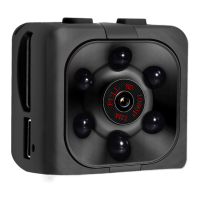
If the camera unexpectedly does not respond properly, you can reset it. Press the
«on/off» button once to switch the mini camera on (standby = blue led). Insert a paperclip
into the reset hole. This is located above the USB port. You will hear (and feel) a click.
The blue light goes out and the reset is complete.
Using camera with external charger (powerbank)
Let op! Deze functie werkt niet icm nachtzicht
1) De kabel nog niet verbinden met de camera
2) Activeer eerst de gewenste camerafunctie (bv. bewegingsdetectie)
3) Verbind de kabel aan een geschikte externe oplader (max. 5V/3A)
4) Verbind als laatste de kabel met de camera


 To Next Page
 Loading...