4
Chapter 1 Installation
Unpacking
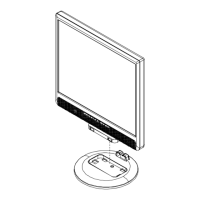
Before unpacking the LCD Monitor, prepare a suitable workspace for your Monitor and computer. You need a
stable and clean surface near a wall power outlet. Make sure that LCD Monitor has enough space around it for
sufficient airflow. Though the LCD Monitor uses very little power, some ventilation is needed to ensure that the
Monitor does not become too hot.
After you unpack the LCD Monitor, make sure that the following items were included in the box:
* LCD Monitor * User's Manual
* Monitor-to-PC VGA Cable * Stereo Jack Audio Cable
* Power Cord
* Monitor-to-PC DVI-D Cable
Register Your Planar Products Today
Thank you for choosing Planar. To assure you receive all the benefits
of your Planar product and services, register your Planar product
today. Visit our website to register your product at
http://www.planar.com/support/product_registration.html
Cables, Replacement Lamps and Accessories
To find cables, replacement lamps and accessories for your Planar
projector, LCD monitor, touchscreen or other Planar products visit our
online store at www.PlanarOnline.com or find other stores who carry
Planar products at http://www.planar.com/howtobuy



 To Next Page