6
Connecting the AC Power
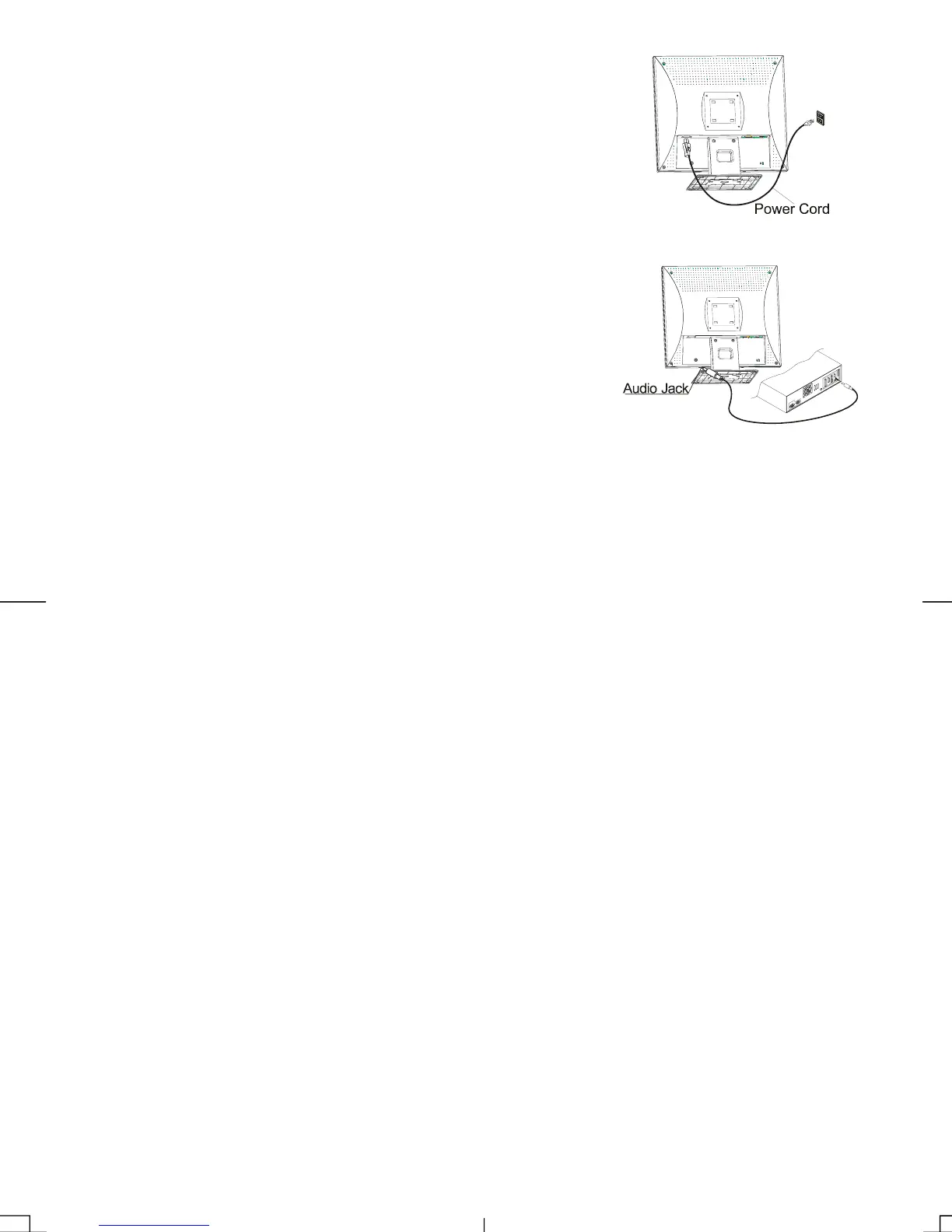
1. Connect the power cord to the AC socket. (See Fig. 1-6)
2. Connect the power cord to an AC power source.
Figure 1-6
Connecting the Audio Cable
1. Connect the audio cable to the "LINE OUT " jack on your PC's
audio card or to the front panel's “AUDIO OUT” jack of your CD
ROM drive. (See Fig. 1-7)
2. Connect the other end of the audio cable to the LCD Monitor's
"LINE IN" jack.
Fi
ure 1-7
Power Management System
This LCD Monitor complies with the VESA DPMS (version 1.0) Power Management guidelines. The
VESA DPMS provides four power saving modes through detecting a horizontal or vertical sync. signal.
When the LCD Monitor is in power saving mode, the monitor screen will be blank and the power LED
indicator will light yellow.



 To Next Page