7
Quick Installation
1.
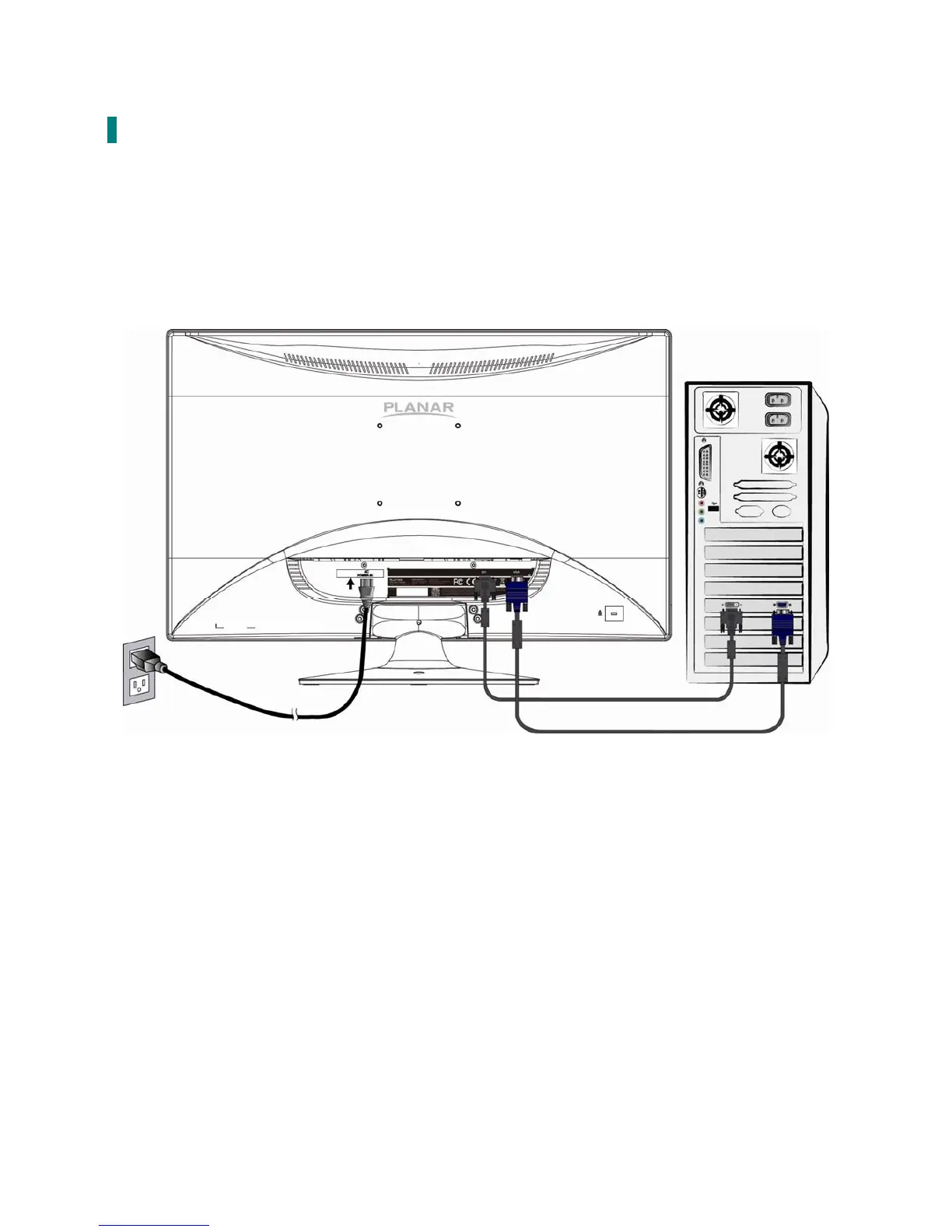
Connect either VGA or DVI Source from the monitor to the computer. Make sure both
monitor and computer are powered OFF.
2. Connect power cord to a properly grounded AC outlet, and then to the monitor.
3. Power-ON computer and then POWER-ON the monitor.
4. Set the timing mode on your computer. Recommended resolution and refresh rate is 1920 x
1080 @ 60Hz.
Figure 1:
Power cable
VGA cable
PC
DVI cable



 To Next Page