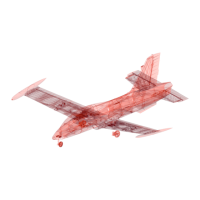
AERMACCHI MB-339
2
PRINTING & CONSTRUCTION MANUAL
© PLANEPRINT
EN
You may wonder why this 3D model is suitable exclusively for CURA right?
The most important thing about small RC model airplanes is always the ratio of size to weight.
The lighter a model is, the better its flight characteristics and also the flight time is significantly
increased.
With our unique design process, we manage to make Weights relevant items in a true 1-wall prin-
ting process for the outer skin but also for the filling offer. So we save weight while maintaining the
necessary stability.
Here we show you how to get started from a standard CURA profile Make settings. For this model
we only need 4, easy to create profiles.
It is absolutely necessary to observe the information provided by PLANEPRINT.com in order:
to slice the component correctly. However, it may make sense to perfect your 3D printing by
additionally performing several hiring activities depending on your printer and the filament used.
The development of a complex, airworthy RC flight model to express on any standard 3D printer is
a very complex and extensive process. Therefore, we appeal to your fairness not to forward the STL
data you have acquired to third parties. Our STL files are provided with indelible copyright water-
marks that can be verified at any time.
Thank you for your understanding and have fun with your PLANEPRINT MODEL!
Importnt for th
1-wll-prnt
In order to print airfoils of the lowest possi-
ble weight with high stability, it is necessa-
ry to print with only one wall line (Nozzle 0.4
mm). Decisive here is the adhesion between
the layers! To achieve this, you must print at
a much higher temperature than normal. As
a guideline, 230 ° C is a good starting point.
The parts-cooling fan should be set to 0% or
a maximum of 20%. Since not every printer
works the same, it may be necessary to make
small adjustments to these settings.
For slcng ll Plnprnt
modls, four profls hv
to b crtd n Cur
PROFILE P1_fullbod
PROFILE P2_hollowbod
PROFILE P3_surfc
PROFILE P4_flx
You cn fnd th dscrpton t
wwwplnprntcom/prnt


 To Next Page
 Loading...