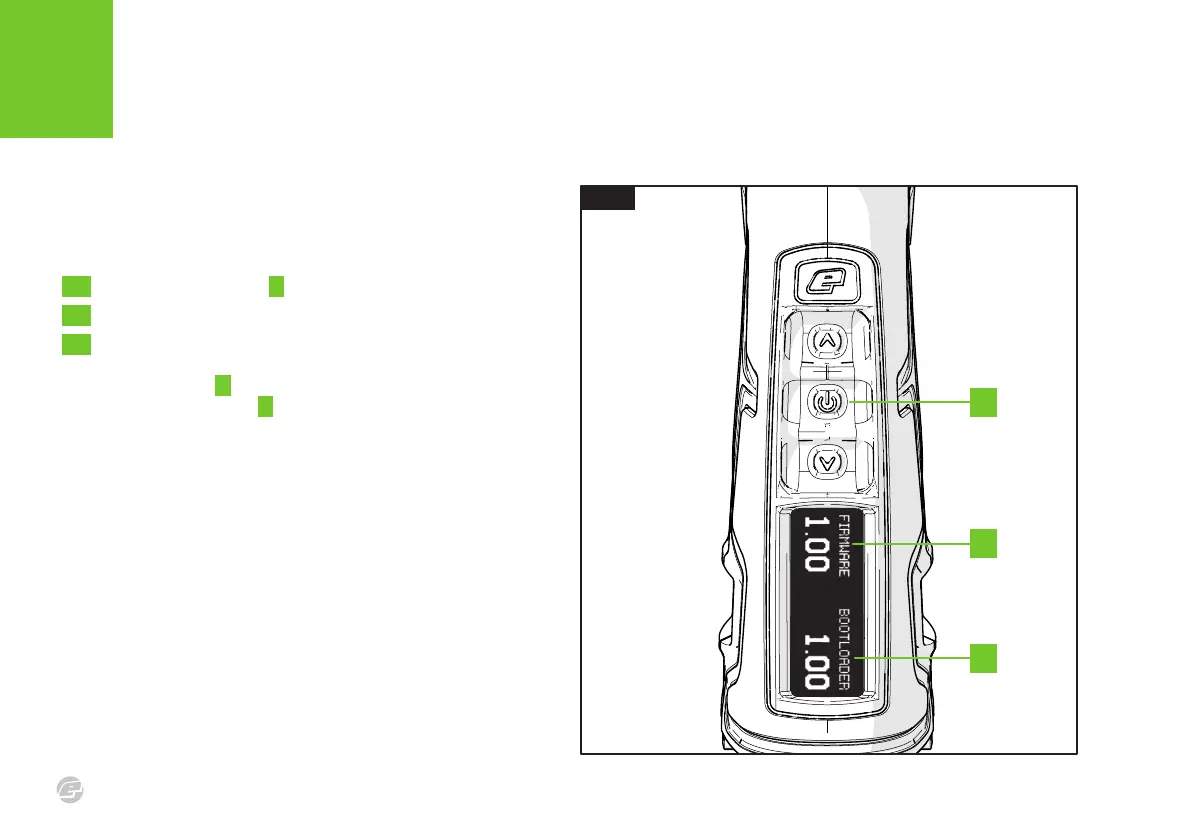
FIG .1
INTRODUCTION
FI RMWARE VER SION CHEC K
C S 3
14
FIG.1
To check which version of firmware is currently installed in the
marker, do the following -
1 Push and hold Select A to switch the marker on.
2 When the marker logo appears, let go of Select.
3 The version screen will now be displayed. *
The firmware number B indicates the version of the control program
and the bootloader number C indicates the version of the
bootloader, a separate program used to connect to a PC for the
purpose of performing firmware updates.
* If you push and hold Select when the version screen appears, the screen will remain until
Select is released.
A
C
B















 To Next Page