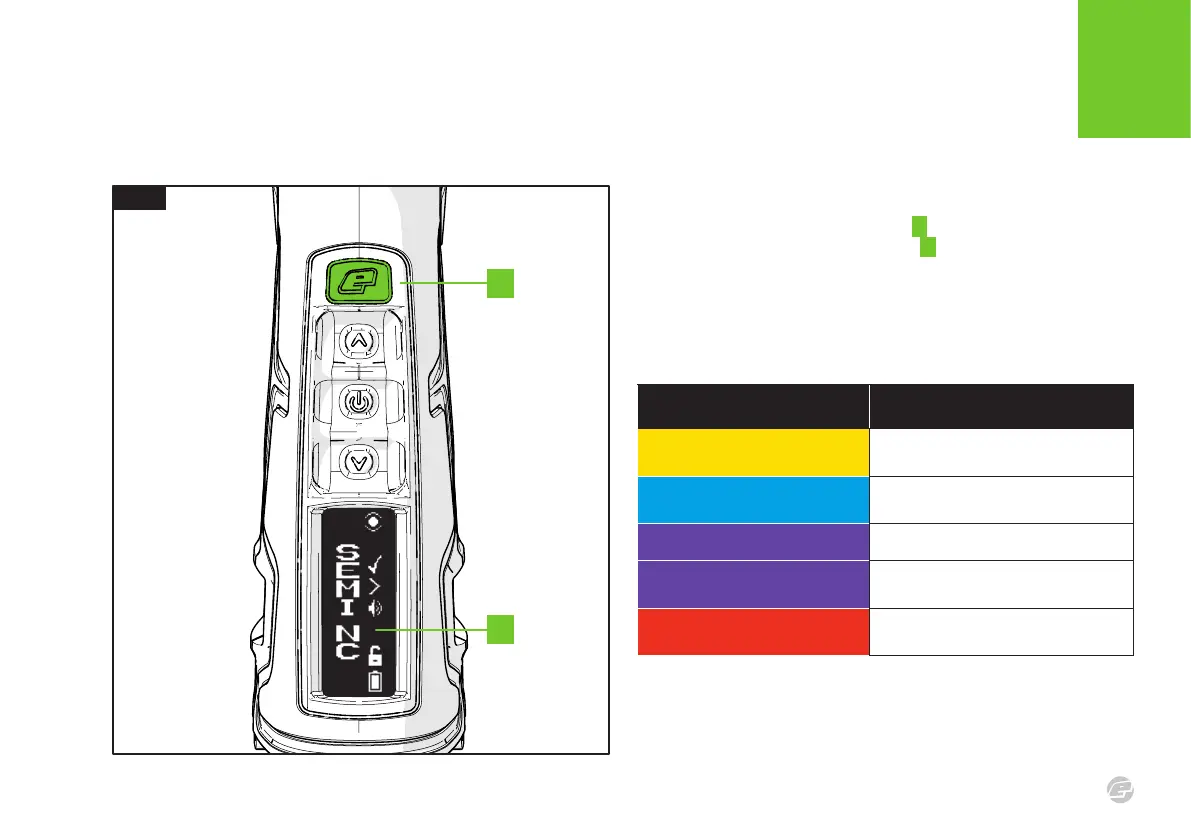
FIG.1
C S 3
15
INTRODUCTION
BS S TATU S INDI CATOR
B
A
LED INDICATION BS STATUS
Flashing Yellow
BS enabled. No paintball detected.
Marker will NOT re.
Flashing Light Blue
BS enabled. Paintball detected.
Marker WILL re.
Flashing Purple (Slow) BS disabled. Marker WILL re.
Flashing Purple (Fast)
Blockage detected. BS disabled.
Marker WILL re.
Flashing Red
Training mode enabled. Marker will
NOT re but will make a sound instead.
FIG.1
In addition to the OLED user interface A the navigation console also
houses the flashing BS status indicator B .
The BS status indicator will flash and change colour depending on
the breech sensor’s operational status.
See table below.















 To Next Page