USING THE bREAk bEAm
SENSOR SYSTEm
The Break Beam Sensor System is used to detect when
equipped marker. If no paintball is ready then the BBSS
Etek STAR Frame equipped marker from ‘chopping’
paintballs that are not fully loaded into the breech.
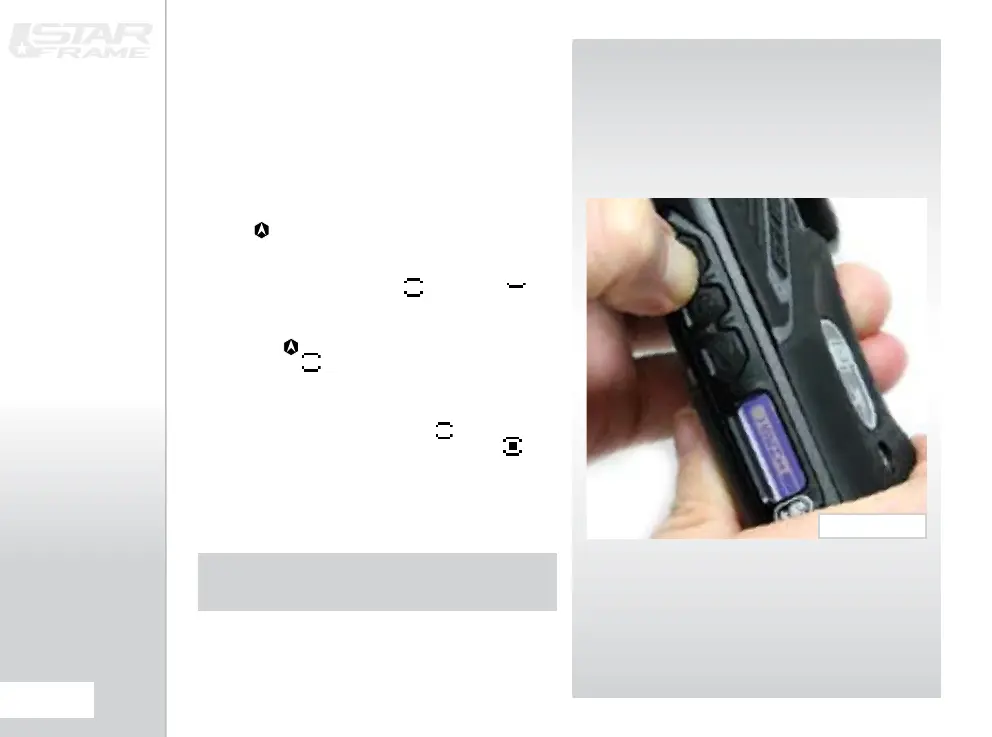
To switch off the Break-Beam Sensor System, press and
hold the button for 0.5 second
(SEE FIGURE 3.3).
The break beam sensor system indicator on the top
left of the LCD will change from (enabled) to
(disabled) .
To switch the Break-Beam Sensor System back on, press
and hold the button for one second. The indicator will
change back to .
When the Break-Beam Sensor System is enabled, the
indicator will change depending on whether the system
has detected a ball or not. When no ball has been
detected the indicator looks like this when a ball has
been detected the icon changes to look like this .
Additional features of the Etek STAR Frame’s Break-
Beam Sensor System are covered in full on page 21 of
this user manual.
NOTE: WHEN THE ETEk STAR FRAmE IS TURNED ON,
THE bREAk-bEAm SENSOR SYSTEm IS AUTOmATICALLY
ENAbLED
FIG 3.3















 To Next Page