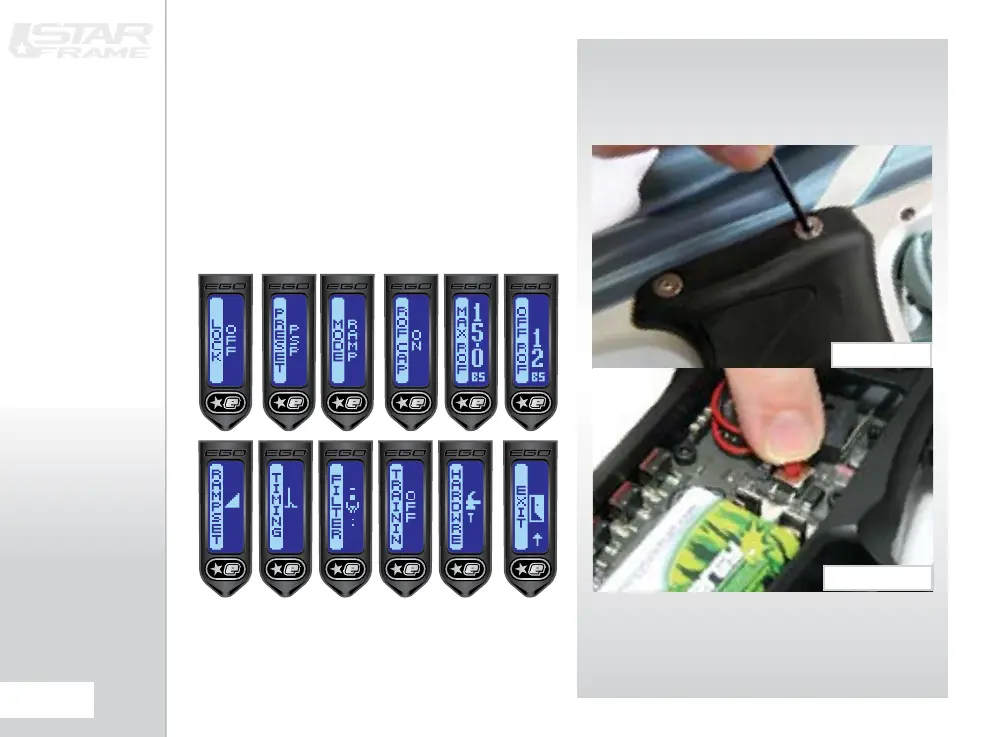
THE SETUp mENU
This menu is the starting point for access to all of the
parameters that control the way that the Etek STAR
Etek STAR Frame and then remove the 3 screws holding
Peeling back the cheek will reveal a red SETUP button
on the circuit board
(SEE FIGURE 5.2)
which should be
pushed and held for 1 second.
If the tournament lock (LOCK) is off then this menu is
joined to the end of the Main Menu and can therefore be
accessed without tools.
FIG 5.1
FIG 5.2















 To Next Page