16
5.RecoveringBacktoDefaultConguration
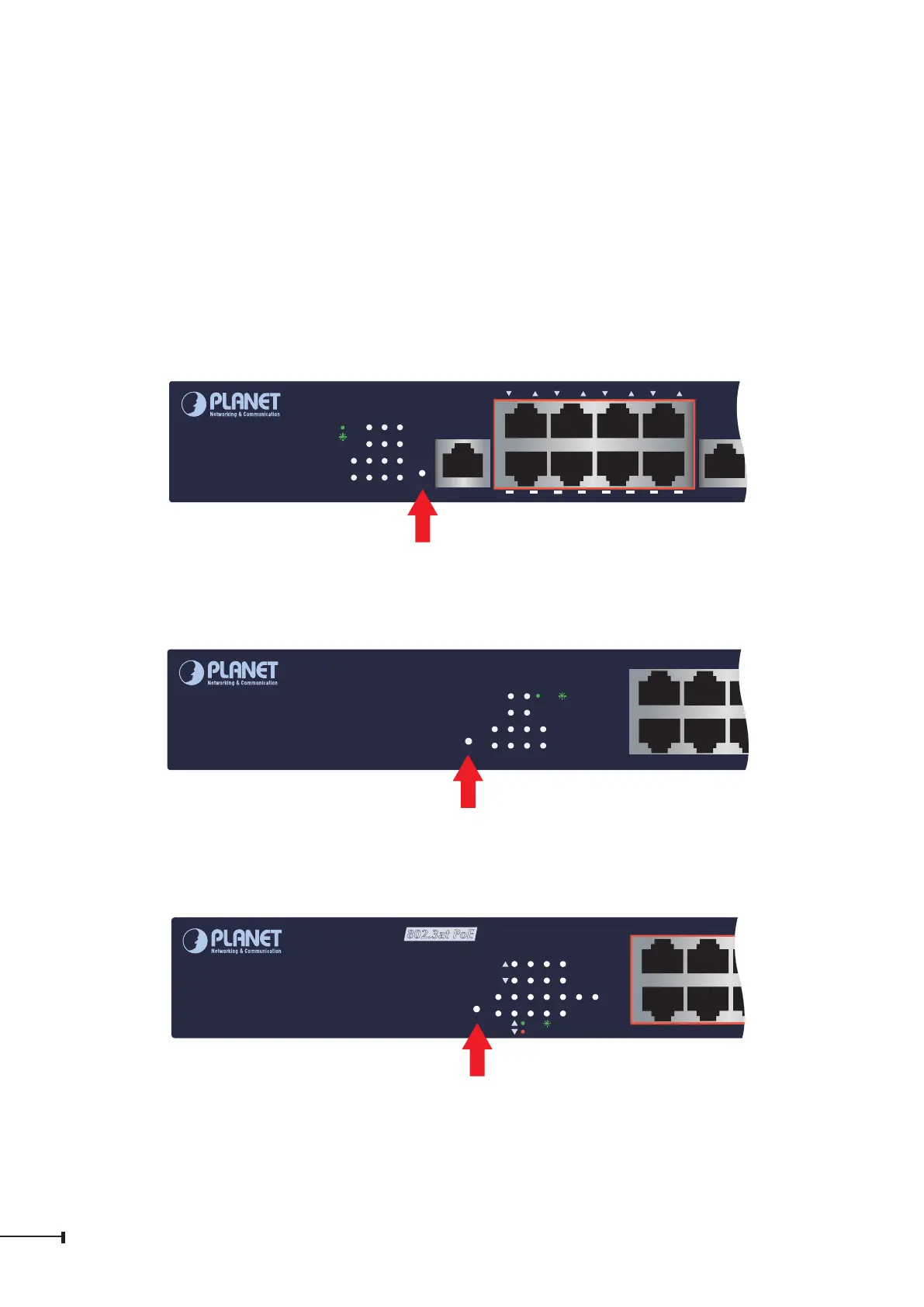
IPaddresshasbeenchangedoradminpasswordhasbeenforgotten–
To reset the IP address to the default IP Address “192.168.0.100” and the user
namepassword tofactory defaultmode(defaultpasswordisadminorsw+ thelast
6charactersoftheMACIDinlowercase),pressthehardware-basedresetbuttonon
thesidepanelforabout10seconds.
After the device is rebooted, you can log in the management Web interface within
thesamesubnetof192.168.0.xx.
4
3
2
1
PWR
SYS
8
7
6
5
12
11
10
9
115200, N, 8, 1
Console
GS-4210-8P2C
8-Port 10/100/1000T 802.3at PoE
+
2-Port 10/100/1000T
+
2-Port 100/1000X SFP Managed Switch
Reset
1 2 3 4 5 6 7 8
1
2 3 4 5 6 7 8
9
PoE-
in-Use
ACT
LNK
Reset
Figure 5-1: GS-4210-8P2C Reset Button
PWR
Reset
2 6
3 7
4 8
10
91 5SYS
ACTLNK
2
1
4
3
6
5
GS-4210-8T2S
8-Port 10/100/1000T
+
2-Port 100/1000X SFP
Managed Switch
Reset
Figure 5-2: GS-4210-8T2S Reset Button
2
1
4
3
PWR 109
Reset
2
1
4
3
6
5
8
7
SYS
ACTLNK
PoE-in-Use
GS-4210-8P2S
8-Port 10/100/1000T 802.3at PoE
+
2-Port 100/1000X SFP
Managed Switch
Reset
Figure 5-3: GS-4210-8P2S Reset Button


 To Next Page
 Loading...










