10
3. Deployed Devices Monitored via NMS-500 Controller
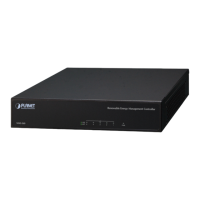
The NMS-500 incorporated in a workstation or PC can monitor all the deployed
wired or wireless PoE industrial–grade network devices, such as managed switches,
media converters, routers, smart APs, VoIP phones, IP cameras, etc. compliant
with the MQTT Protocol, SNMP Protocol, ONVIF Protocol and PLANET Smart
Discovery utility.
Note
Please regularly check PLANET website for the latest compatibility
list of managed devices.
Follow the steps below to set up the device from the “Standalone device” mode
to the “Managed device” mode.
Step 1. Connect the devices, NMS-500 Controller and your computer, to the same
network.
PC / Workstation with
Web Browser 192.168.1.x
192.168.1.x
Managed AP
IP Camera
192.168.1.x
PoE
PoE
NMS-500
Default IP
192.168.1.100
Managed PoE Switch
192.168.1.x
Step 2. Switch/Router: Log in to the Switch’s Web User Interface and enable
the SNMP, LLDP and NMS controller functions.
AP: Log in to the AP’s Web User Interface to congure the AP to
“Managed AP". In support of SNMP AP, enable the SNMP function.
IP Cam: The ONVIF function is enabled by default. NMS controller can
discover PLANET IP camera directly.
Switch/Router



 To Next Page