4
CDK14 and CDK20 EFA Kit Instructions
Connecting the EFA Computer Cable
While the RJ45 “PC” port on the EFA is the similar to that used for Ethernet, the proto-
col used for communication with the PC is serial/RS232 and the wiring diers from that
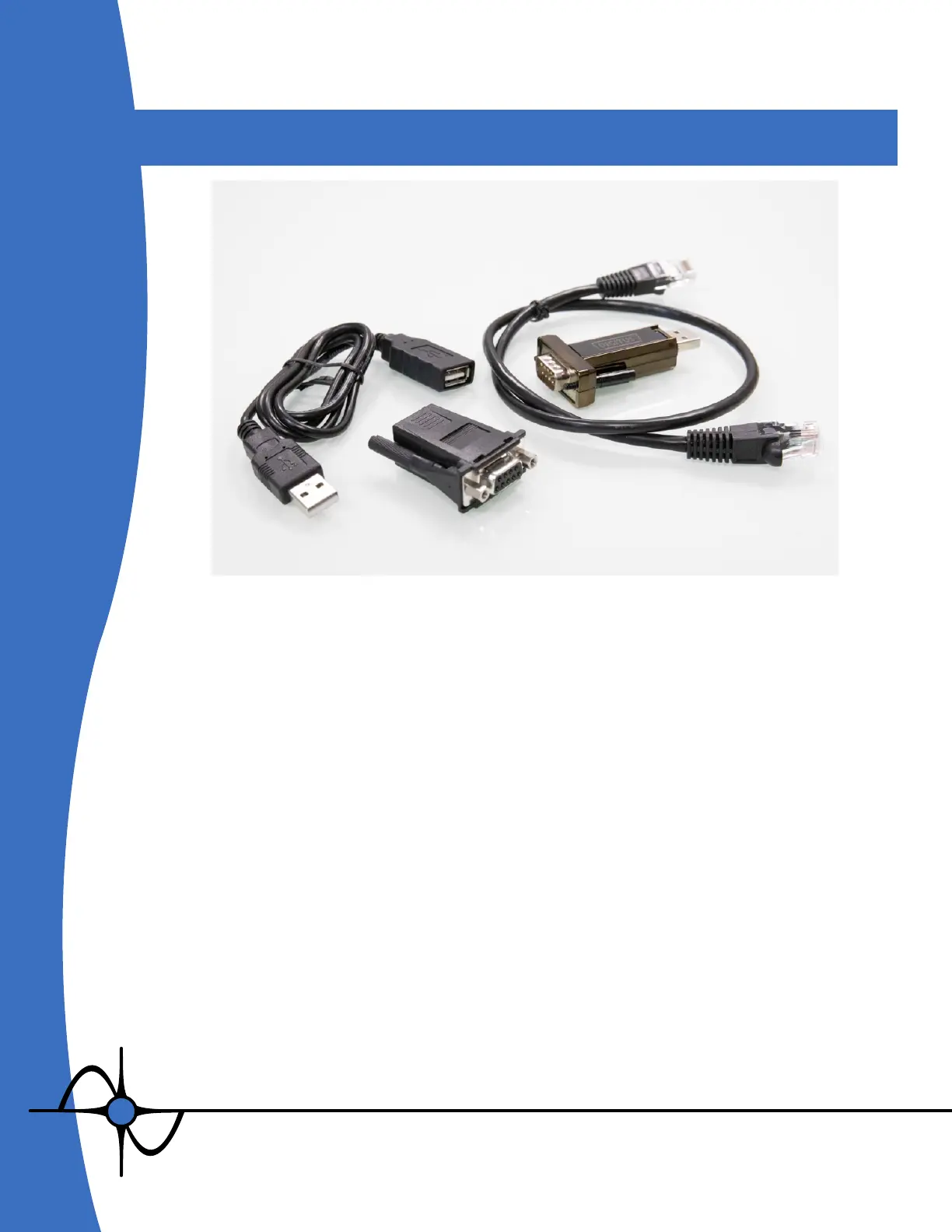
of Ethernet. The included USB-to-serial adapter, USB extension cable, DE9-to-RJ45 and
standard CAT5 cable must be used rather than a direct connection via Ethernet to the
PC. If needed, a longer CAT5 cable can be used to extend the connection between the
DE9-to-RJ45 adapter at the PC and the EFA.


 To Next Page