7
EN
Operating Systems Configuration
Windows Vista
1 Go to Start > Control Panel > Classic View
> Sounds.
2 On the Playback tab, select the
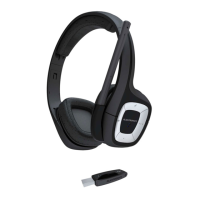
“Plantronics Wireless Audio” as the Sound
Playback device.
3 Select Properties, and on the Levels tab,
adjust the Volume Slider as necessary. Do
not select the mute option. Select OK.
4 On the Recording tab, select the
“Plantronics Wireless Audio” headset as
the Sound Recording device.
5 Select Properties, and on the Levels tab,
adjust the Volume Slider as necessary. Do
not select the mute option. Select OK.
6 Select OK.
Mac
®
OS X
1 Go to System Preferences > Sound.
2 On the Output tab, select the “Plantronics
Wireless Audio” headset as the Sound
Output device.
3 Adjust the Output Volume Slider as
necessary. Do not select the mute option.
4 On the Input tab, select the “Plantronics
Wireless Audio” headset as the Sound
Input device.
5 Adjust the Input Volume Slider as
necessary.
6 Select OK






 To Next Page