6
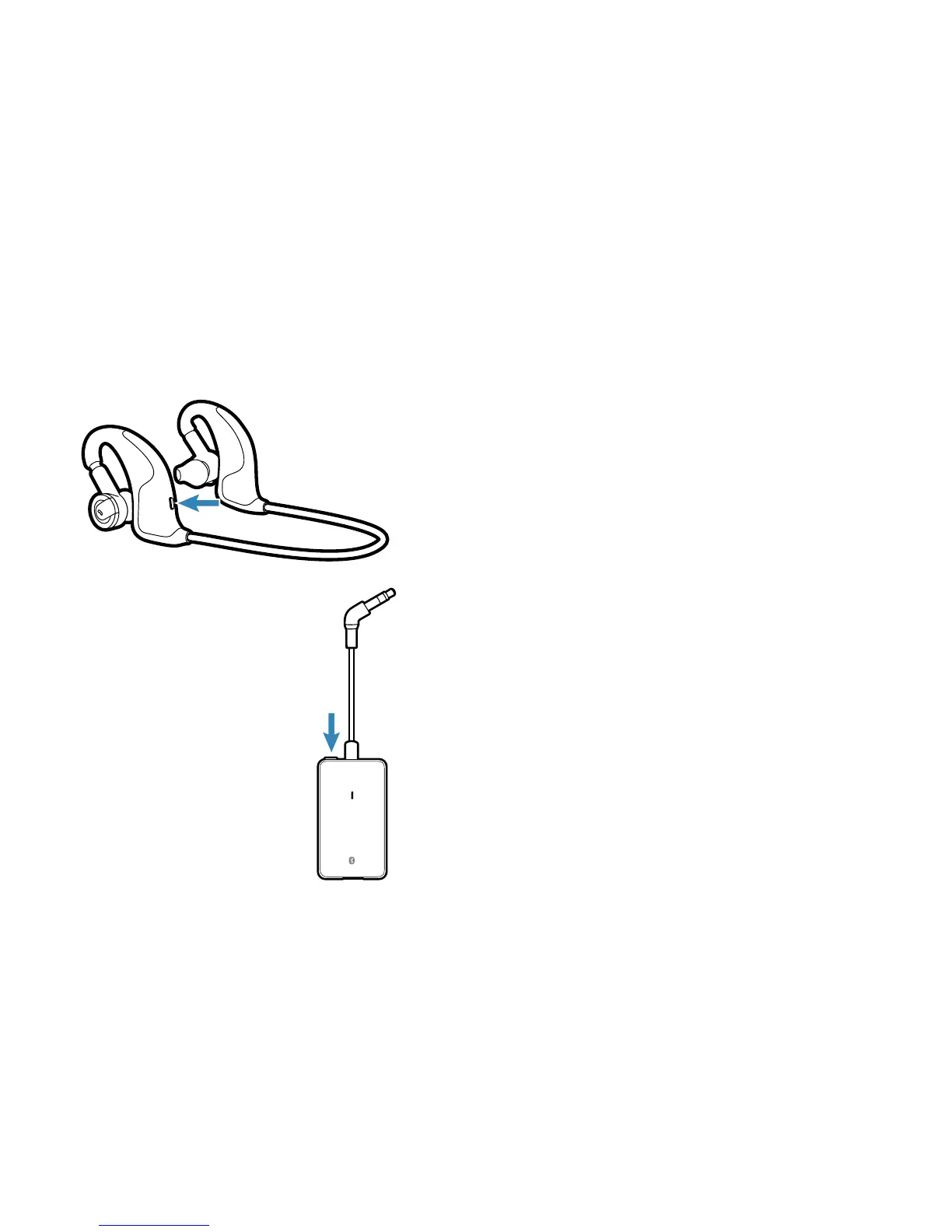
1 With the headphones powered off, press
and hold the Power/Pairing button until the
LED indicator flashes blue and red.
2 With the adaptor powered off, press and
hold the Power/Pairing button until the LED
indicator flashes blue and red.
3 The headphones and adaptor will both
rapidly flash blue when paired successfully.
Both are now ready for use. Plug the adaptor
into the headphone jack of your device.
Pairing Your Headphones and Bluetooth Adaptor
[BackBeat 906 only]
1
2






 To Next Page