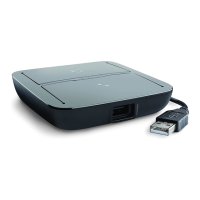
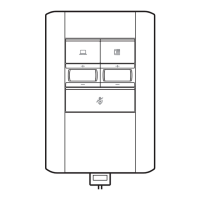
To answer or end a call on the PC, tap the PC icon button on the MDA500.
To make a call on the PC, tap the PC icon button on the MDA500 and dial the number in the
softphone application.
Headset call control is dependent on a compatible softphone. If you have not installed Plantronics
Hub or do not have a compatible softphone, press the headset call button first and then make/
take/end the call using the softphone application. Download Plantronics Hub at plantronics.com/
software.
To answer or end a call on the desk phone, tap the Desk phone button on the MDA500. If you
don't have an HL10 lifter or EHS cable, remove the handset when answering a call or hang up the
handset when ending a call.
To make a call on the desk phone, tap the Desk phone button on the MDA500 and dial the
number. Manually remove the handset, if you don't have an HL10 lifter or EHS cable.
While on an active call, roll the appropriate volume wheel up or down.
During a call, press the mute button to mute the microphone. To unmute press the button again.
To put an active call on hold press and hold the call button for 2 seconds. To take a call off hold
press the call button.
While on an active call, press and hold the PC and Desk phone buttons for 2 seconds. The calls will
merge.
To switch from a desk phone call to a computer call (or visa versa) press the other call button to
answer incoming call or place an outgoing call.
Daily Use
Answer, end and make
calls
Adjust volume
Mute
Hold
Merge a call
Switch calls
5


 To Next Page