EasyManua.ls Logo

Plantronics RIG 500 Series - User Manual

Plantronics RIG 500 Series
6 pages
Print Icon
To Next Page IconTo Next Page
Loading...
RIG 500 series
User Guide
Question and Answer IconNeed help?

Do you have a question about the Plantronics RIG 500 Series and is the answer not in the manual?

Summary

Setup and Basics

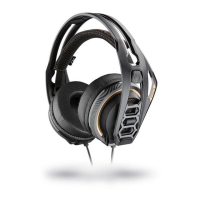
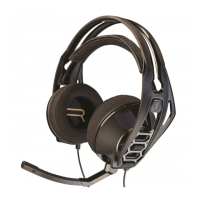
Assemble the Headset

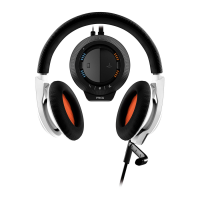
Your headset components easily snap into the headset frame to configure the best fit and sound.

Setup PS4

To setup your headset with for PS4, first go to Settings > Sound and Screen > Audio Output Settings > Output to Headphones > Select All Audio.

Mute Microphone

Lift the boom to a full stop to mute the microphone.

RIG 500 Audio Panel

Load Software

Download and install necessary software from plantronics.com/RIG500drivers for audio panel features.

Turn Dolby On;Off

Control Dolby surround sound by pressing the button on the inline controller or using the audio panel.

Set EQ

Personalize your audio with preset EQs or create custom settings for optimal sound profiles.

Set Sidetone and Mic Gain

Adjust sidetone to hear yourself and mic gain to ensure clear communication with others.

Support

Summary

Setup and Basics

Assemble the Headset

Your headset components easily snap into the headset frame to configure the best fit and sound.

Setup PS4

To setup your headset with for PS4, first go to Settings > Sound and Screen > Audio Output Settings > Output to Headphones > Select All Audio.

Mute Microphone

Lift the boom to a full stop to mute the microphone.

RIG 500 Audio Panel

Load Software

Download and install necessary software from plantronics.com/RIG500drivers for audio panel features.

Turn Dolby On;Off

Control Dolby surround sound by pressing the button on the inline controller or using the audio panel.

Set EQ

Personalize your audio with preset EQs or create custom settings for optimal sound profiles.

Set Sidetone and Mic Gain

Adjust sidetone to hear yourself and mic gain to ensure clear communication with others.

Support

Plantronics RIG 500 Series Specifications

General IconGeneral
BrandPlantronics
ModelRIG 500 Series
CategoryHeadsets
LanguageEnglish

Related product manuals