▪
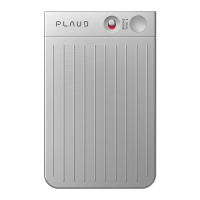
Red Light ON & Flashing: VAR Mode ON
◦
Battery Status:
▪
White Light ON for 5 seconds: Battery > 10%
▪
Purple Light ON & Flashing for 5 seconds: Battery < 10%
◦
Charging Status
▪
Green Light ON: Battery = 100%
▪
Purple Light ON: Battery Charging
◦
Storage
▪
Yellow Light Flashing: Out of Storage
PLAUD NotePin Set Up
To customize your recording preferences, we have developed the PLAUD App
that can control the device in Bluetooth range, and you can access and
manage the recorded files through the
PLAUD App.
•
Search for PLAUD in the App Store or Google Play
Registration and Sign in
Please register and sign into the PLAUD App. Then bind the device through
Bluetooth. Then you can customize the settings through the PLAUD App.
Start Recording
To start recording on PLAUD NotePin, simply press and hold the button for
1 second and wait for the 1 quick vibration. You will also see the red
light on for recording status.
Stop Recording
During recording, press the button for 1 second again and wait for the
2 quick vibrations, and it will stop recording. The red light will be off.


 To Next Page
 Loading...