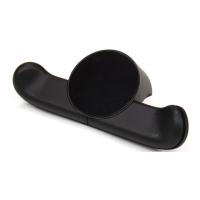
DUALSHOCK®4 USB Wireless Adaptor
Instruction Manual
CUH-ZWA1U
EN
Precautions
Before using this product, carefully read this manual and any manuals for compatible hardware. Retain
instructions for future reference.
Safety
• Keep this product out of the reach of small children. Small children may swallow small parts,
which may inflict injury or cause an accident or a malfunction.
• Do not touch the product with wet hands.
• Never disassemble or modify the product.
• Check that there is no dust or foreign object on the connectors when connecting cables.
• Do not allow liquid or small particles to get into the product.
• Do not expose the product to dust, smoke or steam.
• Do not expose the product to high temperatures, high humidity or direct sunlight.
Use and handling
• Do not let any other metal items come in contact with the connectors.
• Do not place any objects on top of the product. Do not stand on the product.
• Do not throw or drop the product, or otherwise expose it to strong physical impact.
• Do not place the product on surfaces that are unstable, tilted or subject to vibration.
• Do not allow the product to come into contact with liquids.
• Follow the instructions below to help prevent the product exterior from deteriorating or
becoming discolored.
• Wipe with a soft, dry cloth.
• Do not place any rubber or vinyl materials on the product exterior for an extended period of
time.
• Do not use solvents or other chemicals. Do not wipe with a chemically treated
• cleaning cloth.

 Need help?
 General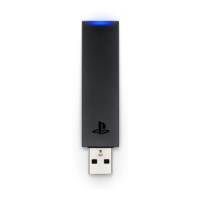

 To Next Page