7
ˋ If the internal battery fluid leaks, stop using the product immediately and contact
technical support for assistance. If the fluid gets on to your clothes, skin or into your eyes,
immediately rinse the affected area with clean water and consult your doctor. The battery
fluid can cause blindness.
Battery life and duration
ˎ The battery has a limited lifespan. Battery charge duration gradually decreases with
repeated usage and age. Battery life also varies depending on the storage method, usage
state, environment and other factors.
ˎ Charge in an environment where the temperature range is between 10 °C and 30 °C.
Charging may not be as effective when performed in other environments.
ˎ Battery duration may vary depending on the usage condition and environmental factors.
ˎ When the battery level on the controller is low, a notification appears on-screen.
Basic operation
Power
Press the (PS) button to turn on your controller. Your controller will turn off automatically
when it’s not in use.
Controls
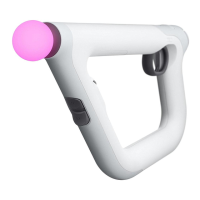
The PS VR Aim Controller duplicates nearly all of the controls and functions of a
DUALSHOCK
®
4 wireless controller, as adapted to use with PS VR games.
Refer to the PlayStation
®
4 User’s Guide for more information on basic button operations.
EN


 To Next Page