Need help?
Do you have a question about the PlayStation VR and is the answer not in the manual?
Connect the HDMI cable between the PS4 system and the processor unit.
Connect the PlayStation Camera to your PS4 system.
Connect the USB cable between the PS4 system and the processor unit.
Connect the AC power cord to the AC adapter and then to an electricity supply.
Connect the VR headset connection cable to the processor unit.
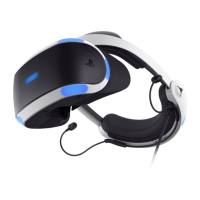
Connect the VR headset and stereo headphones to the system.
Follow the steps to turn on your TV, PS4 system, and VR headset.
Ensure PS4 and PS VR software are updated to the latest version.
Press the release button and pull the headband back to remove the VR headset.
Hints on screen blanking and reattaching the VR headset, with system navigation.
Press the power button on the inline remote to turn off the VR headset.
You can continue using your PS4 system for non-VR games without reconnecting.
 General
| Brand | PlayStation |
|---|---|
| Model | VR |
| Category | Virtual Reality Headsets |
| Language | English |

 To Next Page