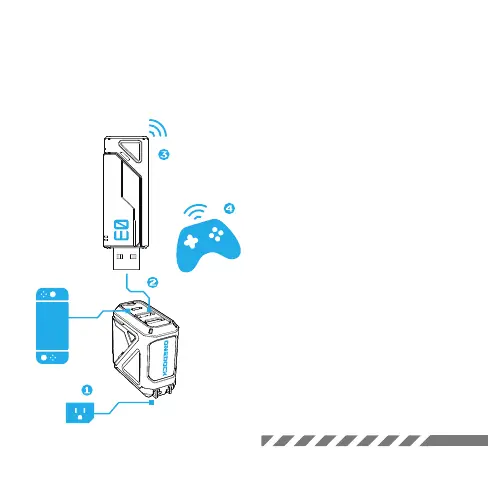
1. Go to the Switch’s “System Settings”,
select “Controllers and Sensors”, then turn
on “Pro Controller Wired Communication”.
2. Plug OneDock into a power outlet and
connect it with Switch.
3. Connect Adapter with console via USB-A
port.
4. Press Adapter button to enter pairing
mode.
5. Set controller to pairing mode, and
bluetooth will connect automatically.
Adpater status light
Flash slowly: scanning
Flash rapidly: connecting
Always On: connected
KEEP OUT
Connect to Controllers
*Note: It's normal for the light to stay off
until you connect the Switch. There's
nothing wrong with it.



 To Previous Page