Section 3. Installing the PX-716SA Internal SATA Drive
PX-716 Installation and Users Manual 41
If your drive came pre-installed, some or all of the items above may
have been installed and may not be separately available. See the Plextor
web site for locations to purchase additional or replacement accessories.
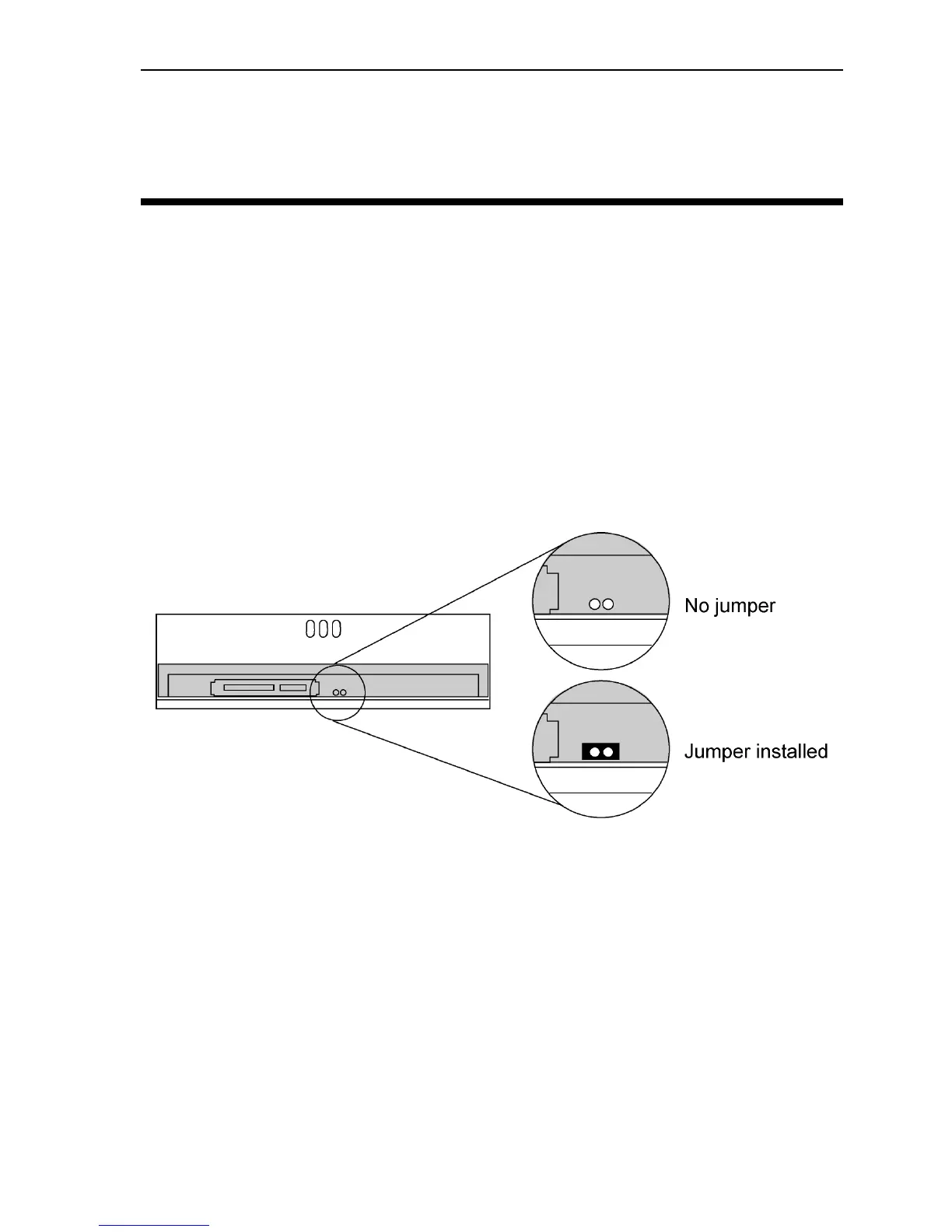
Set the PX-716SA DMA Jumper
Your PX-716SA ships from the factory with no DMA jumper installed.
(The pins are empty.) The empty pins mean the drive is set to Ultra
DMA. This setting should work in most cases, so you don’t have to do
anything more.
With some personal computers that do not have an embedded non-RAID
Serial ATA chipset, the computer may “hang” or crash with the PX-
716SA installed. If this happens, change the PX-716SA to multiword
DMA mode by installing the spare jumper across the two DMA jumper
pins.
Figure 20: Add the PX-716SA DMA jumper if you need to change
from Ultra DMA (default) to multiword DMA
Adding the jumper also configures the PX-716SA for self-test. See
“Using the PX-716SA Self-Test Diagnostics” on page 104 for more
details.



 To Next Page