3
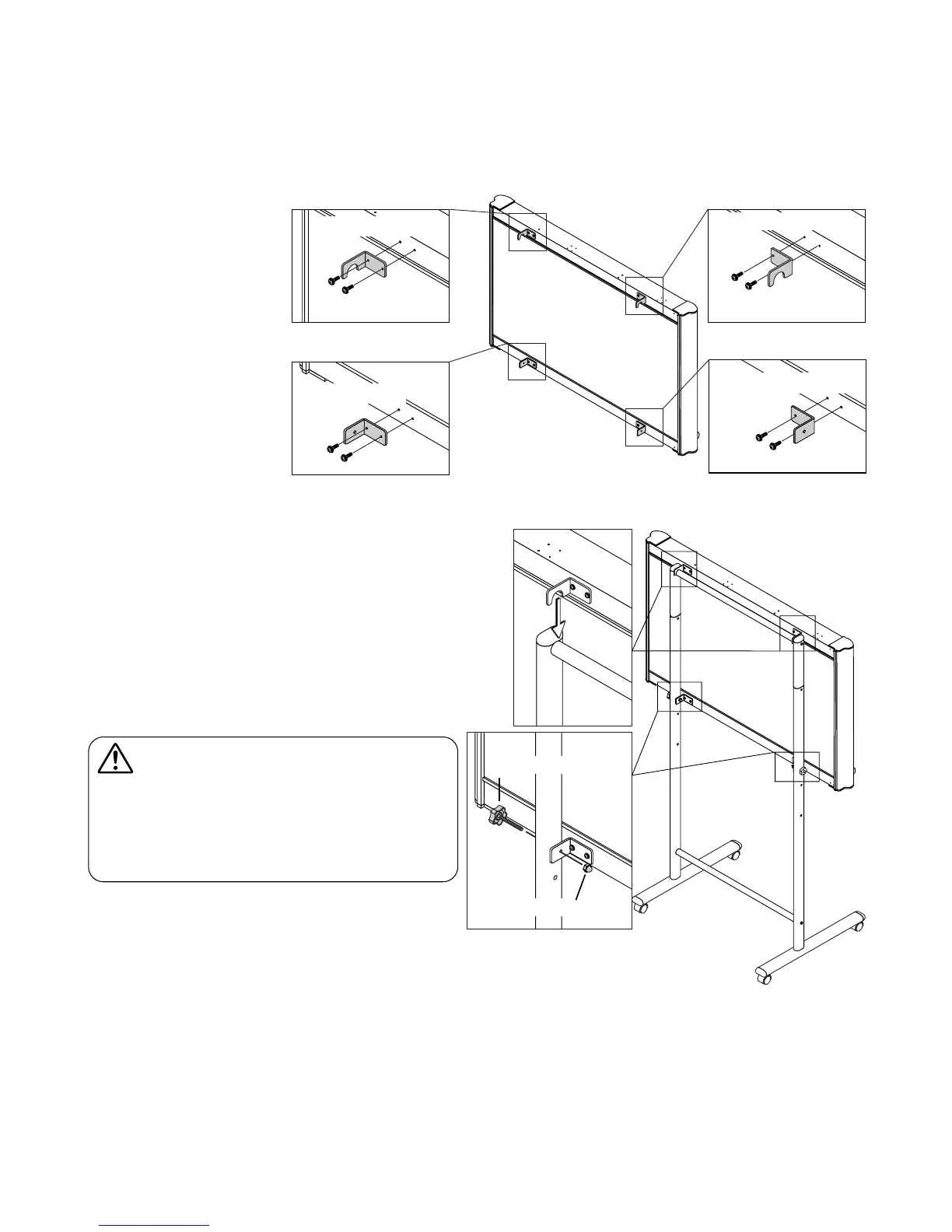
Fixing knobs
Hexagon cap nuts
(4) Mount the upper and lower brackets using M4
x 12 screws.
• The left and right upper brackets are different. Be
sure to mount them on the proper side.
• Both the lower brackets have the same form, but
mount them in the opposite directions so that each
is facing outwards.
(5) Hook the left and right upper brackets of the
Copyboard onto the upper crossbar and fas-
ten the lower brackets using the fixing knobs
and hexagon cap nuts.
CAUTION
• Lock the casters so that the stand does not move.
• When mounting and adjusting the height, at least
two people should hold the copyboard to prevent it
from dropping or tipping over, resulting in unex-
pected injury.


 To Next Page