EasyManua.ls Logo

Plus M-5-T - User Manual

Plus M-5-T
6 pages
Print Icon
To Next Page IconTo Next Page
Loading...
1
Assembling the stand and mounting the copyboard horizontally
Parts included in the copyboard package: Marker tray (1 pc), side covers (2 pcs), M4 x 8 marker tray installation
screws (3 pcs, screws removed when unpacking), 8 copyboard mount screws (M4 x 12)
List of parts included in the stand kit (parts used for horizontal installation)
Feet (with casters) : 2, Frames : 2, Foot washers : 2, Foot fixing screws (M8 x 50) : 4, Spring washers : 4,
Extension frames : 2, Caps : 6, Fixing knobs (with hexagon cap nuts) : 2, Crossbars : 2,
Hexagonal socket head screws : 4, Flat washers : 4, Upper brackets (left and right) : 2, Lower brackets : 2,
Hexagonal wrench (M8) : 1, Hexagonal wrench (M5) : 1
Assembly and installation flow
Mounting the
copyboard
onto the stand
Assembling
the stand
Mounting
the marker tray
on the copyboard
Mounting
the brackets
on the copyboard
WARNINGS
Be sure to install and assemble the copyboard as instructed in this manual. Improper installation or assembly
could lead to injury.
At least two people should hold the copyboard when installing and removing it.
(Model M-5-T)
Stand Assembly Manual
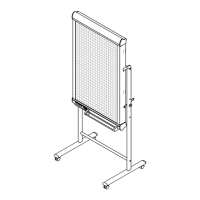
This dedicated stand for the M-5 Copyboard allows the Copyboard to be set up in the horizontal or vertical orientation.
Please assemble the stand in the orientation that suits the purpose.
Note that the parts supplied with the Copyboard will also be used in the assembly.
[horizontal orientation]
[vertical orientation]
Question and Answer IconNeed help?

Do you have a question about the Plus M-5-T and is the answer not in the manual?

Summary

Safety Warnings

General Assembly Safety

Guidelines for safe installation and assembly, emphasizing two-person handling to prevent injury.

Assembly Caution

Important note to lock casters and use two people during mounting/adjusting for stability.

Mounting Caution

Emphasizes locking casters and needing two people to prevent dropping or tipping.

Horizontal Copyboard Stand Assembly

Assemble T-shaped Legs

Instructions for assembling the T-shaped legs using M8 screws and washers.

Mount Crossbars

Attaching crossbars to the T-shaped legs with M5 screws and flat washers.

Attach Marker Tray

Connecting the marker tray to the copyboard using side covers and M4 screws.

Mount Brackets to Copyboard

Securing upper and lower brackets to the copyboard using M4 x 12 screws.

Attach Copyboard to Stand

Hooking copyboard brackets onto the stand's crossbar and fastening with knobs.

Vertical Copyboard Stand Assembly

Assemble T-shaped Legs

Steps for assembling the T-shaped legs for vertical orientation.

Mount Crossbars

Attaching crossbars to the T-shaped legs using M5 screws.

Mount Brackets to Copyboard

Installing upper and lower brackets onto the copyboard using M4 screws.

Attach Copyboard to Stand

Securing copyboard brackets to the stand's crossbar with fixing knobs.

Mount Short Marker Tray

Attaching the short marker tray using cosmetic seals and M3 screws.

Configure Vertical Image Setting

Procedure to switch the copyboard display to vertical orientation.

Stand Operation

Locking and Unlocking Casters

Instructions on how to lock and unlock the stand's casters for stability.

Plus M-5-T Specifications

General IconGeneral
BrandPlus
ModelM-5-T
CategoryRacks & Stands
LanguageEnglish