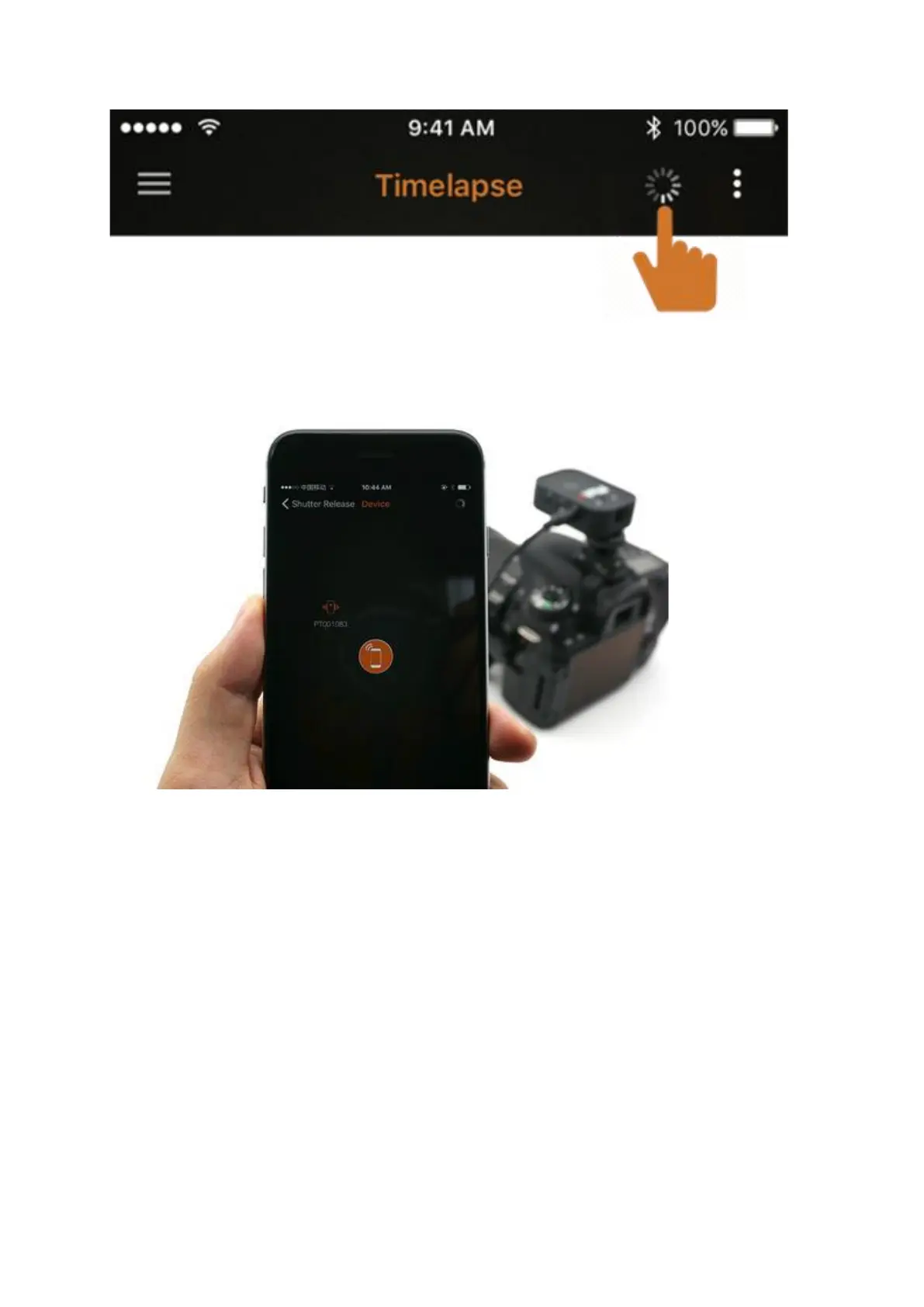
Tap the spinner (the spinning icon beside the Settings button on the top bar) to enter the
Device Scan screen.
An icon with the ID "PT******" will show up. This is your Pluto Trigger.
For Android users, please grant GPS Location access permission to the Pluto Trigger app. For
iOS users, please make sure Bluetooth is enabled for Pluto Trigger app in Settings app.
Otherwise, the app will not be able to find the Pluto Trigger device.


 To Next Page