Setup
Configuring Kiwi 2+
1. Locate your car’s OBDII port
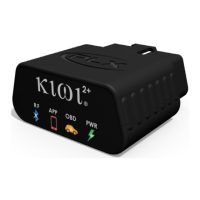
and plug in Kiwi 2+
Most cars have OBD located on the driver’s side below the steering wheel.
By OBD standards the connector must be located within three feet of the driver and must
not require any tools to be revealed. If your OBD port is not visible in plain sight trying
looking under the dash, behind ashtrays, and around/in fuse boxes.
2. Pair Kiwi 2+
Open your Android phone’s Bluetooth Settings and select Scan.
Select PLXDevices and pair. If prompted for a passkey enter 1234
3. Launch your favorite app and enjoy
Some apps may need additional configuration. Please see the next section for details.


 To Next Page