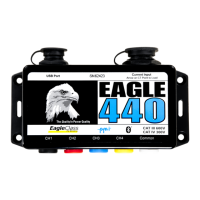
Eagle™ Power Quality Recorder User’s Manual •
••
• iv
USB Communications Cable .................................................................... 26
Operating the Eagle™ ..................................................................................... 27
Identification ................................................................................................. 27
Initialization .................................................................................................. 27
Battery Ride-Through................................................................................... 27
Downloading Data ....................................................................................... 28
Analyzing Data ............................................................................................. 29
PC and Laptop Communications with Eagle™ Recorders .............................. 31
Field PC Communications with Eagle™ Recorders ........................................ 33
PDA Communications with the Eagle™ Recorder ........................................... 35
What the Eagle™ Records .............................................................................. 37
Triggered Record Types ........................................................................... 37
Non-triggered Record Types .................................................................... 38
Using the Eagle™ ........................................................................................ 39
Interval Graphs ......................................................................................... 39
Daily Profiles ............................................................................................ 44
Cycle Histograms ..................................................................................... 46
Minute Histograms ................................................................................... 49
Energy Usage .......................................................................................... 50
Significant Change ................................................................................... 52
Event Change .......................................................................................... 55
Power Outage .......................................................................................... 60
Flicker ....................................................................................................... 61
Abnormal Voltage ..................................................................................... 62
Loose Neutral ........................................................................................... 65
Waveform Capture ................................................................................... 68
Additional Resources ...................................................................................... 73
Understanding Recorder Data ..................................................................... 73
Technical Support ........................................................................................ 73
Appendix 1: Warranty Clause .......................................................................... 75
Equipment Return ........................................................................................ 75
Appendix 2: Frequently Asked Questions (FAQs) ........................................... 77
Appendix 3: Troubleshooting ........................................................................... 83
Index................................................................................................................ 85



 To Next Page