EasyManua.ls Logo

PNI Clementine 9440 - User Manual

PNI Clementine 9440
44 pages
Print Icon
To Next Page IconTo Next Page
Loading...
PNI Clementine 9440
User manual
Manual de utilizare
Felhasználói kézikönyv
Instrukcja obsługi

Questions and Answers

  • M
    Melanie JonesAug 13, 2025
    Why is there no sound coming from my PNI Clementine 9440?
    • Z
      zjonesAug 14, 2025
      If there is no sound from your PNI Car Receiver, the possible causes are: 1. The power is not connected. Solution: Replace the power supply plug. 2. Speaker wires are not connected. Solution: Check speaker wiring. 3. There are no files on the USB memory, or the SD/MMC memory card. Solution: Check the SD/MMC memory card or the USB memory and clean it with ethyl alcohol if it’s dirty. 4. SD/MMC card or USB memory is not properly connected. Solution: Check the SD/MMC memory card or the USB memory and clean it with ethyl alcohol if it’s dirty.
  • C
    Claudia AdamsAug 17, 2025
    What to do if my PNI Clementine 9440 Car Receiver power is OFF?
    • E
      edward97Aug 17, 2025
      If the power is OFF on your PNI Car Receiver: * Ensure the power supply is properly connected. * Check the fuse and the power wire to see if they are broken or disconnected.
  • M
    Mary LeeAug 21, 2025
    Why is the sound low or not clear on my PNI Clementine 9440 Car Receiver?
    • T
      Thomas PriceAug 21, 2025
      If the sound from your PNI Car Receiver is low or not clear, it could be due to the following reasons: 1. Low battery power. Suggested solution: Replace the car battery. 2. Antenna is not properly connected. Suggested solution: Check the antenna connection.
  • F
    frederickwalkerAug 25, 2025
    What to do if there is no display on the LCD of my PNI Car Receiver?
    • M
      Martin FosterAug 25, 2025
      If there is no display on the LCD of your PNI Car Receiver: * Check if the yellow wire is connected with the ignition lock wire. * Replace the fuse in the yellow wire, if it is broken.
  • C
    Craig HuntAug 28, 2025
    How to fix mono sound on my PNI Car Receiver?
    • R
      Renee GarciaAug 28, 2025
      If the sound from your PNI Car Receiver is mono: * Check and connect all speakers. * Replace the amplifier circuit, if it is broken.
  • J
    Jessica WhiteSep 1, 2025
    Why is my PNI Car Receiver power OFF?
    • S
      smithjenniferSep 1, 2025
      The car receiver might be off because the power supply is not properly connected; ensure it is correctly connected. Also, check the fuse and the power wire for any issues.
  • R
    Robert BaxterSep 5, 2025
    What to do if there is no display on my PNI Car Receiver LCD?
    • J
      Jaclyn AllenSep 5, 2025
      If there is no display on the LCD, check if the yellow wire is connected to the ignition lock wire. Also, verify if the fuse on the yellow wire is broken and replace it if needed. Another reason might be that the power is not connected; in that case, replace the power supply plug.
  • J
    Jessica CarrollSep 9, 2025
    How to fix mono sound on PNI Car Receiver?
    • D
      Donna JohnsonSep 9, 2025
      If the sound is mono, check and connect all speakers to ensure they are properly connected. If the issue persists, the amplifier circuit may be broken, and you should replace the circuit.

Summary

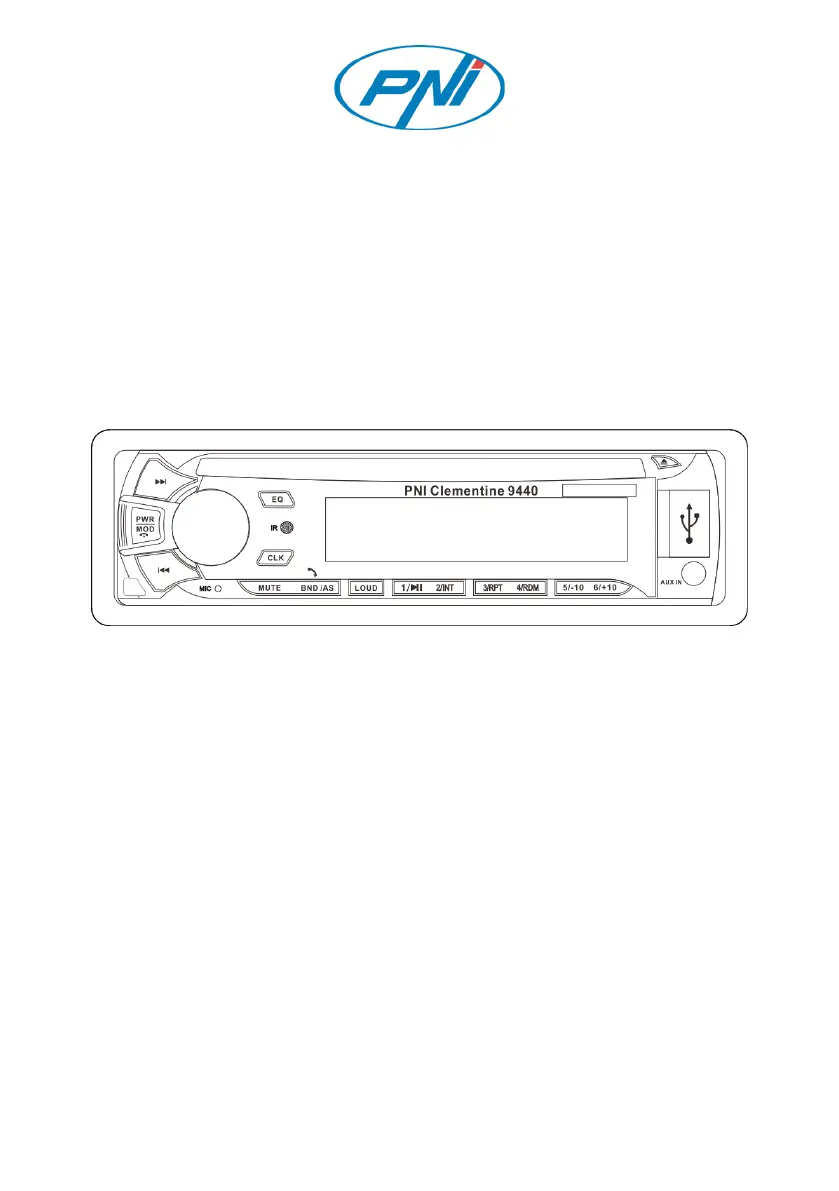
Control Panel Layout

Front Panel Controls and Indicators

Detailed description of all buttons, ports, and indicators on the front panel.

Basic Operation and Functions

Powering On;Off and Source Selection

How to turn the device on/off and switch between playback sources.

Radio Band Switching and Auto-Storage

Managing FM bands and automatically storing radio channels.

Track and Channel Navigation

Moving between tracks or searching for the next radio channel.

Volume and Sound Adjustment

Adjusting volume and basic sound settings like bass and treble.

Advanced Audio Settings Configuration

Setting loudness, DSP, equalizer presets, balance, and fader.

Clock Setting and Mute Function

How to set the clock and mute the audio output.

Preset Button Functions

Using numbered buttons for stored stations and playback features.

Remote Control Operations

Power, Volume, and Settings Controls

Remote buttons for power, volume, and sound settings adjustments.

Navigation, Selection, and Menu Access

Remote buttons for navigating menus and confirming actions.

Playback, Search, and Media Functions

Remote buttons for playback, track skipping, and media-specific features.

Bluetooth Connectivity and Audio

Bluetooth Pairing and Device Connection

Steps to connect a phone via Bluetooth for pairing.

Hands-Free Calling Features

Managing phone calls through the car stereo system.

Wireless Audio Streaming

Playing music wirelessly from a connected Bluetooth device.

Disc Media Playback

General Disc Playback Controls

Basic operations for playing discs like CDs, DVDs, and VCDs.

CD Specific Playback Features

Functions specific to Compact Disc playback operations.

Media Playback Modes

VCD and DVD Playback

Instructions for playing VCD and DVD discs.

Multimedia File Handling

How to play audio, photo, and video files from media sources.

Radio Operation and Tuning

Radio Tuning and Band Selection

Switching FM bands and searching for radio channels.

Automatic and Manual Channel Storage

Storing discovered radio stations into memory.

Auxiliary Input Usage

Connecting External Audio Sources

Using the AUX IN port for audio input with a cable.

Technical Specifications

FM Radio Performance Specifications

Technical details for FM reception performance.

Disc Playback Technical Data

Specifications for supported disc formats and playback.

General Device Performance Specs

Key electrical and physical characteristics of the device.

Installation Instructions and Procedure

Pre-Installation Safety and Preparation

Important safety notes and preparation steps before installation.

Dashboard Mounting and Unit Installation

Steps for physically installing the unit into the dashboard.

Wiring and Connections Diagram

Understanding the Connection Diagram

Visual guide illustrating device wiring connections.

Troubleshooting Guide

Resolving Common Device Faults

Table of common faults, their reasons, and recommended solutions.

PNI Clementine 9440 Specifications

General IconGeneral
Screen Resolution1024 x 600 pixels
Operating SystemAndroid 10
RAM2 GB
GPS NavigationYes
BluetoothYes
Wi-FiYes
Radio TunerFM/AM
Maximum power4 x 45 W
ProcessorQuad Core
USB Ports2
Audio FormatsMP3, WMA, AAC
Video FormatsMP4, AVI