30
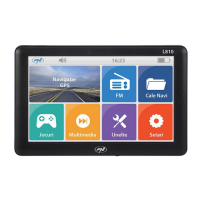
4. Appearance:
4
1
2
3
5 6
1 - Mufa casti
2 - Slot card micro SD
3 - Port mini USB
4 - Tasta inchidere / deschidere dispozitiv
5 - Difuzor
6 - Tasta Reset
5.1 Power Supply & Charging:
5. Basic use:
Our GPS can be powered by the built-in battery or external power
supply. When the GPS navigator is unconnected to the charger, it is
powered by the Li-polymer battery. The battery capacity icon in
the system main interface shows current residual battery capacity.
When the GPS navigator is connected to the charger, it is powered
by external power and the battery is charged.
[Attention] The GPS navigator adoptors internal non-removable
Li-polymer battery. To avoid battery rupture, explosion, release of
hazardous substance or burn, do not unpack, pierce, strike on or
discard the battery in re or water.


 To Next Page
