User manual 8
English
activates the 24-hour storage of measured data).
8. Press the button or to disable this feature. The symbol will
appear on the screen.
9. Press the button to confirm. The screen will return to standard display
mode.
Note: If you have activated ( ) the 24-hour memory storage function, the saved
MIN and MAX values will be cleared every day at midnight. If you have disabled
this function ( ) the data will remain in memory until the battery runs out.
Display in basic mode
Once you have set the time and established communication with the outdoor
sensor, the device is in basic display mode.
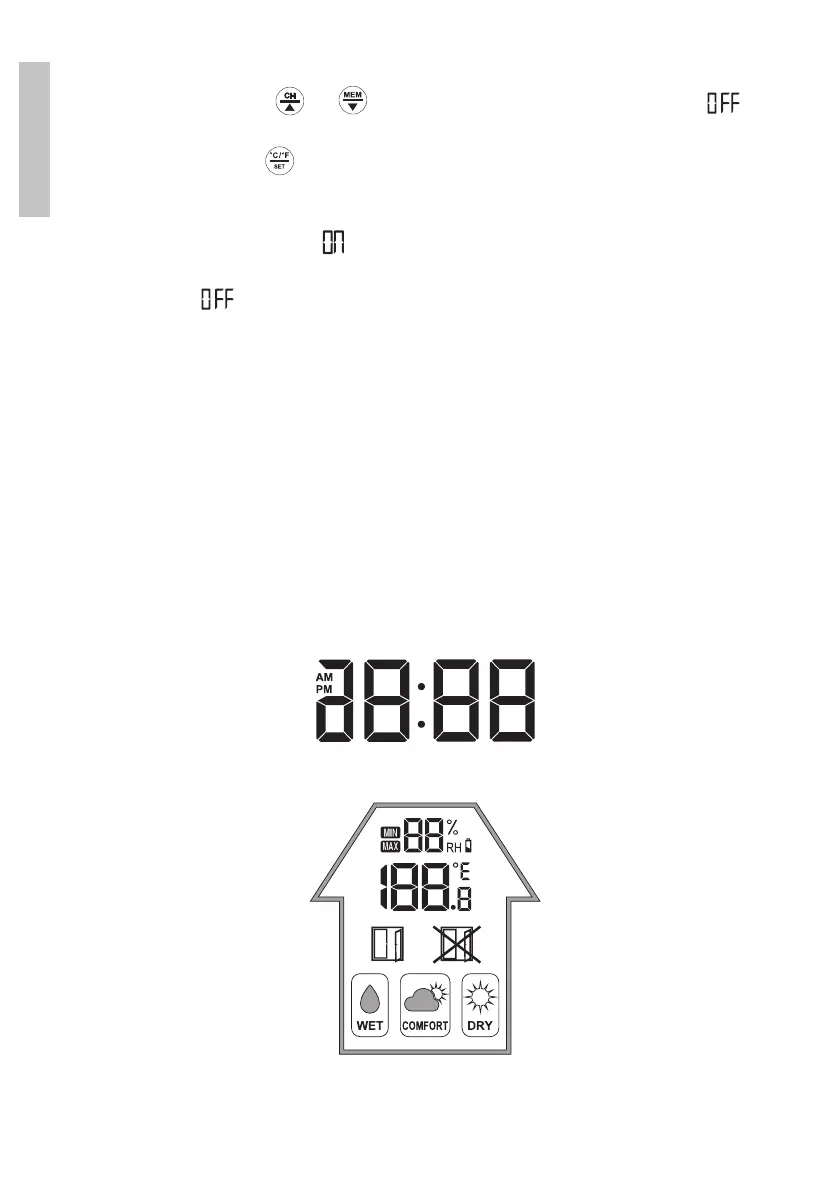
In basic mode, the weather station displays the following information:
» The time (12h/24h)
The time is by default displayed in 24h mode. If you select 12h mode, the
“PM” or “AM” symbol appears in front of the time.
» Indoor climatic conditions
The temperature is expressed in Celsius degrees (°C) or Fahrenheit degrees
(°F) and is displayed to one decimal (eg 22.8°C).


 To Next Page
 Loading...