
EasyManua.ls Logo

PNI TV901 - User Manual

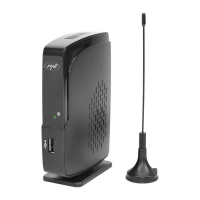
PNI TV901
52 pages
Print Icon
To Next Page IconTo Next Page
Loading...
PNI TV901
DVB-T2 digital tuner / DVB-T2 цифров тунер / DVB-T2 Digitaltuner / Sintonizador digital DVB-T2 / Tuner
numérique DVB-T2 / DVB-T2 digitális tuner / Sintonizzatore digitale DVB-T2 / Tuner cyfrowy DVB-T2 / Tuner
digital DVB-T2
EN User manual ............................................. 2
DE Benutzerhandbuch ................................... 8
ES Manual de usuario .................................... 14
FR Manuel utilisateur ..................................... 20
HU Használati utasítás ................................... 26
IT Manuale utente ........................................ 32
PL Instrukcja obsługi ..................................... 38
RO Manual de utilizare ................................... 44

Questions and Answers

  • T
    Thomas TravisJul 28, 2025
    Why is my PNI Tuner remote not working?
    • L
      leah02Jul 28, 2025
      If the PNI Tuner remote is not working, the batteries may be low, or there might be obstacles interfering with the signal. Try replacing the batteries. Also, ensure that direct sunlight isn't hitting the remote or the device and that there are no obstructions between them.
  • A
    Amy MurrayAug 2, 2025
    What to do if my PNI Tuner says no signal?
    • Z
      Zachary MaxwellAug 2, 2025
      If the TV image is gone and replaced with the ”No signal” message, it may be due to the antenna not being properly connected, or you might be in a low signal area. Check the antenna connection and try moving the antenna to another location.
  • J
    John WilliamsAug 9, 2025
    How to turn on PNI Tuner?
    • M
      Michelle MillerAug 9, 2025
      If the PNI Tuner device is connected but there is nothing on the screen, the device might not be turned on. Turn on the device using the remote.
  • R
    Robert ChoiAug 14, 2025
    Why is my PNI TV Tuner remote not working?
    • P
      Paige YangAug 15, 2025
      If the PNI TV Tuner remote isn't working, the batteries might be low, or something could be blocking the signal between the remote and the device. Try replacing the batteries. Also, ensure that sunlight isn't shining directly on the remote or the device and that there are no obstructions between them.
  • J
    jasmine28Aug 21, 2025
    What to do if my PNI TV Tuner says 'No signal'?
    • M
      Marissa GilbertAug 21, 2025
      If your PNI TV Tuner displays a 'No signal' message, it could be due to a poorly connected antenna or a weak signal area. First, check that the antenna is properly connected. If it is, try moving the antenna to a different location to see if you can get a better signal.

Summary

Safety and Precautions

General Safety Instructions

Covers essential safety rules for using the digital tuner, including warnings and precautions.

Precautions for Operation

Details specific precautions for power cord, placement, non-use periods, and water exposure.

Product Overview and Features

Introduction to the Device

Explains the purpose of the manual and introduces the digital tuner with its default password.

Key Product Features

Lists the main functionalities and capabilities of the PNI TV901 digital tuner.

Device and Remote Control Description

PNI TV901 Device Components

Identifies the physical ports and indicators on the device, such as USB, HD output, and antenna input.

Remote Control Functions

Explains the functionality of each button on the remote control for device operation.

Installation and Setup Guide

Battery Installation and Notes

Provides instructions for inserting batteries and important notes for remote control operation.

Connecting the Device to TV

Details how to connect the tuner to a TV and other devices using cables and antenna.

Menu Navigation and Settings

Initial Installation Guide

Guides initial setup, including language, country selection, and automatic channel search.

Program and Picture Settings

Manages channels, EPG access, program sorting, LCN, aspect ratio, and resolution.

Channel, Time, and Language Setup

Covers channel search, time settings, country region, sleep timer, and language preferences.

Advanced Settings and Usage

System and USB Configuration

Manages parental controls, password, factory reset, software updates, and USB media settings.

Channel Navigation and Media Playback

Instructions for navigating channels, accessing EPG, and playing media files from USB.

TV Program Recording and Timeshift

Guides on recording TV programs, instant, timer, and timeshift recording methods.

Troubleshooting Common Issues

Problem Diagnosis and Solutions

Provides solutions for common problems like no screen display, no signal, or remote control malfunction.

Technical Specifications

Tuner and Demodulation Details

Specifies technical details for the tuner, including input connector, frequency, and demodulation standards.

Video and Audio Decoder Standards

Details video decoding formats (MPEG-2, H.264) and audio decoder standards (MPEG-1, HE-AAC).

Power and Physical Specifications

Lists power requirements, consumption, and the physical dimensions and weight of the device.

EU Declaration of Conformity

Simplified EU Declaration

States the device's compliance with EU directives (EMC, RED, ROHS, LVD) and provides an internet link for the full text.

PNI TV901 Specifications

General IconGeneral
InterfaceUSB 2.0
Tuner TypeAnalog
Supported TV StandardsNTSC, PAL
Supported Resolutions720x480 (NTSC), 720x576 (PAL)
Operating System CompatibilityWindows XP, Windows Vista, Windows 7