EasyManua.ls Logo

Pocket Air MBPN002 - User Manual

Pocket Air MBPN002
32 pages
Print Icon
To Next Page IconTo Next Page
Loading...
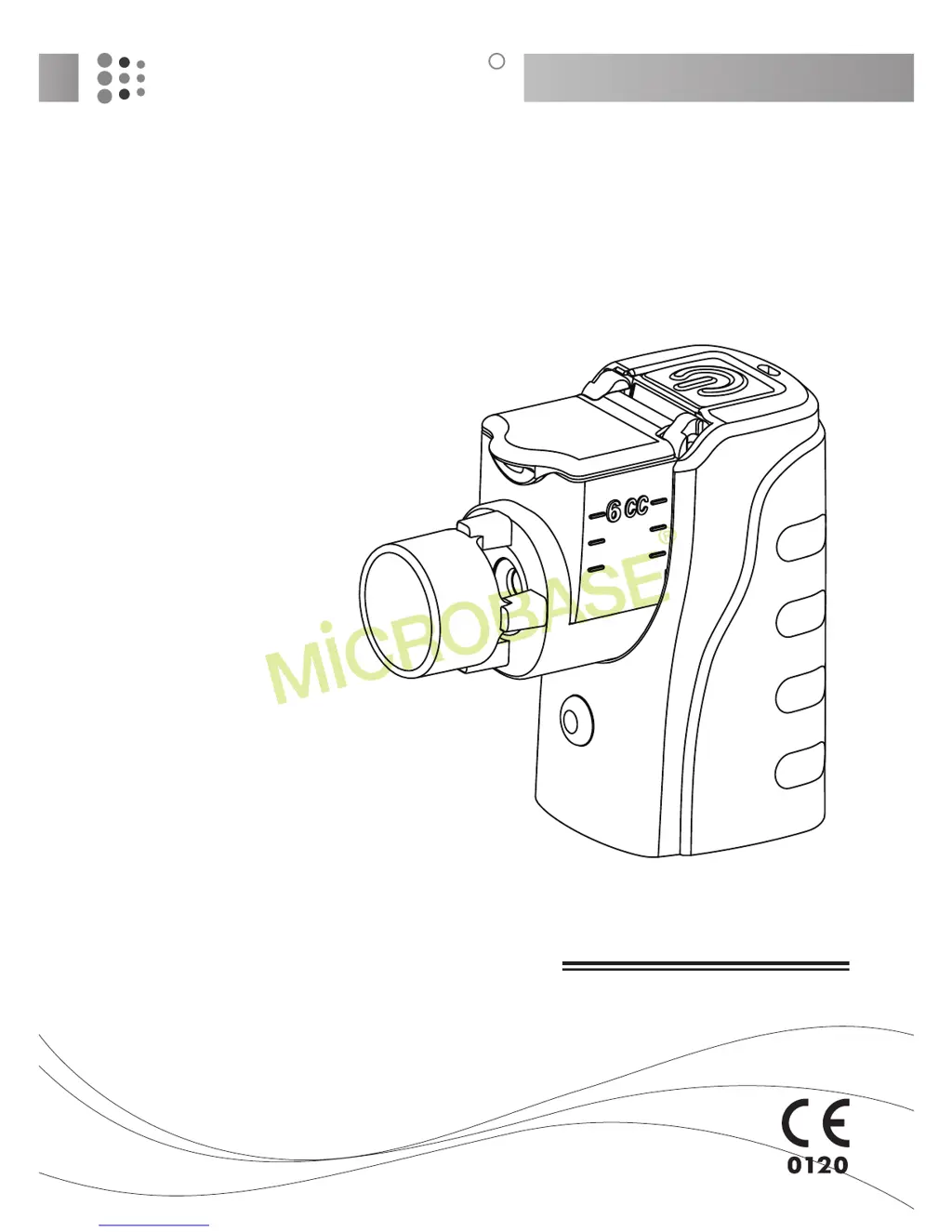
MBPN002 / MB0500300/ MB05006
Instruction Manual
Portable Nebulizer
POCKET AIR
R

Questions and Answers

  • A
    Adam WilliamsAug 2, 2025
    What to do if the light indicator does not turn on and there is no atomization in my Pocket Air Respiratory Product?
    • S
      Sheila PalmerAug 2, 2025
      If the light indicator doesn't turn on and there is no atomization, it could be due to a few reasons: * The batteries might be inserted incorrectly. Ensure they are aligned with the (+) and (-) marks on the battery cover. * The batteries might be dead. Try inserting new batteries or connecting the power adapter. * There may be a faulty connection between the adapter and the main unit. Check the connection and reconnect the adapter.
  • B
    Bradley WebbAug 7, 2025
    How to fix low atomization in Pocket Air Respiratory Product?
    • H
      hkramerAug 7, 2025
      Low atomization in your Pocket Air Respiratory Product can stem from several causes: * Low battery power: Insert new batteries or connect the power adapter. * Faulty connection: Clean the electrodes with rubbing alcohol. * Clogged mesh holes: Refer to the Cleaning and Disinfection procedure to clean the medication cup. * Damaged mesh: Replace the medication cup.
  • K
    Kristy WilliamsAug 12, 2025
    What to do if there is no atomization when power switch and indicator are on in Pocket Air Respiratory Product?
    • J
      Julie HillAug 12, 2025
      If there is no atomization even when the power switch and indicator are on, it could be because: * The mesh holes are clogged. Please refer to the Cleaning and Disinfection procedure to clean the medication cup. * The mesh is damaged. Consider replacing the medication cup.
  • J
    Jacqueline PetersAug 17, 2025
    Why is the power indicator showing a flashing orange light on my Pocket Air Respiratory Product?
    • C
      Carol GonzalezAug 17, 2025
      A flashing orange light on the power indicator suggests: * A faulty connection between the electrodes and the main unit. Clean the electrodes with rubbing alcohol and reinstall the medication cup. * The mesh is damaged. Replace the medication cup. * The medication cup is not installed properly. Refer to How to Set up the medication cup procedure to reinstall the medication cup.
  • T
    Tiffany MeltonAug 22, 2025
    What does a constant orange light on the power indicator of Pocket Air Respiratory Product mean?
    • C
      Cynthia YatesAug 22, 2025
      A constant orange light on the power indicator means that the battery power is low. You should insert new batteries or connect the power adapter.
  • K
    Kenneth MartinezAug 27, 2025
    How to reattach the bottom cover of Pocket Air Respiratory Product if it separates from the main unit?
    • C
      Courtney MartinezAug 27, 2025
      If the bottom cover separates from the main unit, it could be due to: * The connective band disconnecting from the bottom cover. Insert the connective band into the fixing hoop of the bottom cover. * The connective band is broken. Please contact the nearest dealer or the store where you purchased the device.

Summary

General Information

Intended Use

Safety Precautions

Warnings

General safety warnings and precautions for device operation.

Cautions

Specific safety precautions and warnings for device usage.

Explanation of Symbols

Package Contents

Optional Parts and Accessories

System Overview

How to set up the Medication cup

Set up the medication cup

Align and insert the medication cup onto the main unit.

Adding medication

Steps for filling the medication cup with prescribed medication.

Connecting to power supply (MBPN002, MB0500300)

Installing batteries

Guide to inserting AA batteries into the nebulizer.

Battery life and replacement

Information on battery operation duration and replacement.

Using adapter

Using USB cable

Connecting to power supply (MB0500600)

Using adapter

Using USB cable

How to inhale properly

Performing the inhalation

Steps for correct inhalation using the nebulizer.

End of inhalation

Steps to stop the nebulization and finish the treatment.

Cleaning and Disinfection

After every use

Steps for cleaning the nebulizer after each inhalation.

Daily disinfections

Recommended disinfection procedures for the medication cup.

Storage

Troubleshooting

Specifications (MBPN002;MB0500300)

Specifications (MB05006)

Technical Data: Particle Size and Noise (MBPN00201)

Technical Data: Particle Size and Noise (MB0500601)

Technical Data: EMC Emissions (MBPN002, MB0500300)

Guidance and manufacturers declaration-electromagnetic emissions

EMC emissions compliance and guidance for the nebulizer.

Technical Data: EMC Immunity (MBPN002, MB0500300)

Guidance and manufacturers declaration-electromagnetic immunity

EMC immunity compliance and guidance for the nebulizer.

Technical Data: EMC Emissions (MB05006)

Manufacturers declaration-electromagnetic emissions

EMC emissions compliance and guidance for the nebulizer.

Technical Data: EMC Immunity (MB05006)

Technical Data: EMC Immunity (MB05006)

Technical Data: EMC Immunity (MB05006)

Technical Data: EMC Immunity (MB05006)

Technical Data: RF Separation Distance (MB05006)

Recommended separation distance between portable and mobile RF communications equipment

Guidelines for maintaining safe distances from RF equipment.

WEEE (Directive on Wasted Electrical and Electronic Equipment)

Warranty card

Pocket Air MBPN002 Specifications

General IconGeneral
BrandPocket Air
ModelMBPN002
CategoryRespiratory Product
LanguageEnglish