This PocketWizard radio runs on powerful
software called ControlTL
®
(Control The
Light
™
). It can be configured for your specific
needs using the PocketWizard Utility which
can be downloaded at:
www.PocketWizard.com/support/downloads.
Be sure ALL your PocketWizard ControlTL
radios, including this one, are updated to
the latest firmware for proper functionality.
Power on any connected equipment from
the top down: Flash, then radio, then camera.
All equipment should be turned OFF when
making connections or unwanted triggering
may occur.
READ ME FIRST:
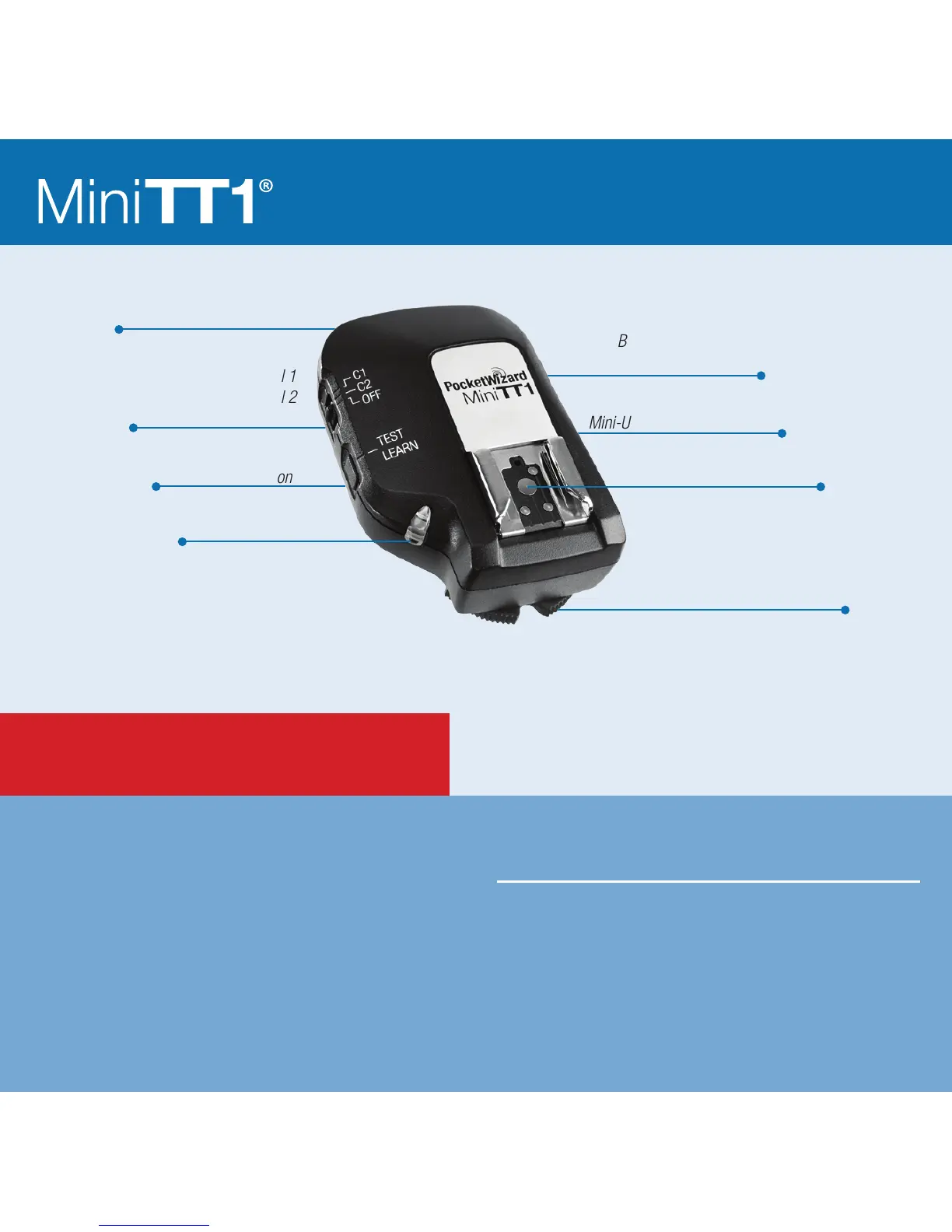
Locking Ring
Conguration/Channel 1
Conguration/Channel 2
Power Off
Internal Antenna
TEST/LEARN Button
Battery Compartment
(on bottom)
Mini-USB Connector (on side)
Nikon-style Hot Shoe
Status LED



 To Next Page