Need help?
Do you have a question about the POCO X5 and is the answer not in the manual?
Covers risks of battery mishandling, damage, and proper disposal.
Addresses operating temperature, authorized accessories, and safe charging practices.
Information on Specific Absorption Rate limits and testing for head and body exposure.
FCC SAR limits and guidelines for body-worn operation with specific separation.
 General
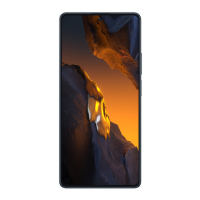
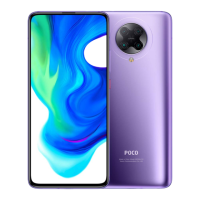
| Display Size | 6.67 inches |
|---|---|
| Display Type | AMOLED |
| Resolution | 1080 x 2400 pixels |
| RAM | 6GB / 8GB |
| Storage | 128GB / 256GB |
| Rear Camera | 48MP + 8MP + 2MP |
| Front Camera | 13MP |
| Battery Capacity | 5000 mAh |
| SIM | Dual SIM (Nano-SIM, dual stand-by) |
| Colors | Black, Blue, Green |
| Processor | Qualcomm Snapdragon 695 |
| Charging | 33W |
| Operating System | Android 12, MIUI 13 |
| Connectivity | Bluetooth 5.1 |
| Weight | 189g |
| Dimensions | 165.88 x 76.21 x 7.98 mm |

 To Next Page