Need help?
Do you have a question about the POCO M5s and is the answer not in the manual?
Declaration of conformity for the device with EU regulations.
Information regarding Specific Absorption Rate (SAR) limits for general population exposure.
Details on the highest SAR values for the device.
Overview of supported frequency bands and maximum radio frequency power.
Compliance with the Federal Communications Commission (FCC) rules.
FCC guidelines on radio frequency exposure (SAR) for the device.
Important notes and warnings related to FCC compliance.
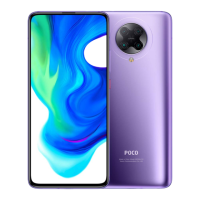
 General
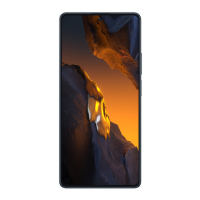
| Display | 6.43 inches, AMOLED, 1080 x 2400 pixels |
|---|---|
| Processor | MediaTek Helio G95 |
| RAM | 4GB/6GB |
| Storage | 64GB/128GB |
| Rear Camera | 64 MP + 8 MP + 2 MP + 2 MP |
| Front Camera | 13 MP |
| Battery | 5000 mAh |
| Weight | 178.8 g |
| Dimensions | 160.5 x 74.5 x 8.3 mm |
| SIM | Dual SIM (Nano-SIM, dual stand-by) |
| Bluetooth | 5.0 |
| USB | USB Type-C 2.0 |
| Fingerprint Sensor | Side-mounted |
| Operating System | Android 12, MIUI 13 |
| Colors | Blue, White |
| Network | 4G LTE |
| Audio | 3.5mm headphone jack |

 To Next Page