Need help?
Do you have a question about the POCTech CT3 Series and is the answer not in the manual?
Covers foreword, manual purpose, liability, eIFU, and software info.
Explains various symbols used in the manual and on the device.
Emphasizes reading the entire manual before system use for safety.
Defines various symbols used on the device and packaging.
States product name, lists models, and explains working principle.
Describes the factory calibration and optional user calibration process.
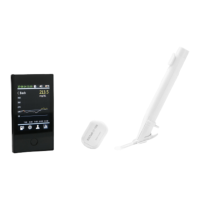
Details the hardware and software components of the CT3 models.
Details warm-up time, sensor life, glucose range, and operating conditions.
Presents key performance data from clinical trials.
Outlines steps for preparing the transmitter for use.
Instructions for cleaning the transmitter's contact pins.
Details how to charge the transmitter before use.
Steps to prepare the mobile device for the system.
Guide to logging into the AnytimeWell application.
Instructions for setting up user profile information.
Details the process of pairing the transmitter with the phone.
Explains the sensor warm-up process and QR code scanning.
Instructions for preparing the skin site for sensor application.
Covers checking sensor package, selecting site, and cleaning.
Guides on inserting the sensor and removing the applicator.
Details how to attach the transmitter to the sensor.
Introduces the main screen and data display of the application.
Explains factory calibration and optional user calibration.
Guides on initiating a new calibration entry.
Instructions for entering measured blood glucose values.
Alerts about potential errors during calibration.
Details how to record events like diet, medicine, and exercise.
Explains automatic termination and confirmation at session end.
Instructions for safely removing the sensor.
Guidance on checking the skin after sensor removal.
Information on transmitter reusability and cleaning.
How to configure high and low glucose alert thresholds.
Instructions for customizing notification settings.
Accessing CGM interface, viewing transmitter SN, and forced termination.
Explains the "No device connected" status after unbinding.
How to view daily glucose readings and historical data.
Instructions for accessing sensor session data reports.
Guide on selecting the desired monitoring period.
Details on viewing device-specific information.
Presents monitoring results, panoramas, and trend graphs.
Displays daily highs/lows and time percentages.
Shows the distribution of glucose levels across different ranges.
Instructions on sharing data reports and lists.
How to view and share the Ambulatory Glucose Profile report.
How to access and edit personal profile information.
Accessing help resources for followers.
Overview of settings for app and account management.
Steps to log out of the current account.
How to change the units for glucose readings.
Instructions for sharing monitoring data with chosen followers.
Guide on inviting new followers to share data.
How to view lists of invited followers and notifications.
Managing follower settings and sharing preferences.
Covers sensor and component disposal according to regulations.
Covers alerts for current, battery, glucose levels, and connection issues.
Critical advice for timely alerts and app operation.
Explains emissions compliance, interference, and operating guidance.
Details immunity test levels and environmental guidance.
Explains RF immunity levels and recommended separation distances.
Provides guidelines for separation distances from RF equipment.
Details product codes, dates, and service life for components.
General maintenance guidelines for device components.
Specifies environmental conditions for transport and storage.
Classifies the transmitter based on safety and operation.
Provides contact information for after-sales service.
Mentions the website for warranty information.
Covers warranty description, coverage, duration, and exclusions.
Steps and requirements for submitting a warranty claim.
Guide for users to log in to the AnytimeFollow application.
Instructions for adding other users to share monitoring data.
Displays a list of shared users and their monitoring status.
Shows received and sent notifications regarding data sharing.
How followers view real-time glucose monitoring results.
How followers view daily glucose readings and charts.
Accessing settings for followers, notes, and notifications.
Explanation of the urgent low alert for followers.
How followers can manage low glucose alerts.
How followers can manage high glucose alerts.
Followers setting up their profile information.
How followers can adjust unit settings for glucose readings.
Accessing help resources for followers.
Information on software updates and legal policies for followers.
Followers managing their account and password.
How followers log out of their account.
 General
| Sample Type | Capillary whole blood |
|---|---|
| Measuring Time | 5 seconds |
| Measuring Range | 1.1 mmol/L - 33.3 mmol/L (20 mg/dL - 600 mg/dL) |
| Operating Temperature | 10°C - 40°C |
| Operating Humidity | 10% - 90% RH |
| Hematocrit Range | 30% - 55% |


 To Next Page