HHOW TO MAKE BREAD
1. Place the bread pan in position and turn it clockwise until it clicks into the correct
position. Fix the kneading blade onto the drive shaft. It is recommended to fill holes
with heat-resisting margarine prior to placing the kneaders, as this avoids the
dough to stick below the kneaders and the kneaders could be easily removed from
the bread.
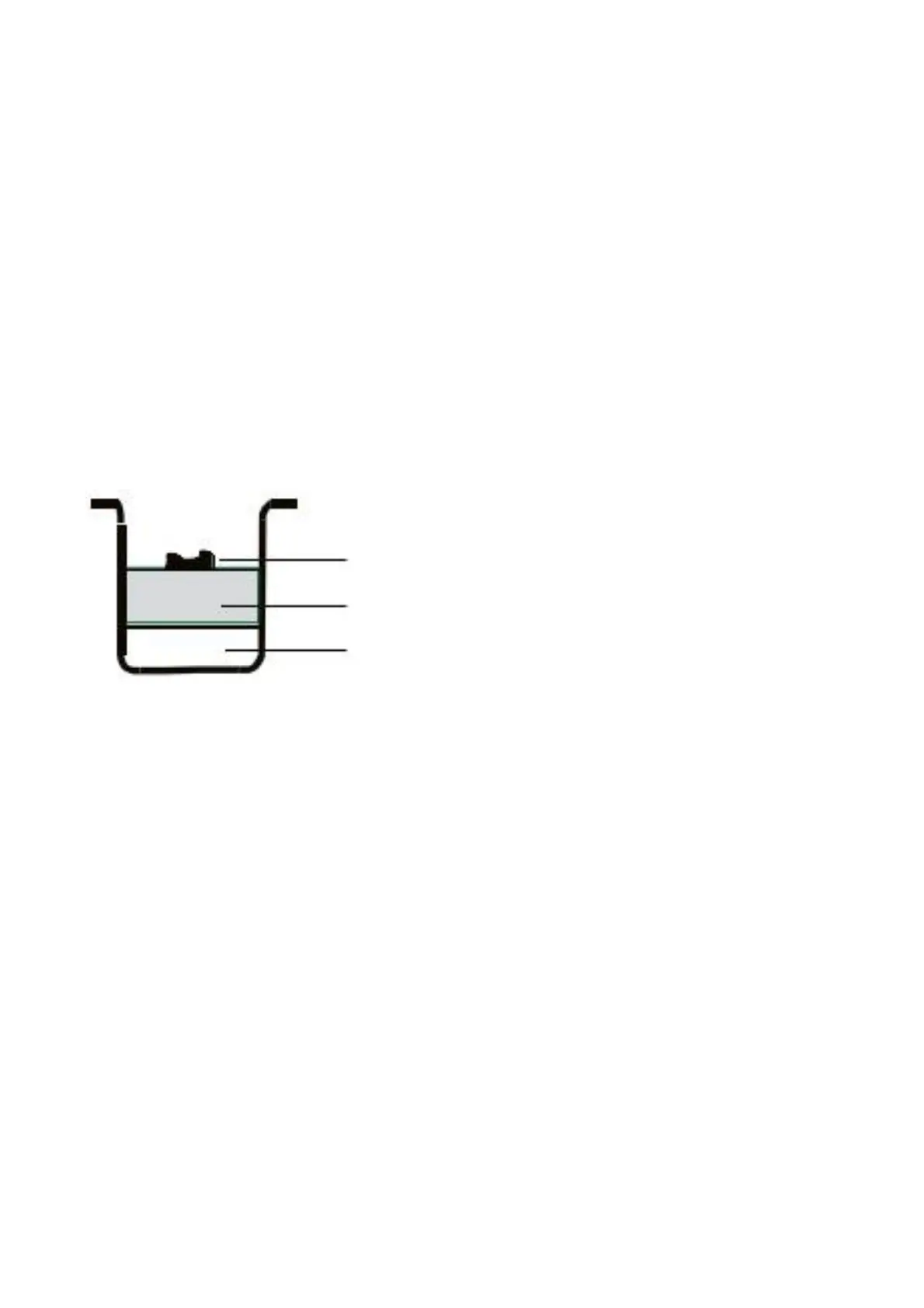
2. Place ingredients into the bread pan. Please keep to the order mentioned in the
recipe. Usually the water or liquid substance should be added first, then add sugar,
salt and flour.
Always add yeast or baking powder as the last ingredient.
Note : For the maximum quantities of flour and yeast to be used, please refer to the
recipes.
o
e:
emax
mum
uan
o
our an
eas
se
ara
e
s
an
.
.
our
n
er ma
easma
n
en
a
on on one s
eo
e
our.
e
eas
n
o
e
n
en
a
on, ma
esure
oes no
come
n
ocon
ac
w
e
u
n
re
en
sorsa
.
4. Close the lid gently and plug the power cord into a wall outlet.
5. Press the Menu button until your desired program is selected.
6. Press the C
COLOR button to select the desired crus t color.
7. Press the L
LOAF button to select the desired size (650g or 800g ).
8.Setthedelaytimebypressing+
+ or -- button. This step may be skipped if you want
the bread maker to start working immediately.
9. Press the S
START/STOP button to start working.
10. For the Basic, French, Whole wheat, Quick, Sweet, Ultra fast, Cake and
Sandwich programs, 10 beeps will sound during the operation. This is to prompt
you to add ingredients. Open the lid and put in some ingredients. It is possible that
steam will escape through the vent slits in the lid during baking. This is normal.
11. Once the program has completed 10 beeps will sound, and the working light will
Yeast or Soda
Dry ingredients
Water or liquid
12


 To Next Page
 Loading...