2726
Operating Instructions
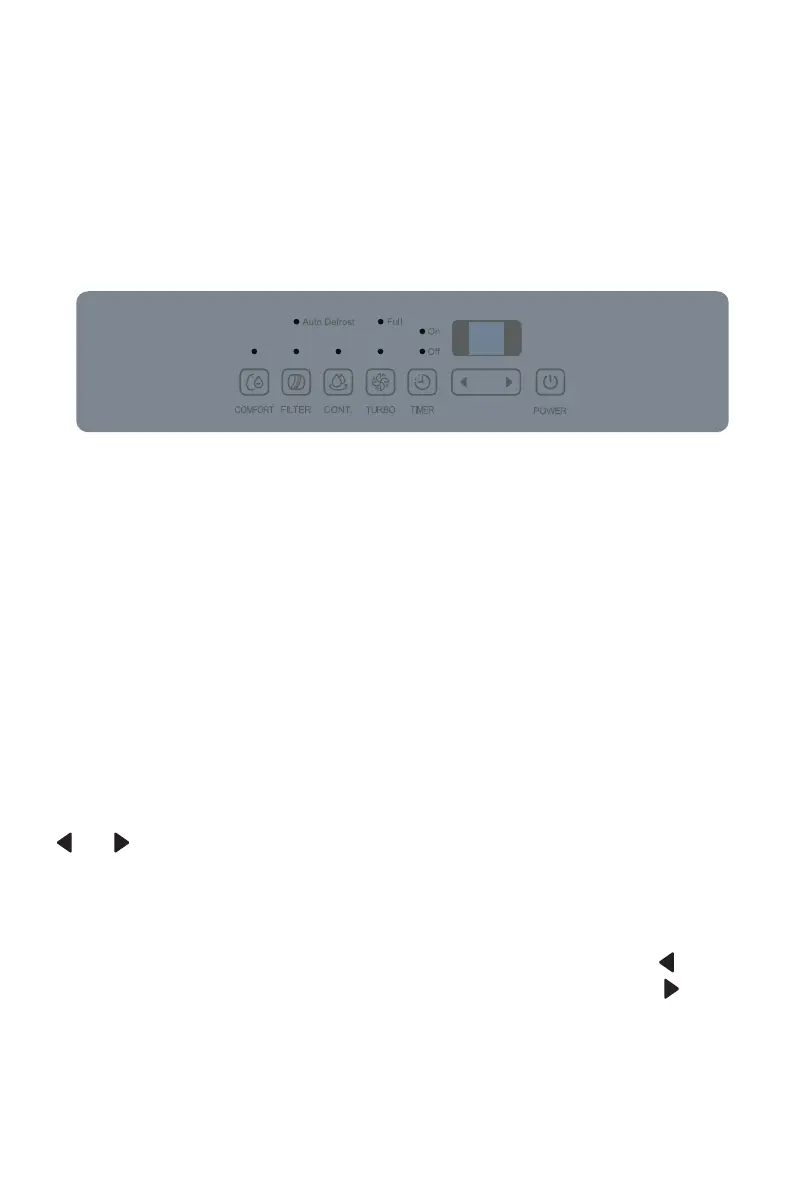
Control Panel Features
Note: The following control panels are for explanation purpose only. The
control panel of the appliance you purchased may be slightly different
according to the models. Your appliance may not contain some indicators or
buttons. The actual shape shall prevail.
FILTER
The check filter feature is a reminder to clean the Air Filter for more efficient
operation. The Filter light (Clean filter light) will illuminate after 250 hours of
operation. To reset after cleaning the filter, press the Filter button and the
light will go off.
TURBO Pad
Control the fan speed. Press to select either High or Normal fan speed. Set the
fan control to High for maximum moisture removal. When the humidity has
been reduced and quiet operation is preferred, set the fan control to Normal.
CONTINUE button
Press to activate the continuous dehumidifying operation.
Timer button
Press to initiate the Auto start and Auto stop feature, in conjunction with the
and (or < and >) buttons.
UP/DOWN buttons
z
Humidity Set Control buttons
The humidity level can be set within a range of 35% RH (Relative Humidity) to
85%RH (Relative Humidity) in 5% increments. For drier air, press the (or <)
button and set to a lower percent value (%). For damper air, press the (or >)
button and set a higher percent value (%).
z
TIMER Set Control buttons
Use the Up/Down buttons to set the Auto start and Auto stop time from 0.0
to 24.


 To Next Page
 Loading...