• Changing the USB Mode Between MSDC and Pictbridge
You can choose either MSDC or Pictbridge Camera as a driver type in this
camera. Mass storage is the driver type by default.
MSDC(Mass Storage Digital Camera) is a computer interface between
a computer and a digital camera which shows the digital camera as
a removable disk drive attached to the computer. You may view and
download pictures and video clips stored in your camera’s internal memory
or a SD memory card onto your computer.
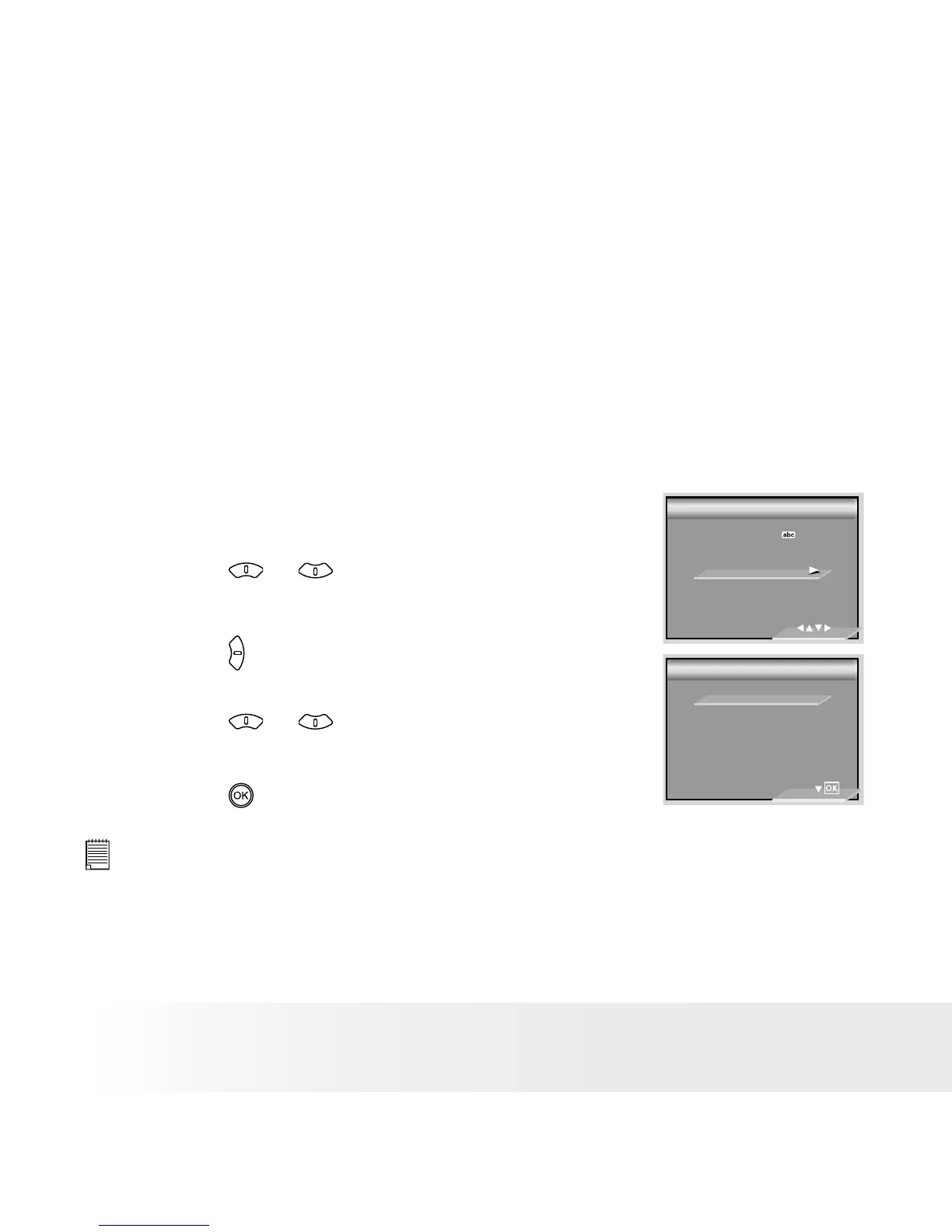
1. Set the camera to Still Image mode.
2. Access the Setup menu.
3. Press the or button to select “USB
MODE”.
4. Press the button.
5. Press the or button to select the desired
setting.
6. Press the
button.
USB MODE
USB MODE
2/2
LANGUAGE
DATE STAMP
USB MODE
DEFAULT SETTING
SETUP
SETUP
MSDC
PICTBRIDGE
NOTE:
The driver type always resets to MSDC when the camera is turned off.



 To Next Page
 Loading...